
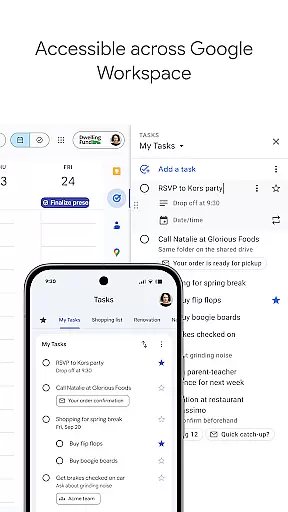
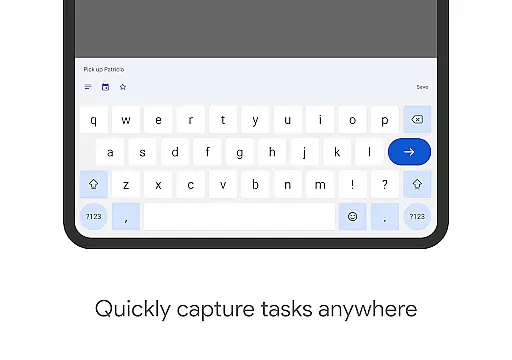
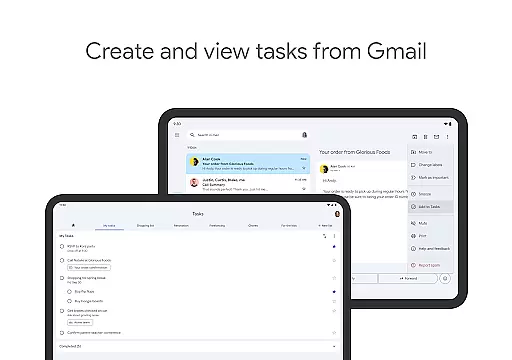
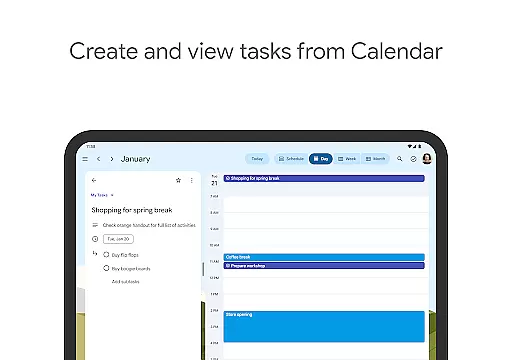
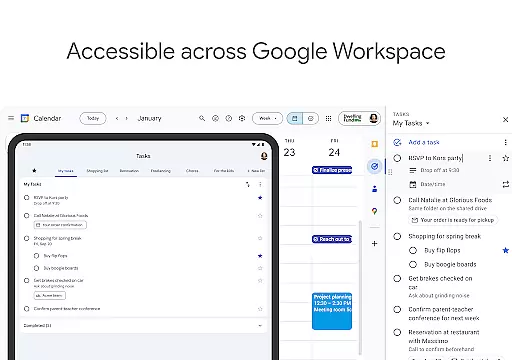
Google Tasks is a productivity app designed to help users manage their daily tasks efficiently. The app allows you to capture, organize, and track your to-dos from any device, ensuring you never miss an important deadline. With seamless integration across Gmail and Google Workspace, it enables users to convert emails into actionable tasks with just a few taps.
The app's intuitive interface lets you create multiple task lists for different purposes, set priority levels using drag-and-drop functionality, and add subtasks for complex projects. Notifications ensure timely completion of tasks, while the ability to access your lists offline makes it versatile for all situations. Whether you're managing work projects or personal errands, Google Tasks keeps everything streamlined and accessible.
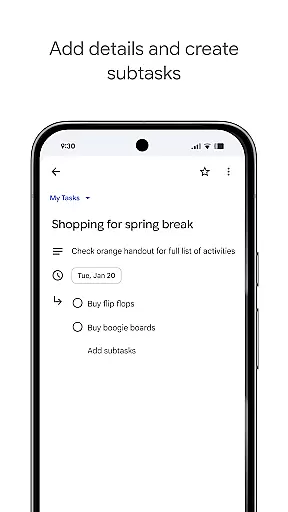
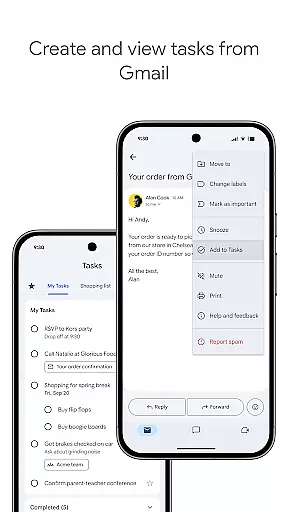
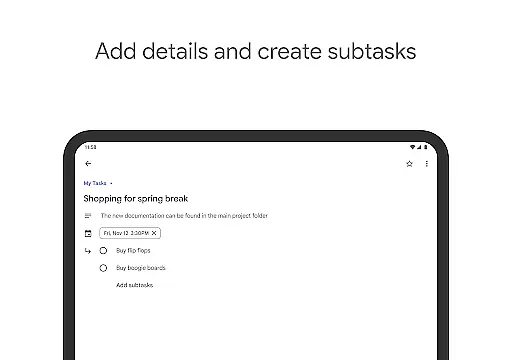
Google Tasks offers a variety of features that enhance productivity and simplify task management. One standout feature is its deep integration with Gmail, allowing users to turn emails into tasks without leaving their inbox. This ensures no critical action item gets overlooked. Additionally, the app supports multi-step tasks through subtasks, breaking down larger goals into manageable steps.
Another key aspect is cross-device synchronization. Any updates made on one platform are instantly reflected across all others, providing real-time access to your task lists. The app also includes intuitive tools like drag-and-drop reordering, star-marking for high-priority tasks, and due date reminders. These capabilities make it easy to stay organized and focused, whether you're handling professional responsibilities or personal chores.
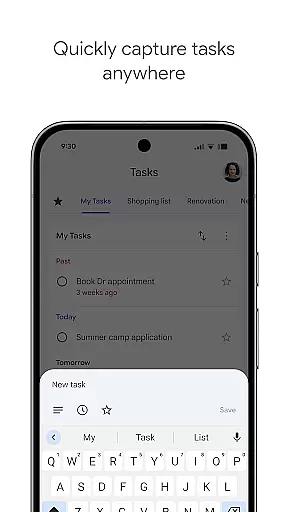
Task management is a critical component of productivity applications, and Google Tasks excels in this area by providing users with robust tools to handle their daily activities efficiently. The app allows you to view, create, edit, and manage tasks on the go, ensuring that your to-do list is always up-to-date and accessible.
One standout feature is the ability to organize tasks into different lists based on topics or priorities. This helps users categorize their responsibilities effectively, making it easier to focus on what matters most at any given time. Additionally, prioritization is made simple through drag-and-drop functionality, which lets you reorder tasks effortlessly, or by marking key tasks with a star for quick identification.
For more complex projects, Google Tasks supports subtasks, allowing users to break down larger objectives into manageable components. This ensures that every step of a project is accounted for and nothing falls through the cracks. With these comprehensive task management features, Google Tasks empowers users to stay organized and productive.
In today's fast-paced world, having reliable cross-device synchronization is essential for maintaining productivity. Google Tasks offers seamless syncing across all your devices, ensuring that your to-do list is always current, no matter where you are or what device you're using.
This synchronization extends beyond just viewing tasks; any changes made on one device are instantly reflected on all others. Whether you're adding new tasks, editing existing ones, or marking items as complete, you can trust that these updates will be available everywhere. This real-time update capability ensures consistency and reliability in managing your tasks.
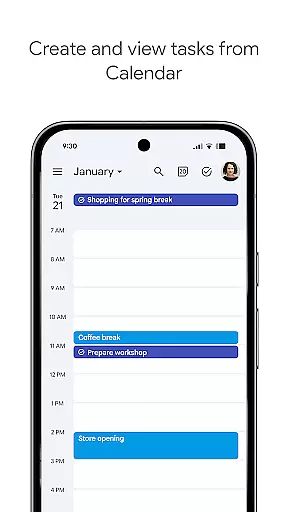
Furthermore, integration with other Google services like Gmail enhances this experience. Users can create tasks directly from emails, with links back to the original message for easy reference. By combining robust synchronization with powerful integrations, Google Tasks provides a dependable solution for staying on top of your responsibilities across multiple platforms.
User-friendly interface
Seamless Gmail integration
Cross-device syncing
Offline accessibility
Free to use
Limited advanced features
No team collaboration tools
Basic design aesthetics
Few customization options
Dependent on Google ecosystem

Unlock AutoNotification
 4.00
4.00
A lightweight JSON & XML files creator, editor and viewer (Premium Version)
4.40
We're working to become the best machining app on the market! www.cncdirt.com
4.80
aCalendar+ makes your day, week and month
4.70
Create and edit presentations with Google Slides, part of Google Workspace.
4.00
Secure your apps with lock screens, use custom themes and different features.
4.40
Understand anything with a personalized AI research assistant
4.80
Daily processing of PDF documents.
4.40
Discover Acode - a sleek, powerful IDE and code editor for Android.
4.30
8 custom complications. Custom Time Fonts. Beautiful color schemes. A++ Design.
5.00
Multilingual translator for text, voice, and image translation!
4.90
Great calculator for Android named one of USA TODAY's "25 Essential Apps".
4.90
Protect and view your important info on your phone and tablet with eWallet®
4.80
The Pro Version of Android's tiniest Notepad app. Just 0.3MB but feature-packed!
4.60
A simple Whisper AI keyboard for reliable speech transcription and rewording
4.60
Smart PDF reader & editor to view, organize and manage PDF documents easily.
3.70
Make your handwriting beautiful, even more than pen on paper.
3.60
Simple and reliable communication between inmates, friends and family
3.20
Easiest event planning, volunteer signups & parent teacher conference scheduling
2.20


User Reviews