

Calculator Plus is a productivity-focused calculator app designed to provide users with an efficient and visually appealing calculation experience. As a top-rated Android calculator, it surpasses traditional handheld calculators by offering advanced features tailored for various use cases. The app excels in simplifying everyday calculations such as shopping expenses, homework, checkbook balancing, and tax assistance.
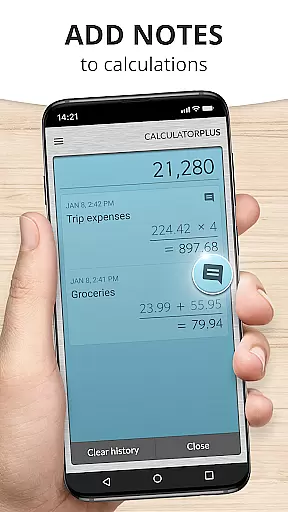
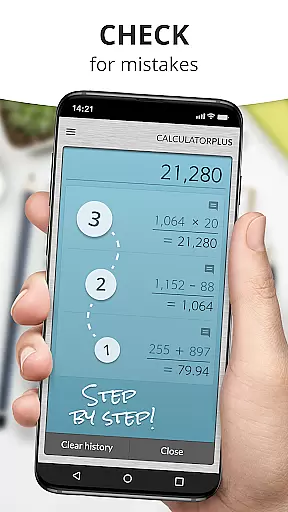
One of the standout features of Calculator Plus is its ability to save time and effort by storing all user calculations. This allows users to review past computations at any time, ensuring accuracy and convenience. Whether you're managing finances or solving complex math problems, this app provides a seamless experience with clear, elegant typography and intuitive design optimized for mobile devices.
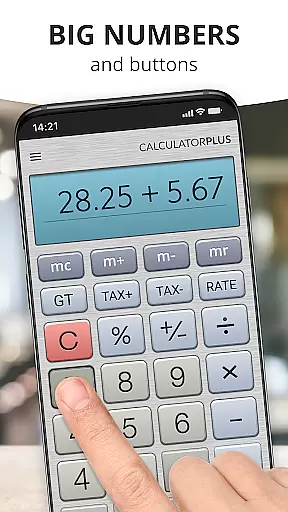
Calculator Plus offers a variety of innovative features that enhance the overall user experience. Its interface displays calculations in large, easy-to-read fonts with proper comma placements, making it simple to track ongoing operations without confusion. Additionally, the app includes a unique backspace function, allowing users to correct mistakes without restarting their entire calculation.
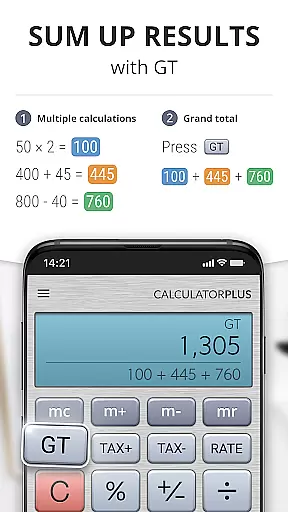
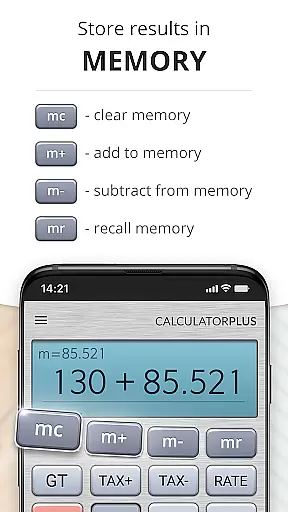
For more advanced mathematical tasks, users can swipe memory keys aside to access additional functions while maintaining a running total visible on-screen. The percentage key provides transparent results, eliminating ambiguity in financial or statistical computations. With its user-friendly design, Calculator Plus ensures that individuals of all ages can perform daily calculations effortlessly on both phones and tablets.
Calculator Plus excels in core task management by offering a seamless calculation experience tailored for productivity. The app allows users to save and review past calculations effortlessly, which is crucial for managing various tasks such as budgeting, homework, and taxes.
With its memory functions, users can maintain a running total and easily access advanced math operations when needed. This ensures that complex computations are handled efficiently without losing track of intermediate results.
The incorporation of an intuitive backspace function enables users to correct errors without starting over, streamlining the task management process. Such features collectively enhance the user's ability to manage multiple calculations with precision and ease.
By providing clear, elegant typography and showing exactly what is happening during the calculation process, Calculator Plus empowers users to focus on their tasks without distraction, making it an indispensable tool for both everyday and specialized calculations.
While Calculator Plus does not explicitly advertise cross-device synchronization, its reliable performance ensures that calculations are preserved until the next use, mimicking some benefits of synchronization by maintaining continuity on the same device.
Users will find that the app remembers everything they calculate, allowing them to exit and return to their work seamlessly. This creates a consistent experience akin to syncing data across devices, albeit on an individual device level.
Although it doesn't sync across multiple devices, the app's robust memory functionality provides a reliable experience within a single installation, ensuring that no data is lost between sessions.
This consistency and reliability in preserving calculation history make Calculator Plus a trustworthy tool for users who want to manage their tasks effectively on their Android device without worrying about data loss or synchronization issues.
User-friendly interface
Advanced memory functions
Clear and elegant typography
Backspace correction feature
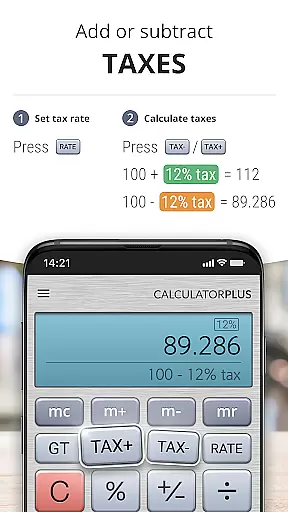
Transparent percentage calculations
Limited to basic operations
No graphing capabilities
Premium version required
Occasional ads
Not ideal for engineering tasks

Client for Nextcloud Deck
 4.60
4.60
Native client for Forgejo and Gitea
5.00
Ads Free App! Editor, Hide File, Copy, Move, Delete and Rename.. all facility av
1.70
Direct Chat without saving contacts & Dual WA Account on Single Device
4.70
Send files, sync SMS, notifications & clipboard across devices via local network
4.40
Make your handwriting beautiful, even more than pen on paper.
3.60
Enjoy classic gameplay with customizable features and retro-style graphics.
4.30
Translate text/voice/photos in 150+ languages. Offline & fast translator app.
4.50
Understand anything with a personalized AI research assistant
4.80
8 custom complications. Custom Time Fonts. Beautiful color schemes. A++ Design.
5.00
Best Tool for the professionals Electrician, Electrical contractors, etc.
4.90
Quickly and easily keep track of your work shifts
4.70
Planet Free VPN - The best Fast Unlimited and Secure VPN Without Logs
4.50
A customizable calendar for your Wear OS watch
4.20
Font maker keyboard with your own handwriting
4.10
Ultimate Virtual AI Character for immersive Roleplay Chat. Perfect Companion
3.90
All in one sketching tool. Technical and General drawing. Online Maps support.
3.70
A simple, portable logger for POTA, SOTA, Field Day, and more
4.3
A comprehensive suite of tools designed specifically for Lactation Consultants
4.1


User Reviews