

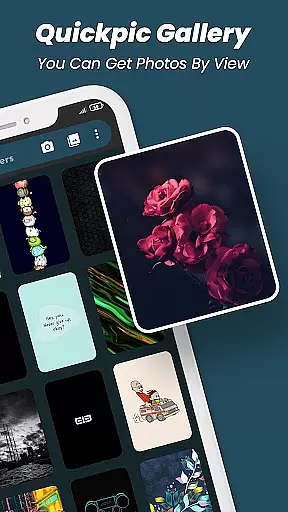
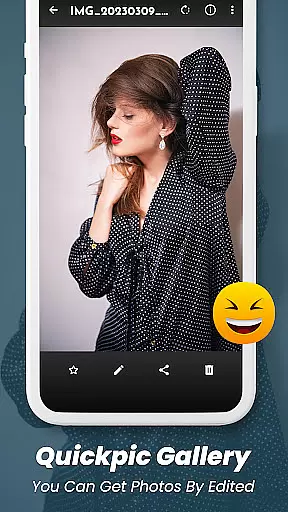
Quickpic Gallery Pro is a premium gallery app designed to help users efficiently manage and organize their photos and videos. The app offers an intuitive interface with advanced features such as photo editing, file recovery, and privacy protection. With support for a wide range of file formats including JPEG, PNG, MP4, and RAW, it ensures full flexibility in media management.
One of the standout features of Quickpic Gallery Pro is its customizable design, allowing users to tailor the app's appearance and functionality to suit their preferences. Whether you need to crop, rotate, or apply filters to your images, this app makes photo editing effortless. Additionally, its robust security options enable users to protect private content using pins, patterns, or fingerprint authentication.
The app is particularly useful for individuals who require a reliable tool to safeguard their digital memories while enjoying seamless navigation and management capabilities. Its offline functionality and lack of ads enhance the overall user experience, making it an ideal choice for those seeking a comprehensive gallery solution.
Quickpic Gallery Pro stands out with its extensive feature set tailored for productivity and ease of use. The app provides advanced photo editing tools that allow users to crop, flip, rotate, and resize images effortlessly. It also supports applying stylish filters to enhance visual appeal instantly. These features ensure that users can optimize their photos without needing additional software.
Another significant aspect is its ability to recover accidentally deleted photos and videos, offering peace of mind to users concerned about losing precious memories. The app's support for various file types, including panoramic photos and videos, enhances its versatility. Moreover, Quickpic Gallery Pro includes a dedicated video player and a sleek dark mode for an enhanced viewing experience.
Security is prioritized with options like app lock and privacy protection, ensuring sensitive content remains secure. Users can also take advantage of organizational features such as timeline views, favorite tagging, and easy sharing across social media platforms. This combination of powerful tools makes Quickpic Gallery Pro an indispensable asset for managing multimedia files effectively.
At the heart of Quickpic Gallery Pro lies its robust core task management system, designed to streamline your media organization process. This productivity app allows users to effortlessly handle their images and videos through a comprehensive suite of tools.
The application supports an extensive range of file types including JPEG, PNG, MP4, MKV, RAW, SVG, GIF, panoramic photos, and videos. With these capabilities, you can copy, move, rename, hide, or even create new files and folders within the gallery with ease.
Quickpic Gallery Pro stands out by providing advanced photo editing features such as cropping, flipping, rotating, resizing pictures, and applying stylish filters. These functions ensure that managing your multimedia content is not only efficient but also creative and enjoyable.
By integrating user-friendly interfaces with powerful functionalities like sorting files, timeline views, dark mode for enhanced viewing experiences, dedicated video players, and easy sharing options across social media platforms, Quickpic Gallery Pro empowers users to maintain a well-organized digital library without hassle.
While Quickpic Gallery Pro excels in organizing media on a single device, it also offers reliable cross-device synchronization, ensuring your precious memories are accessible wherever you go. Although direct cloud sync might not be its primary feature, the app's design facilitates seamless transitions between devices.
With Quickpic Gallery Prou2019s superior security features, users can protect private photos, videos, and files using pin, pattern, or fingerprint authentication. This protection extends to the app itself, allowing you to secure your media library across multiple devices confidently.
In case of accidental deletions, the built-in recycle bin helps recover lost files, adding another layer of reliability when moving data between devices. The ability to quickly search and sort multimedia files ensures consistency and ease of access regardless of where you view them.
Moreover, Quickpic Gallery Pro provides various ways to share files via emails and official platforms, making it simple to transfer important documents securely. Whether at home or on the move, this productivity tool keeps all your essential media synchronized and safe across different gadgets.
User-friendly interface
Advanced photo editing
Customizable design
Robust security features
Offline functionality
Limited cloud integration
No automatic backup
Premium price tag
Occasional bugs
Heavy on storage

Wake up & get tasks done! Add alarms & reminders on the Clock Launcher.
 4.00
4.00
Planet Free VPN - The best Fast Unlimited and Secure VPN Without Logs
4.50
Send files, sync SMS, notifications & clipboard across devices via local network
4.40
Stay on top of your to-dos with Google Tasks, part of Google Workspace.
4.60
Font maker keyboard with your own handwriting
4.10
Create and edit presentations with Google Slides, part of Google Workspace.
4.00
Code on-the-go with VScode for Android. Edit,debug and collaborate from mobile!!
3.10
The ultimate file manager for rooted devices. The original and still the best.
4.00
Seamlessly read, manage, and organize all your PDF files solution in one place
4.40
8 custom complications. Custom Time Fonts. Beautiful color schemes. A++ Design.
5.00
Multilingual translator for text, voice, and image translation!
4.90
Best Tool for the professionals Electrician, Electrical contractors, etc.
4.90
Use powerful, industry-leading AI tools to generate visual charts from any data
4.80
A beautiful digital clock with autostart and many other functions
4.70
Quickly and easily keep track of your work shifts
4.70
A simple Whisper AI keyboard for reliable speech transcription and rewording
4.60
Access, manage and transfer files on Android, PC, Mac, NAS and cloud storages.
4.30
Pwnagotchi companion app
4.20
Experience real multitasking on your Android!
4.00


User Reviews