
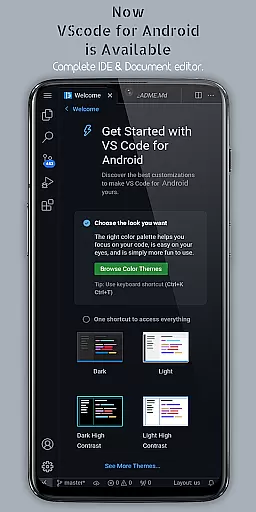
VScode for Android brings the powerful functionality of Visual Studio Code to mobile devices, allowing developers to write, edit, and debug code on-the-go. With support for a wide range of programming languages and file types, this app is designed to cater to both professional developers and coding enthusiasts who need flexibility in their workflow.
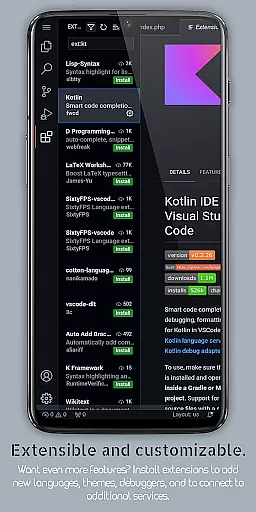
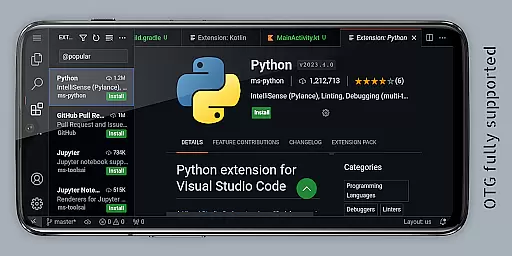
The app offers customizable themes, extensions, IntelliSense, debugging tools, and built-in Git support, making it easier than ever to code efficiently from anywhere. Its immersive fullscreen mode and remote access capabilities via a web browser enhance the user experience, providing uninterrupted coding sessions and global accessibility.
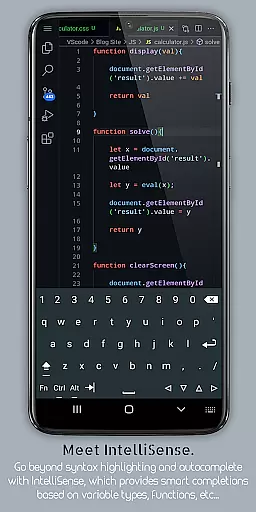
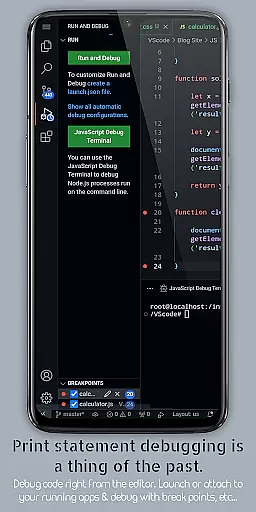
VScode for Android stands out with its comprehensive feature set tailored for developers. The app includes built-in debugging tools, syntax highlighting for multiple programming languages, and IntelliSense for intelligent code completion. These features ensure that users can write code faster and with fewer errors, streamlining the development process.
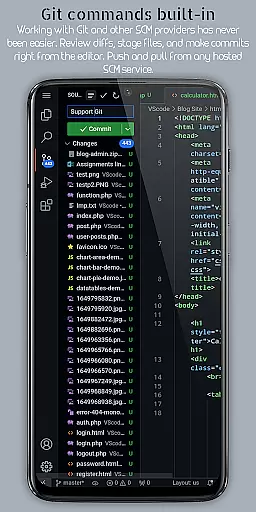
Additionally, the app supports multi-cursor editing, embedded Git for version control, customizable keyboard shortcuts, and split-view editing. These functionalities allow developers to work on multiple files simultaneously, manage version control directly from the editor, and customize their workspace for optimal productivity. The integrated terminal and task runner further enhance workflow automation.
Task management is a cornerstone of productivity applications, and VScode for Android excels in this area by providing users with an integrated task runner. This feature allows developers to automate common tasks directly within the app, streamlining workflows and saving valuable time.
The application supports multi-cursor editing, enabling users to make simultaneous changes across different parts of their code. This capability significantly enhances efficiency when managing multiple tasks or making repetitive edits. Additionally, split view editing lets coders work on several files side-by-side, which is crucial for comparing code segments or working on interconnected scripts.
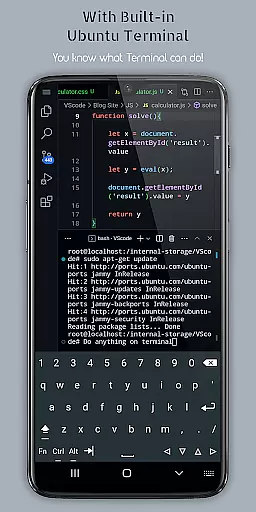
VScode for Android also includes a built-in terminal, giving programmers immediate access to the command line without leaving the editor. This seamless integration ensures that task management is not only efficient but also comprehensive, covering various aspects of coding from writing to execution.
Cross-device synchronization is vital for users who switch between different devices throughout their day. VScode for Android addresses this need by allowing remote access through a web browser using the device's IP address and port 8080. This means you can continue your work from anywhere in the world, ensuring continuity and flexibility in your development process.
Moreover, the app provides workspace management features that help organize and switch between different projects effortlessly. Whether you're transitioning from your desktop to your mobile device, these capabilities ensure that your environment remains consistent and up-to-date.
With support for Git and other version control systems embedded directly into the editor, collaboration becomes hassle-free. Developers can perform common version control operations without needing external tools, thus maintaining reliable synchronization of their codebases across devices. This robust set of features makes VScode for Android a dependable choice for cross-device task management.
Powerful code editor
Wide language support
Customizable interface
Built-in Git support
Remote access capability
Complex for beginners
Requires internet
Limited mobile functionality
Occasional bugs
Not officially by Microsoft

A Revolutionary All-in-One Artificial Intelligence Tools
 3.80
3.80
Ads Free App! Editor, Hide File, Copy, Move, Delete and Rename.. all facility av
1.70
Android Wallet Password Manager
4.80
Font maker keyboard with your own handwriting
4.10
Multilingual translator for text, voice, and image translation!
4.90
Experience and share your SolidWorks designs on your Android® phone and tablet.
2.50
Lightweight PDF, Word, Excel reader.
4.60
Browse and view your photos and videos from the phone with photo & video hide.
4.10
Put a lock on your cloud: Take the security of your data into your own hands
3.70
Subscribe to Webcal & .ics calendars and keep them up-to-date!
4.50
Tally and goal counter for Wear OS & mobile
4.50
A lightweight JSON & XML files creator, editor and viewer (Premium Version)
4.40
Automates browsing any website and notifies you of important changes or events
4.30
Make apps & sites with natural language prompts
4.10
Create and edit presentations with Google Slides, part of Google Workspace.
4.00
Take control of your clipboard with Clipper!
3.90
All in one sketching tool. Technical and General drawing. Online Maps support.
3.70
Remotely view listen control and record cameras.
3.70
Create study competitions, track your hours, and stay consistent with friends
4.4


User Reviews