
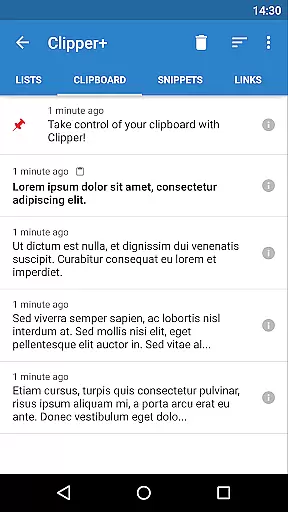
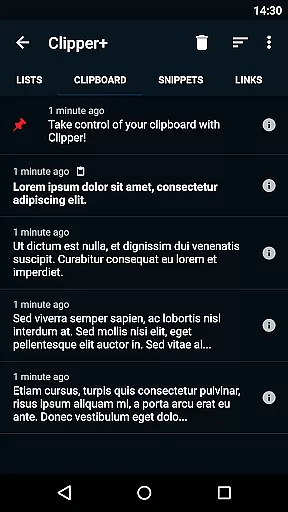
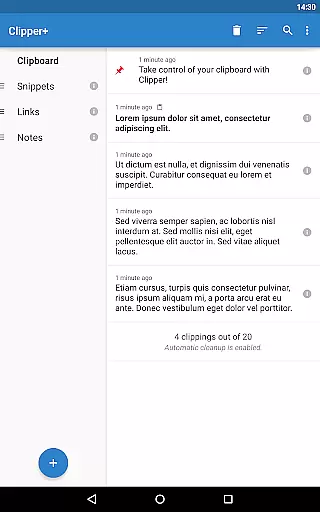
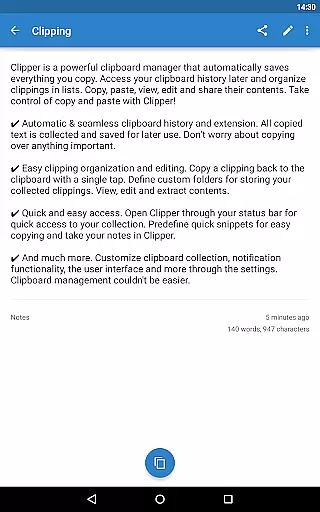
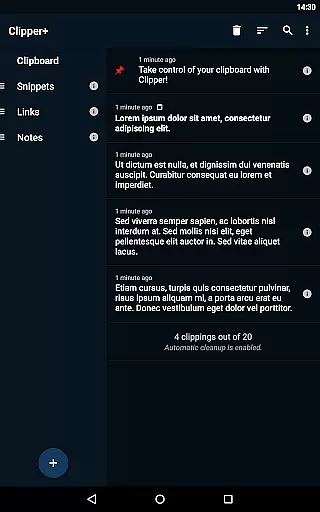
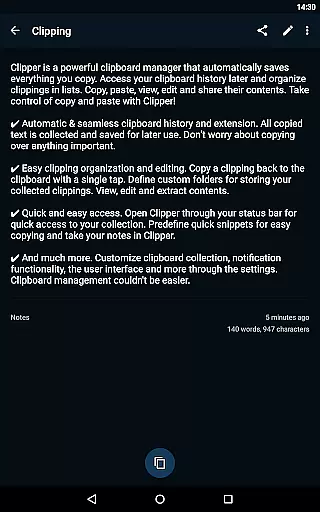
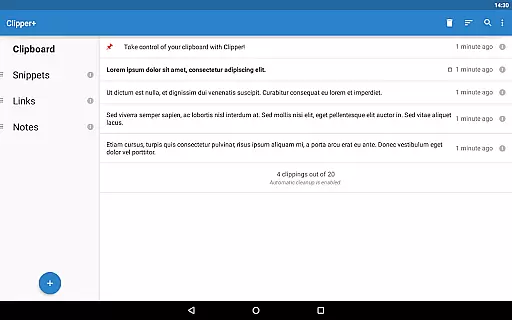
Clipper+: Clipboard Manager is a powerful productivity tool designed to enhance your clipboard experience. This application automatically saves everything you copy, allowing you to access and organize collected clippings later in lists. With features like unlimited collected clippings, dynamic values for custom snippets, and advanced search functionality, Clipper+ ensures that you never lose important copied content.
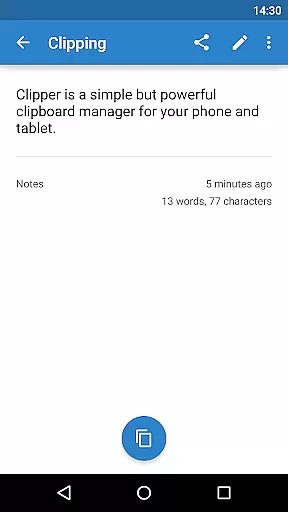
The app also offers easy organization options, letting users copy, paste, view, edit, and share clipping contents effortlessly. Store repetitive pieces of text and retrieve them whenever needed, making your workflow smoother and more efficient. Whether you're managing large volumes of text or need quick access to frequently used snippets, Clipper+ provides a seamless solution to control and optimize your copy-paste tasks.
Clipper+ boasts an array of robust features tailored to maximize productivity. One standout feature is the ability to store unlimited clippings, surpassing the standard limit of the 20 newest items. Users can disable automatic cleanup entirely, ensuring no data is lost. The inclusion of dynamic values allows for the integration of current date and time within custom snippets, adding a layer of personalization and utility.
Additionally, Clipper+ offers powerful search capabilities, enabling users to quickly locate specific clippings. Enhanced settings provide the flexibility to choose manual collection for each clipping, catering to individual preferences. The app is completely ad-free, offering a distraction-free environment while supporting ongoing development through user purchases. These comprehensive features collectively ensure Clipper+ stands out as an essential tool for efficient clipboard management.
Clipper+: Clipboard Manager excels in core task management by offering users a seamless way to handle their clipboard history. This powerful clipboard manager automatically saves everything you copy, allowing you to access your collected clippings later and organize them into lists. With the ability to store unlimited clippings, Clipper+ ensures that no important information is lost due to automatic cleanup limitations.
The application provides dynamic values, enabling users to place the current date and time within their custom snippets. This feature enhances productivity by streamlining repetitive tasks and ensuring accuracy when inserting frequently used pieces of text. Additionally, the clipping search functionality allows users to find specific content quickly, making it easy to retrieve exactly what they need without sifting through unrelated entries.
Clipper+ also offers new settings and options that give users control over how clippings are collected. Whether choosing to collect each clipping manually or automating the process entirely, individuals can tailor the app's behavior to suit their workflow. By providing such comprehensive task management features, Clipper+ empowers users to take full control of their copy-and-paste operations with efficiency and ease.
While Clipper+: Clipboard Manager focuses primarily on enhancing single-device productivity, its robust feature set lays a solid foundation for reliable cross-device synchronization. Although direct syncing between devices isn't explicitly mentioned, the app's design supports high usability across different contexts, which suggests potential integration capabilities. Users can expect consistent performance whether they're managing clipboard data on a smartphone or transferring workflows to another device.
One key aspect contributing to this reliability is the appu2019s ability to store repetitive pieces of text as predefined snippets. These snippets remain accessible regardless of where or when theyu2019re needed, promoting continuity in user experience. Furthermore, Clipper+ includes easy clipping organization and editing tools, allowing users to define custom folders for storing collected clippings. This organizational structure ensures that data remains coherent and retrievable, even if accessed from multiple points.
For those upgrading from Clipper Free, Clipper Plus installs as a separate application but facilitates data migration during setup. This process underscores the importance placed on maintaining data integrity and availability across installations. Overall, while Clipper+ may not directly advertise cross-device syncing, its emphasis on reliable clipboard management translates into an adaptable solution suitable for diverse computing environments.
User-friendly interface
Unlimited clipping storage
Dynamic snippet customization
Advanced search functionality
Completely ad-free experience
Paid application
Separate installation for upgrades
Limited to text-based clippings
No cloud synchronization
Requires manual data migration

A simple, portable logger for POTA, SOTA, Field Day, and more
 4.2
4.2
Functional QR scanner and barcode reader that requires little storage space.
4.60
Subscribe to Webcal & .ics calendars and keep them up-to-date!
4.50
Great calculator for Android named one of USA TODAY's "25 Essential Apps".
4.90
Scientific calculator for Android - looks and operates like the real thing!
4.90
Secure your apps with lock screens, use custom themes and different features.
4.40
Browse and view your photos and videos from the phone with photo & video hide.
4.10
QuickEdit is a fast, stable and full featured text and code editor.
4.20
2026 USPS Alpha/Color coded calendar Sunday/Rotating day off schedules
4.5
Android Wallet Password Manager
4.80
Direct Chat without saving contacts & Dual WA Account on Single Device
4.70
A beautiful digital clock with autostart and many other functions
4.70
Absolutely the best CNC machinist speed and feed calculator around. fswizard.com
4.60
Secure, fast, open-source, Remote Desktop Client for Windows and Linux with SSH
4.60
Docker, Kubernetes management over Portainer Mobile
4.40
Secure, open-source, SPICE and SSH Remote Desktop for QEMU KVM virtual machines
4.00
Easiest event planning, volunteer signups & parent teacher conference scheduling
2.20
The upgraded version of Name Wheel with AI and the power to add your own wheels.
4.4
A comprehensive suite of tools designed specifically for Lactation Consultants
4.3


User Reviews