
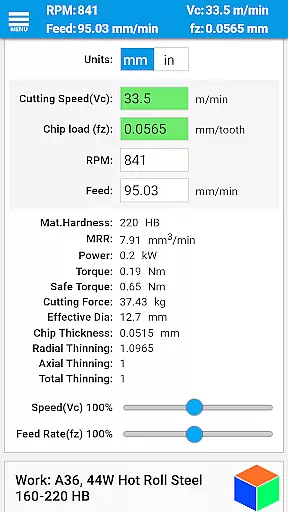
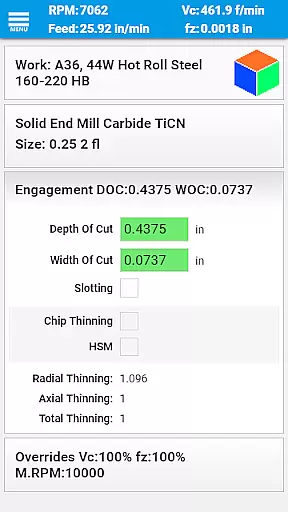
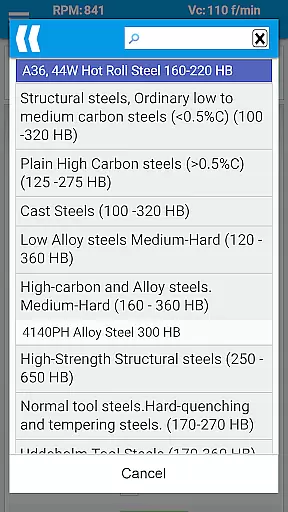
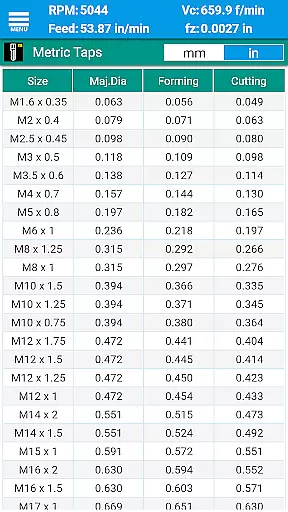
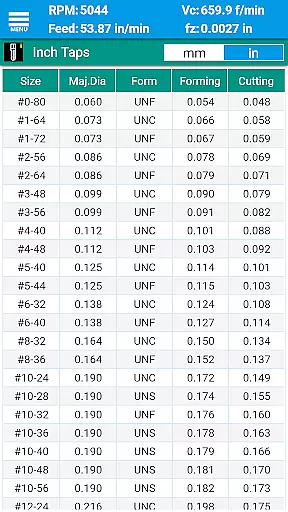
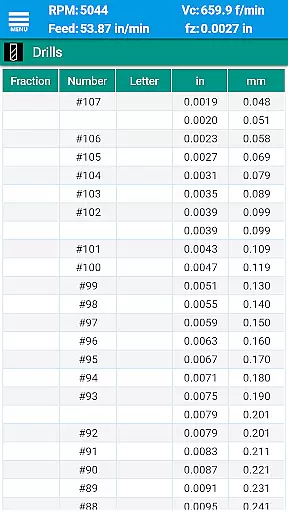
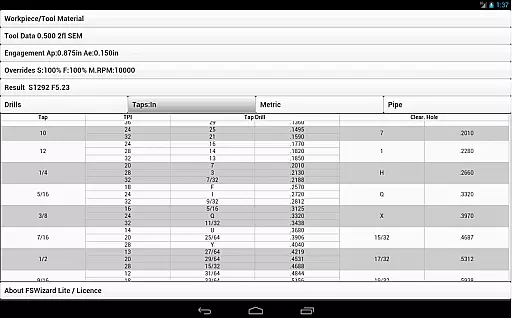
FSWizard Pro Machinist Calc is a premier CNC milling and turning speed and feed calculator designed for machinists by a machinist. This app simplifies the process of calculating speeds and feeds by allowing users to select their work and tool material without needing to know specific numbers. It automatically applies recommended cutting speeds and chip loads for various tools, including indexed and solid endmills, drills, and taps.
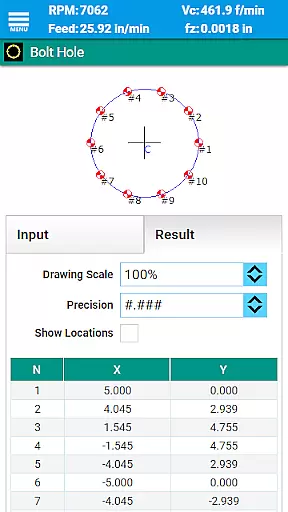
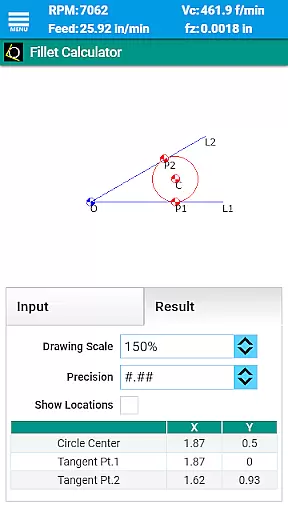
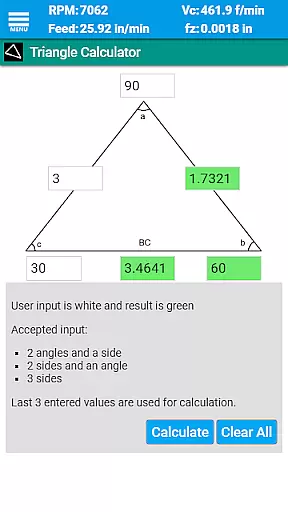
The app offers advanced features such as High-Speed Machining (HSM) calculations, chip thinning analysis, and optimal depth and width of cut parameters. FSWizard also includes comprehensive reference materials like drill charts, tap drill charts, GD&T references, and various calculators for oblique triangles, fillets, bolt circles, countersinks, and true position. These features are invaluable for improving machining productivity and optimizing cutter life.
Whether you're working with metric or imperial units, FSWizard Pro Machinist Calc provides an essential toolkit for CNC machinists looking to enhance their machining operations efficiently and accurately.
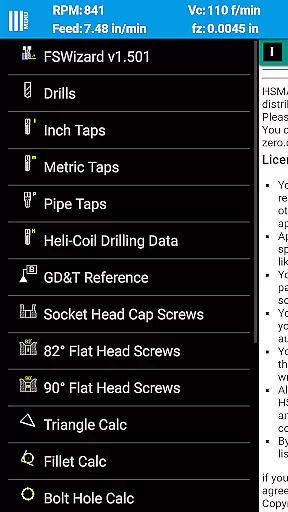
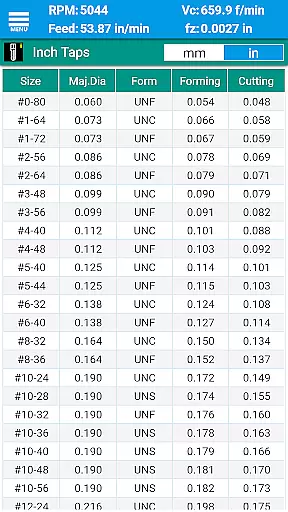
FSWizard Pro Machinist Calc boasts a wide array of features tailored to meet the needs of CNC machinists. The app includes milling speeds and feeds calculations, ball nose endmill speeds and feeds, drilling and tapping speeds and feeds, and best tap drill selection for both imperial and metric taps. Additionally, it offers drill charts, tap drill charts for BSP and NPT pipe threads, and information on HeliCoil threaded inserts.
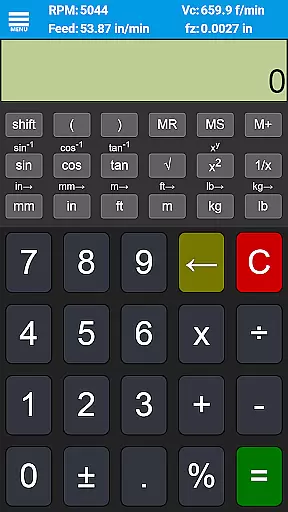
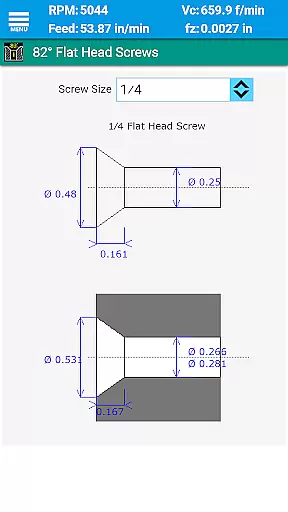
Beyond its core functionalities, FSWizard provides interactive references such as GD&T definitions, imperial and metric flat head screw references, and socket head cap screw references. Users can access several specialized calculators, including an oblique triangle calculator, fillet calculator, bolt circle calculator, countersink/drill point calculator, and a scientific calculator with trigonometric functions.
The app supports a variety of tools, including solid and indexed endmills, facemills, jobber drills, high-performance parabolic drills, spade drills, reamers, and turning tools for profiling and grooving. With support for both metric and imperial units, FSWizard Pro Machinist Calc is a versatile tool that caters to a broad range of machining applications.
For CNC machinists, core task management involves organizing and optimizing the critical calculations required for milling and turning operations. FSWizard Pro Machinist Calc excels in this domain by providing a comprehensive suite of tools tailored to these specific needs.
The app simplifies complex machining tasks through an intuitive interface that allows users to calculate speeds and feeds with minimal input. By selecting the workpiece and tool material, machinists can instantly access recommended cutting speeds and chip loads for various tools, including endmills, drills, and taps.
This functionality significantly enhances productivity by reducing setup time and ensuring optimal machining parameters. The ability to quickly determine the best cutting conditions helps extend tool life and improve surface finish quality, making it an indispensable tool for both novice and experienced machinists.
Cross-device synchronization is crucial for machinists who rely on consistent data across multiple devices. FSWizard Pro ensures reliable synchronization, allowing users to seamlessly transition between their smartphone, tablet, or other devices without losing any critical information.
The app maintains uniformity in calculations and settings across all linked devices. Whether you're calculating speeds and feeds on your phone at the machine or reviewing drill charts on a tablet in the office, FSWizard Pro guarantees that all data remains current and accurate.
This reliability fosters a more flexible workflow, enabling machinists to make informed decisions regardless of their location. With consistent access to essential machining data, users can focus on improving efficiency and precision in their operations.
User-friendly interface
Comprehensive tool support
Advanced calculation options
Extensive reference materials
Supports metric and imperial units
Premium version required for full features
Steep learning curve for beginners
Limited free resources
No offline mode
Occasional bugs reported

Direct Chat without saving contacts & Dual WA Account on Single Device
 4.70
4.70
The upgraded version of Name Wheel with AI and the power to add your own wheels.
4.4
All in One PDF Reader: Manage, Read and Edit your Documents
4.20
Enjoy classic gameplay with customizable features and retro-style graphics.
4.30
All document reader, all in one file viewer read PDF, DOCX, XLS, PPT, TXT files.
4.60
Docker, Kubernetes management over Portainer Mobile
4.40
Simple notepad & memo. Take notes, to-do list, shopping list with reminders.
4.80
Set up, print, and get support—in one place
4.20
2026 USPS Alpha/Color coded calendar Sunday/Rotating day off schedules
4.5
QuickBooks Workforce lets teams view pay info and track time in one place.
4.70
aCalendar+ makes your day, week and month
4.70
App Lock with fingerprint, password: Lock apps & hide photos with lock screens
4.60
Functional QR scanner and barcode reader that requires little storage space.
4.60
PDF scanner & converter for files, photos, lottery, QR codes. One swipe away!
4.50
This small app MUST BE INSTALLED after purchase, else license won't work
4.40
Access, manage and transfer files on Android, PC, Mac, NAS and cloud storages.
4.30
Intelligent AI Assistant
4.10
Experience real multitasking on your Android!
4.00
Customizable calendar widget for seamless event sync, planning & scheduling.
4.00


User Reviews