
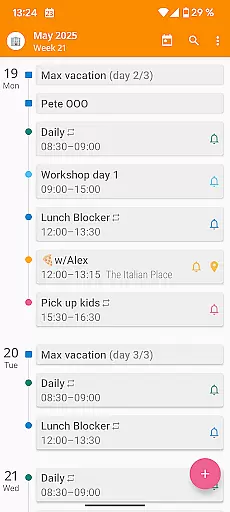

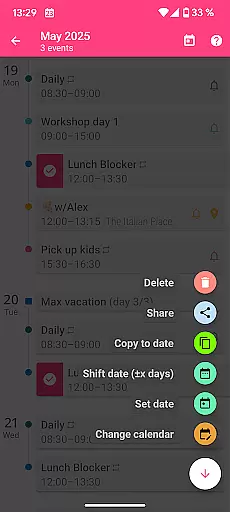
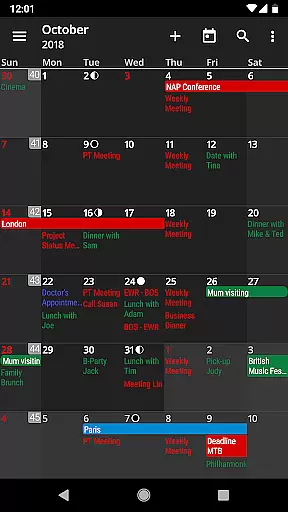
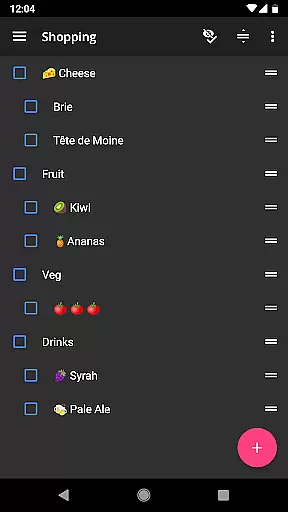
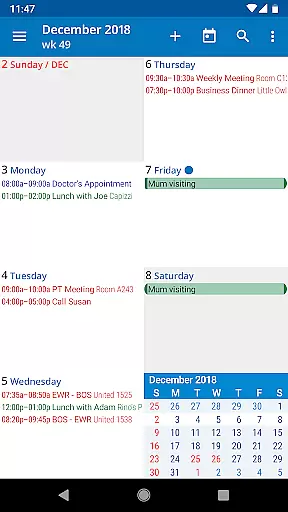
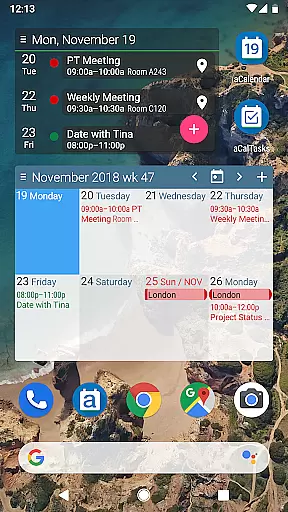
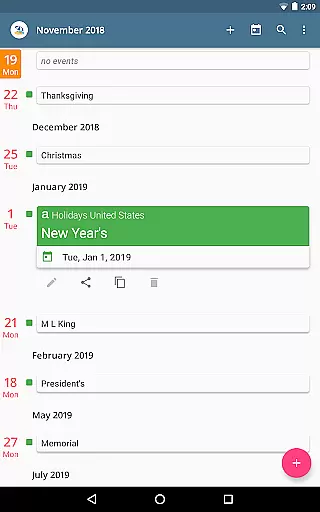
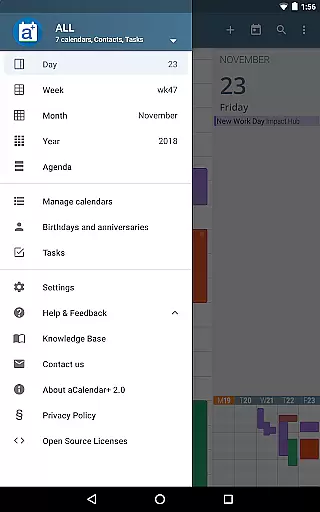
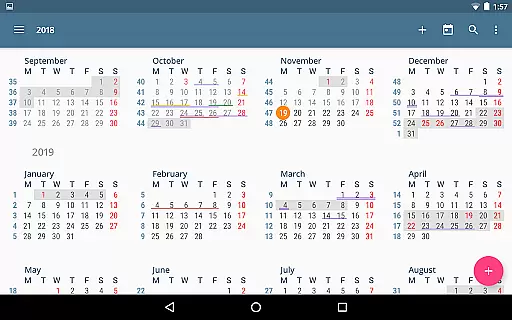
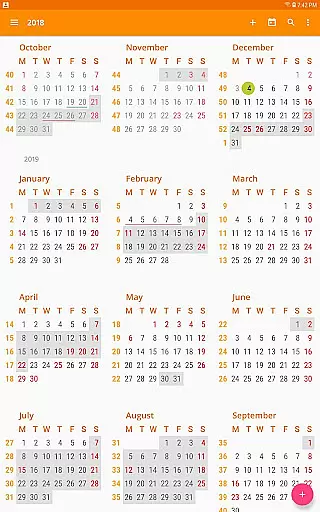
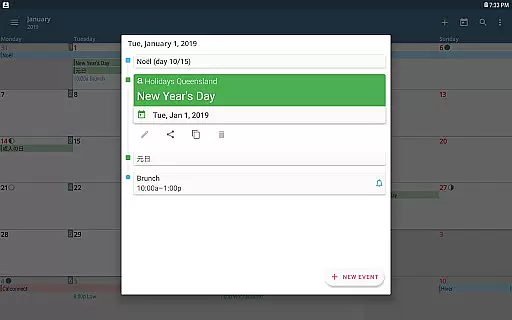
aCalendar+ is a premium productivity app that enhances your daily, weekly, and monthly planning with its comprehensive calendar and task management features. Designed for efficiency, the app offers intuitive navigation, smooth transitions between day, week, month, and year views, and over 100 customizable colors for events and calendars.
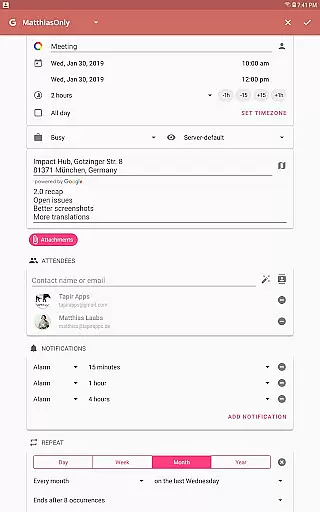
What sets aCalendar+ apart is its advanced functionality, including public holidays configuration, business features like attendee invitations, and seamless integration with Google Tasks and CalDAV/OpenTasks. With no ads and additional theme options, this app provides a polished experience while supporting rainforest conservation through revenue donations.
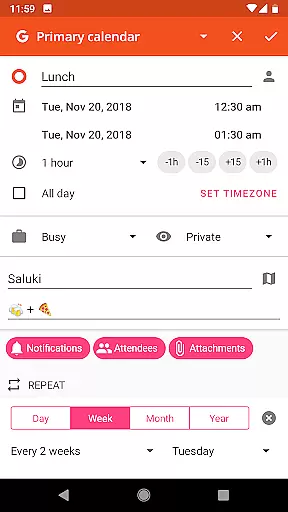
aCalendar+ stands out with its rich feature set tailored for both personal and professional use. The app allows users to manage tasks efficiently, configure public holidays, and customize calendar colors extensively. Its flexible recurrence options support unique schedules, such as every 3 weeks or every Mon, Wed, and Fri.
Additional highlights include fullscreen widgets, per-event color customization, and native Android calendar synchronization. Users can perform actions like adding events through long-press gestures, dragging events in day view, and navigating the calendar effortlessly via swipe gestures. These robust features ensure aCalendar+ delivers both usability and versatility.
Task management is a cornerstone of productivity applications, and aCalendar+ excels in this area by offering comprehensive tools for organizing your life. The app allows users to manage Google Tasks or tasks from CalDAV/OpenTasks, ensuring that all your to-dos are centralized and accessible.
The intuitive navigation and multiple viewing optionsu2014day, week, month, and year viewsu2014enable users to plan and track their tasks with precision. Smooth transitions between these views make the experience seamless, allowing you to focus on what's important without getting bogged down by clunky interfaces.
Additionally, aCalendar+ supports flexible recurrences for tasks and events, such as every 3 weeks or every Mon, Wed, and Fri. This feature ensures that repetitive tasks can be scheduled efficiently, saving time and reducing the risk of oversight.
By integrating task management with calendar views and providing features like configurable actions on specific gestures, aCalendar+ delivers an efficient, user-friendly way to keep on top of your responsibilities.
Cross-device synchronization is vital for maintaining consistency and reliability across all your devices, and aCalendar+ leverages Android's native calendar backend to ensure your data stays up-to-date wherever you are. This synchronization capability means that any changes made on one device will automatically reflect on all others, keeping you organized and informed.
The app also offers Fullscreen widgets, which provide at-a-glance information and quick access to your calendar and tasks from your deviceu2019s home screen. These widgets are updated in real-time, ensuring that the information you see is always current.
aCalendar+ respects user privacy and only synchronizes data when configured by the user, ensuring that your personal information remains secure. With over 100 colors to choose from for calendar and event colors, users can personalize their experience while enjoying reliable, consistent updates across devices.
With its robust synchronization features, aCalendar+ ensures that you have access to your schedule and tasks anytime, anywhere, making it an invaluable tool for managing your busy lifestyle.
User-friendly interface
Extensive customization
Task management tools
No ads included
Supports environmental causes
Paid premium version
Complex for beginners
Limited free features
Occasional sync delays
Requires account setup

8 custom complications. Custom Time Fonts. Beautiful color schemes. A++ Design.
 5.00
5.00
Android Wallet Password Manager
4.80
The upgraded version of Name Wheel with AI and the power to add your own wheels.
4.4
The Pro Version of Android's tiniest Notepad app. Just 0.3MB but feature-packed!
4.60
App lock - lock apps with fingerprint, password, pin or pattern, protect privacy
4.70
All in One PDF Reader: Manage, Read and Edit your Documents
4.20
Font maker keyboard with your own handwriting
4.10
Best Tool for the professionals Electrician, Electrical contractors, etc.
4.90
Discover Acode - a sleek, powerful IDE and code editor for Android.
4.30
Understand anything with a personalized AI research assistant
4.80
QuickBooks Workforce lets teams view pay info and track time in one place.
4.70
A beautiful digital clock with autostart and many other functions
4.70
App Lock with fingerprint, password: Lock apps & hide photos with lock screens
4.60
Lightweight PDF, Word, Excel reader.
4.60
Translate text/voice/photos in 150+ languages. Offline & fast translator app.
4.50
Subscribe to Webcal & .ics calendars and keep them up-to-date!
4.50
CalenGoo is a very flexible and feature-rich calendar app
4.40
Customizable calendar widget for seamless event sync, planning & scheduling.
4.00
A comprehensive suite of tools designed specifically for Lactation Consultants
4.2


User Reviews