
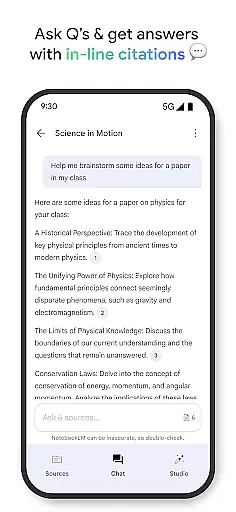
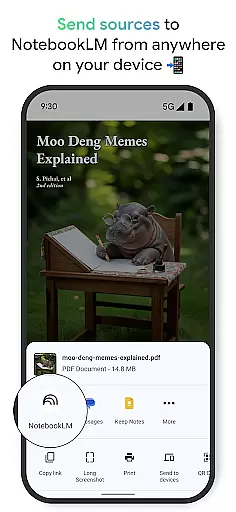
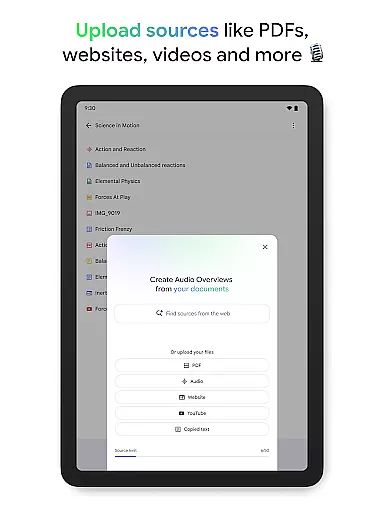
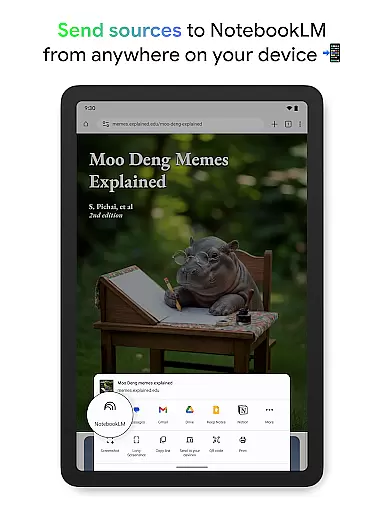
NotebookLM is a productivity tool designed to simplify complex information management. This AI-powered app allows users to upload various sources such as PDFs, websites, and videos, transforming them into easily digestible formats. The application creates expert summaries and connections between uploaded materials, making it an invaluable resource for students, researchers, and professionals.
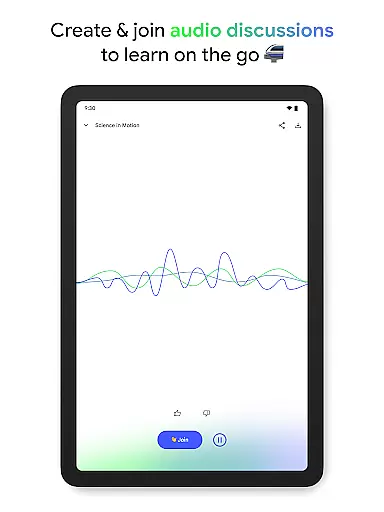
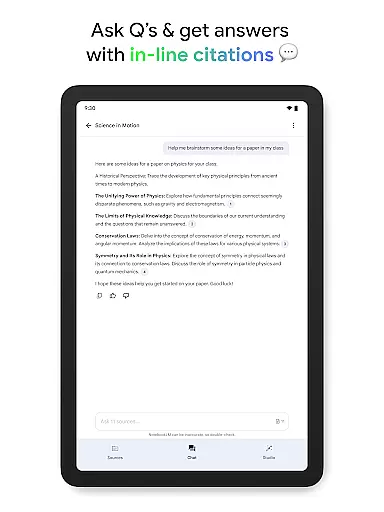
One of NotebookLM's standout features is its ability to generate trustworthy insights with properly cited sources. Users can engage with their content through innovative formats like podcast-style audio overviews, which support background playback and offline access. This makes the app particularly useful for busy individuals who need to process information on the go while maintaining high standards of accuracy and reliability.
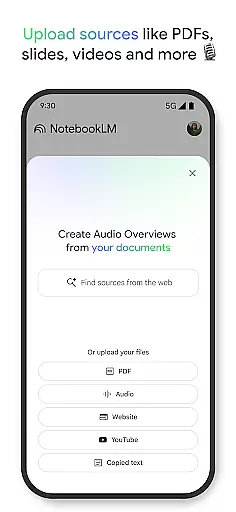
NotebookLM stands out in the productivity category through its innovative approach to content processing. The app's source uploading functionality supports multiple formats including PDFs, websites, and YouTube videos, all consolidated within organized notebooks. Its AI capabilities extend beyond simple summarization, creating meaningful connections between different sources to enhance understanding.
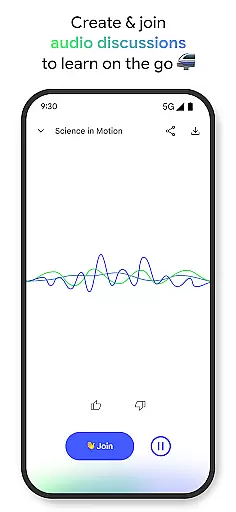
The application's Audio Overview feature revolutionizes how users interact with their content. By transforming text-based information into engaging podcast-style discussions hosted by two AI personalities, it caters to different learning preferences. The background playback and offline support make it exceptionally versatile for modern professionals who need flexible access to their research materials across various environments.
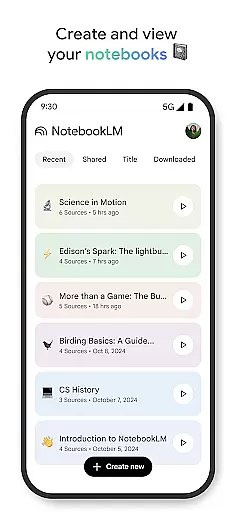
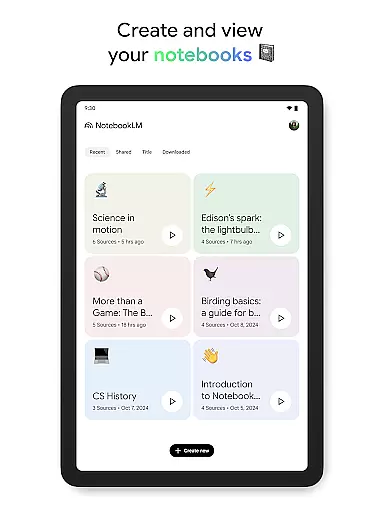
At the heart of NotebookLM lies its robust core task management system, designed to streamline your workflow and enhance productivity. This feature allows users to create dedicated notebooks for different projects or subjects, effectively organizing their sources and insights.
The app enables you to upload various types of content such as PDFs, websites, YouTube videos, or plain text into distinct notebooks. Once uploaded, NotebookLM processes these sources, extracting key information and establishing meaningful connections between them.
This structured approach not only saves time but also ensures that all your research materials are systematically arranged and easily accessible. The ability to categorize and manage multiple notebooks simultaneously makes it an invaluable tool for students, researchers, and professionals alike.
By maintaining clear separation between different topics and projects, users can focus on specific tasks without feeling overwhelmed by information overload. This systematic organization is crucial for efficient knowledge management and enhanced productivity.
NotebookLM excels in providing reliable cross-device synchronization, ensuring seamless access to your notebooks and insights across all your devices. Whether you're working from your phone, tablet, or computer, your data remains consistently updated and readily available.
The application supports background playback and offline functionality, allowing you to listen to Audio Overviews even when you're not connected to the internet. This feature is particularly beneficial for those who need to review content while commuting or traveling.
Moreover, the app's synchronization mechanism is designed to be both fast and dependable. Changes made on one device are quickly reflected on others, maintaining data integrity and consistency across platforms.
This level of reliability in synchronization empowers users to work flexibly, switching between devices without losing progress or access to critical information. Such seamless integration enhances overall productivity and user experience.
User-friendly interface
Multi-format support
Reliable AI insights
Offline functionality
Innovative audio feature
Limited free features
Occasional AI errors
Storage constraints
Premium subscription cost
Learning curve present

Unlock AutoNotification
 4.00
4.00
All in one sketching tool. Technical and General drawing. Online Maps support.
3.70
A lightweight JSON & XML files creator, editor and viewer (Premium Version)
4.40
Remotely view listen control and record cameras.
3.70
CalenGoo is a very flexible and feature-rich calendar app
4.40
Easiest event planning, volunteer signups & parent teacher conference scheduling
2.20
Secure, open-source, SPICE and SSH Remote Desktop for QEMU KVM virtual machines
4.00
Access, manage and transfer files on Android, PC, Mac, NAS and cloud storages.
4.30
This small app MUST BE INSTALLED after purchase, else license won't work
4.40
Protect and view your important info on your phone and tablet with eWallet®
4.80
Direct Chat without saving contacts & Dual WA Account on Single Device
4.70
Stay on top of your to-dos with Google Tasks, part of Google Workspace.
4.60
Planet Free VPN - The best Fast Unlimited and Secure VPN Without Logs
4.50
PDF scanner & converter for files, photos, lottery, QR codes. One swipe away!
4.50
Tally and goal counter for Wear OS & mobile
4.50
Professional calendar app for Google Calendar, MS Outlook & Exchange
4.20
⏰ Finally a timer app which can run multiple timers simultaneously on your watch
3.90
The upgraded version of Name Wheel with AI and the power to add your own wheels.
4.1
A simple, portable logger for POTA, SOTA, Field Day, and more
4.0


User Reviews