
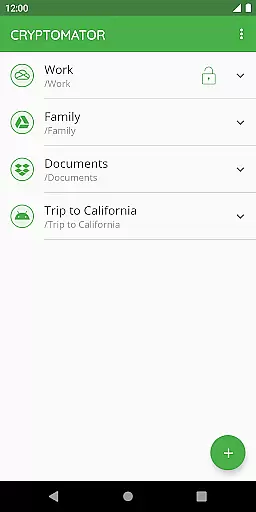
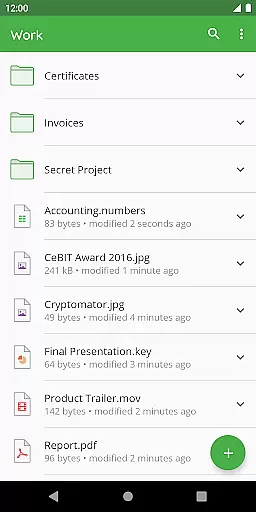
Cryptomator is a user-friendly encryption tool designed to secure your cloud-stored data. With its intuitive interface, users can easily create secure vaults and protect their files with AES encryption using a 256-bit key length. The app ensures that your data remains private while leveraging popular cloud services like Dropbox, Google Drive, and OneDrive.
Designed for productivity, Cryptomator allows you to encrypt file contents and filenames, securing your information without compromising usability. Its compatibility with various platforms and cloud storage services makes it an essential tool for safeguarding sensitive data across multiple devices.
Cryptomator stands out with its robust security features tailored for productivity-focused users. The app employs advanced encryption standards, including AES with a 256-bit key, ensuring top-tier protection for your files. Additionally, the use of scrypt enhances password security against brute-force attacks.
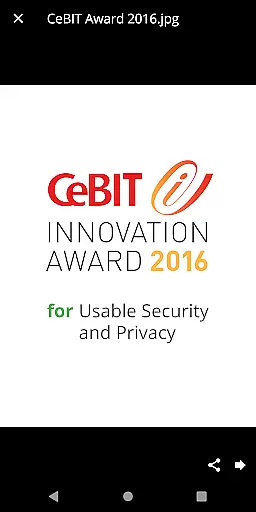
One notable feature is the automatic locking of vaults when the app is sent to the background, providing an extra layer of security. Furthermore, Cryptomator's open-source nature allows transparency, enabling users to verify the integrity of its cryptographic implementations. This commitment to security has earned Cryptomator prestigious awards, such as the CeBIT Innovation Award 2016 for Usable Security and Privacy.
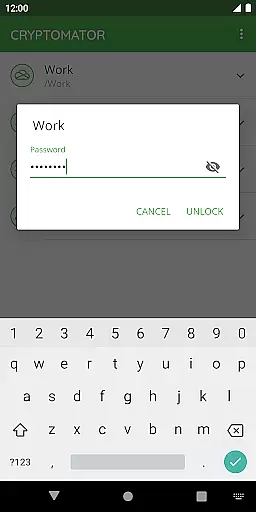
In the realm of productivity, managing tasks efficiently is paramount. Cryptomator excels by providing a seamless solution for securing your digital tasks and files. This application allows you to create secure vaults where all your sensitive data can be stored away from prying eyes. With just a simple setup process that involves creating a vault and assigning a password, Cryptomator takes care of the rest.
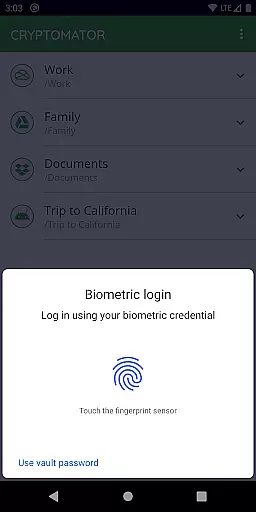
The beauty of Cryptomator lies in its simplicity and effectiveness. There's no need for additional accounts or complex configurations; everything is straightforward and user-centric. The ability to unlock these vaults with something as unique as your fingerprint adds an extra layer of convenience and security. This ease of use ensures that users can focus on their work without being bogged down by complicated security measures.
By encrypting file contents and filenames with AES using a 256-bit key length, Cryptomator offers robust protection for your information. It also secures vault passwords with scrypt, enhancing resistance against brute-force attacks. These features are crucial for anyone looking to manage their tasks securely without compromising on accessibility or performance.
Cross-device synchronization is a critical feature for any productivity tool in today's mobile-first world. Cryptomator shines in this area by ensuring that your encrypted vaults are accessible across all your mobile devices and computers. Whether you're working on a document at home or accessing files during a commute, Cryptomator keeps your data synced and up-to-date.
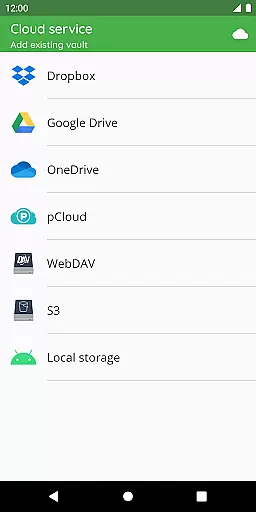
This application supports compatibility with major cloud storage services like Dropbox, Google Drive, OneDrive, and WebDAV-based services. Such broad compatibility means that no matter which service you prefer, Cryptomator will integrate smoothly into your workflow. Additionally, it allows for local storage vaults on Android devices, which can work alongside third-party sync apps to ensure comprehensive coverage.
Security does not take a backseat when it comes to synchronization. Cryptomator automatically locks vaults after the app is sent to the background, safeguarding your data even when switching between devices. This automatic locking feature provides peace of mind, knowing that your files remain protected regardless of where or how you access them. By combining reliable cross-device sync with top-notch security protocols, Cryptomator delivers a dependable solution for productive individuals who value both accessibility and privacy.
Easy-to-use interface
Strong AES encryption
Compatible with major cloud services
Automatic vault locking
Open-source software
Limited free features
No built-in cloud storage
Fingerprint unlock issues
Occasional sync problems
Premium pricing

Client for Nextcloud Deck
 4.60
4.60
When you Focus, so will your Bean in this cozy focus timer
4.30
Automates browsing any website and notifies you of important changes or events
4.30
A lightweight JSON & XML files creator, editor and viewer (Premium Version)
4.40
Customizable calendar widget for seamless event sync, planning & scheduling.
4.00
The AI assistant that thinks with you - write, code, and solve complex tasks
4.60
Access, manage and transfer files on Android, PC, Mac, NAS and cloud storages.
4.30
Great calculator for Android named one of USA TODAY's "25 Essential Apps".
4.90
QuickEdit is a fast, stable and full featured text and code editor.
4.20
Native client for Forgejo and Gitea
5.00
Secure, fast, open-source, VNC and SSH Remote Desktop for Windows, Linux and Mac
4.70
The long-awaited modern gallery app for your Nextcloud server
4.70
Scan paperwork into PDF/JPG, generate your own e-signature and send fax or email
4.70
Calendar 2023 widget for Android. Appointment scheduler, planner, and reminder
4.60
Subscribe to Webcal & .ics calendars and keep them up-to-date!
4.50
CalenGoo is a very flexible and feature-rich calendar app
4.40
Share files & memories safely. Keep your photos and videos secure.
4.40
Device's storage information in a simple and clear graphical form (infographics)
4.10
Font maker keyboard with your own handwriting
4.10


User Reviews