
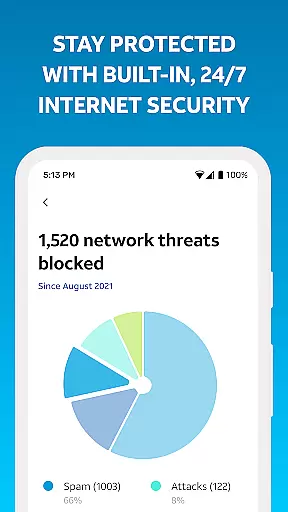
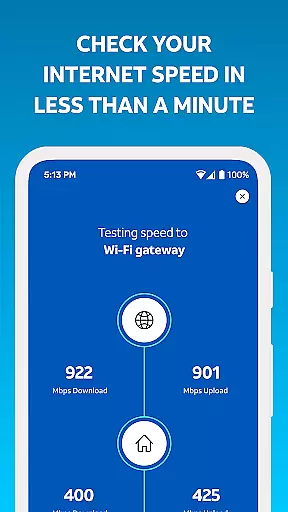
Smart Home Manager is a productivity-focused application designed to simplify the management of your AT&T Internet service. The app provides an intuitive interface that allows users to easily set up and manage their home network without needing technical expertise. With clear, step-by-step guidance, it eliminates the need for technician visits during setup or troubleshooting.
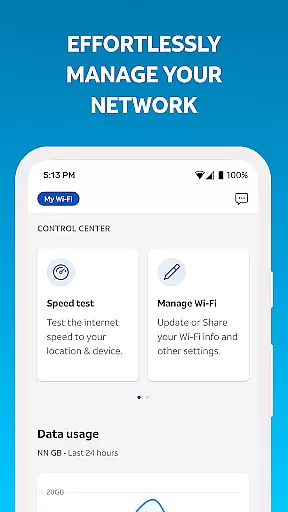
One of the standout features of Smart Home Manager is its comprehensive network control capabilities. Users can view and modify Wi-Fi settings, personalize device names, and even create profiles to manage screen time for family members. Additionally, the app offers advanced tools such as speed tests, signal strength mapping, and outage notifications, ensuring optimal performance of your home network at all times.
This app is particularly useful for households with multiple connected devices, allowing parents to set parental controls and pause Wi-Fi access when needed. Whether you're looking to troubleshoot issues, customize your network, or monitor performance, Smart Home Manager serves as an all-in-one solution tailored for AT&T Internet customers.
Smart Home Manager stands out with its robust feature set tailored for seamless home network management. One of its key functionalities is technician-free troubleshooting, which guides users through resolving common connectivity issues without requiring external support. This not only saves time but also enhances user independence in managing their internet service.
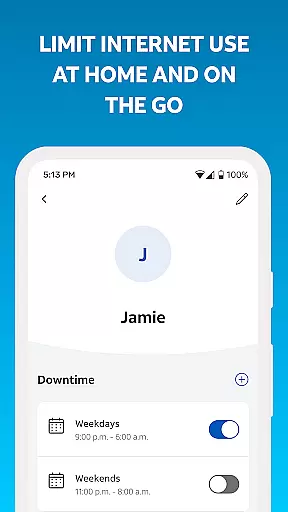
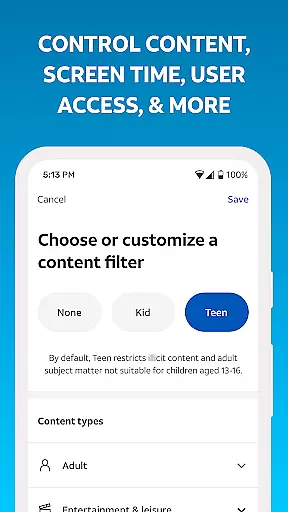
The app also excels in customization options, enabling users to personalize their Wi-Fi network name, password, and individual device names. It supports profile creation for different family members, allowing parents to establish parental controls and downtime schedules. These features help families maintain a healthy balance of screen time while ensuring security and convenience across all connected devices.
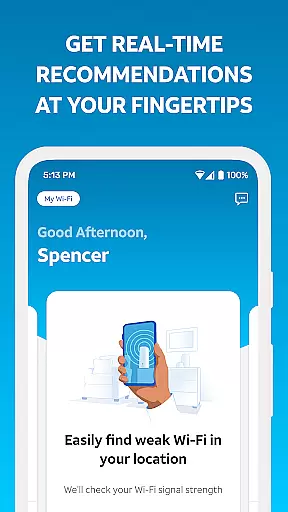
Additional innovative tools include speed testing, weak signal detection, and real-time network health monitoring. Users are notified of potential issues or service outages and can remotely restart their Wi-Fi gateway. Such proactive measures ensure consistent network reliability, making Smart Home Manager an indispensable tool for modern households relying on stable internet connectivity.
Task management is a critical component of productivity applications, and Smart Home Manager excels in this area by offering users comprehensive tools to oversee their home network efficiently. The app allows for the clear organization and control of various aspects of your domestic internet setup.
With Smart Home Manager, you can easily view and update your Wi-Fi network name and password, see what devices are connected, and personalize device names. This ensures that all tasks related to managing your network are accessible within a few taps, streamlining the entire process.
The application also enables the creation of profiles and setting parental controls along with downtime schedules. These features help in managing family screen time effectively, providing an added layer of control over how the home network is used by different members of the household.
By allowing users to pause Wi-Fi access for any device and test Internet speed, Smart Home Manager delivers a robust platform for maintaining optimal performance and discipline across your home network, making it an essential tool for modern households.
Cross-device synchronization is vital for ensuring that your network settings and preferences are consistently applied across all your devices. Smart Home Manager offers reliable synchronization that keeps everything aligned, regardless of how many devices you manage.
This app provides AT&T Internet service customers with the ability to receive notifications about issues and service outages directly on their devices. Such timely alerts ensure that users are always informed and can take immediate action if needed.
Smart Home Manager also supports remote management capabilities such as restarting your Wi-Fi gateway from your mobile device. This means changes made through the app reflect instantly across all connected devices, enhancing convenience and efficiency.
Available to those with a compatible AT&T Wi-Fi Gateway, the feature availability might vary based on the gateway model but aims to deliver seamless integration and reliable updates, keeping your smart home running smoothly at all times.
User-friendly interface
Comprehensive network control
Technician-free troubleshooting
Advanced customization options
Real-time issue alerts
Limited to AT&T customers
Dependent on compatible gateway
Requires account login
No offline functionality
Feature availability varies by model

QuickBooks Workforce lets teams view pay info and track time in one place.
 4.70
4.70
Experience real multitasking on your Android!
4.00
Unlock AutoNotification
4.00
We're working to become the best machining app on the market! www.cncdirt.com
4.80
Todo reminder
4.10
Ultimate Virtual AI Character for immersive Roleplay Chat. Perfect Companion
3.90
Intelligent AI Assistant
4.10
Daily processing of PDF documents.
4.40
Browse and view your photos and videos from the phone with photo & video hide.
4.10
Understand anything with a personalized AI research assistant
4.80
Use powerful, industry-leading AI tools to generate visual charts from any data
4.80
Direct Chat without saving contacts & Dual WA Account on Single Device
4.70
Scan paperwork into PDF/JPG, generate your own e-signature and send fax or email
4.70
A Pixel Art watchface inspired by other iconic 90s designs for Wear OS devices!
4.40
A customizable calendar for your Wear OS watch
4.20
Pwnagotchi companion app
4.20
Create and edit presentations with Google Slides, part of Google Workspace.
4.00
* block pre-roll ads, pop-up and forced redirect ads * Samsung certification app
4.00
Create study competitions, track your hours, and stay consistent with friends
4.0


User Reviews