
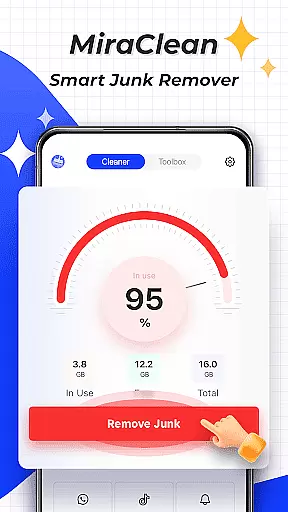

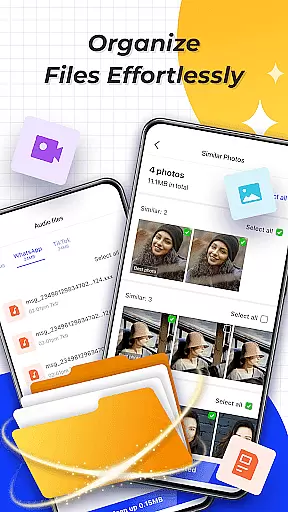
MiraClean is a productivity-focused app designed to help Android users efficiently manage their device's storage and performance. The app provides tools for scanning and removing unnecessary files, such as temporary files, app caches, and residual data that can clutter your device. Additionally, it offers features like notification management, file organization by type and size, and network data usage tracking.
One of the standout capabilities of MiraClean is its ability to perform network speed tests, giving users insights into their current download and upload speeds. This lightweight app emphasizes privacy and simplicity, making it an ideal choice for users who want an easy way to maintain their phone’s performance without compromising personal data. Whether you're looking to free up space or monitor your data consumption, MiraClean delivers essential utilities in a user-friendly package.
MiraClean stands out with its comprehensive set of features tailored for device optimization. First, the app scans your device for junk files, including temporary files, app caches, and leftover data from uninstalled apps. By clearing these files, users can reclaim valuable storage space and improve system performance.
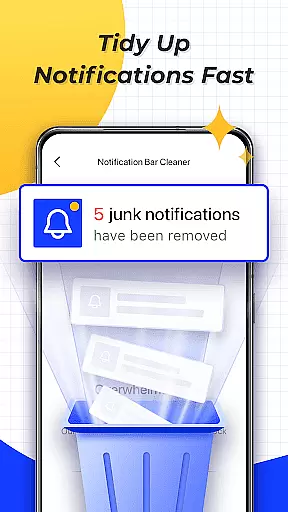
In addition to storage management, MiraClean allows users to clear unwanted notifications, helping declutter the notification bar for a more organized experience. The app also includes advanced file management options, enabling sorting by file type and size. Furthermore, users can track mobile and Wi-Fi data usage statistics, ensuring they stay within data limits. Lastly, the built-in network speed test tool measures real-time internet speeds, providing a complete overview of your network performance.
All these features are packed into a lightweight app that respects user privacy, offering a non-intrusive way to keep your device running smoothly.
Core task management is essential for any productivity app, and MiraClean excels in this area by offering a suite of tools designed to help users efficiently manage their device's storage and performance.
The app provides features such as junk file scanning and deletion, which identifies temporary files, app caches, and residual data that can be removed to free up space. Additionally, it allows users to clear unwanted notifications, ensuring that the notification bar remains uncluttered and useful.
MiraClean also offers file management by type and size, empowering users to sort and organize their files more effectively. This makes it easier to locate and remove unnecessary files, thus optimizing device performance. Moreover, the app includes network data usage statistics, giving users insights into how much mobile or Wi-Fi data each app consumes.
By integrating these comprehensive task management features, MiraClean ensures that users can maintain their devices with minimal effort, enhancing both productivity and user experience.
Cross-device synchronization reliability is crucial for users who rely on multiple devices and need consistent information across all platforms. Although MiraClean focuses primarily on single-device management, its reliable performance sets a solid foundation for future cross-device functionalities.
Currently, MiraClean offers robust features like network speed testing, which measures the current download and upload speeds, ensuring users have accurate information about their internet connection. This feature, while not directly related to synchronization, enhances the overall reliability of the appu2019s performance monitoring capabilities.
Furthermore, MiraClean's lightweight design respects user privacy and contributes to stable performance without draining system resources. This approach lays the groundwork for potential future updates that could include seamless cross-device synchronization.
While awaiting those advancements, users can trust MiraClean to deliver dependable and efficient management of their Android device's storage and settings, making it an invaluable tool for maintaining productivity.
Lightweight design
Privacy-focused
Easy-to-use interface
Comprehensive file management
Network speed testing
Limited advanced tools
No cloud backup option
Basic UI design
Few customization settings
Requires manual operation

Ads Free App! Editor, Hide File, Copy, Move, Delete and Rename.. all facility av
 1.70
1.70
8 custom complications. Custom Time Fonts. Beautiful color schemes. A++ Design.
5.00
Customizable calendar widget for seamless event sync, planning & scheduling.
4.00
aCalendar+ makes your day, week and month
4.70
Simple and reliable communication between inmates, friends and family
3.20
Activate Two Factor Authentication (2FA or Multi OTP), Password manager and more
4.10
All document reader, all in one file viewer read PDF, DOCX, XLS, PPT, TXT files.
4.60
Translate text/voice/photos in 150+ languages. Offline & fast translator app.
4.50
A comprehensive suite of tools designed specifically for Lactation Consultants
4.0
A beautiful digital clock with autostart and many other functions
4.70
The Pro Version of Android's tiniest Notepad app. Just 0.3MB but feature-packed!
4.60
Functional QR scanner and barcode reader that requires little storage space.
4.60
Calendar 2023 widget for Android. Appointment scheduler, planner, and reminder
4.60
This small app MUST BE INSTALLED after purchase, else license won't work
4.40
Wake up & get tasks done! Add alarms & reminders on the Clock Launcher.
4.00
Take control of your clipboard with Clipper!
3.90
Access your phone's notifications, calls, apps, photos & texts on your PC
3.90
Auto-shutoff Alarm with Sunrise, Sunset & Fixed Options.
3.50
AI Video AI Image Private LLM AI Browser Llama Gemma Ollama Connect LLM Studio
4.4


User Reviews