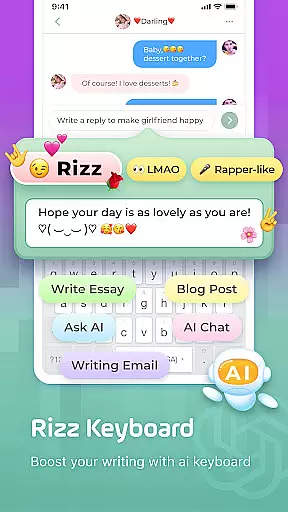
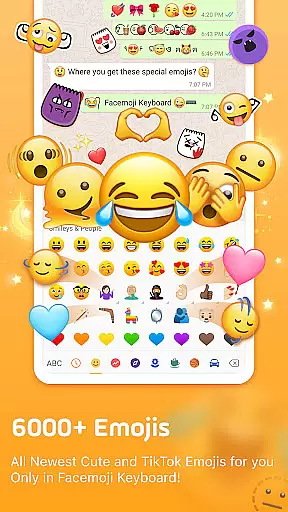
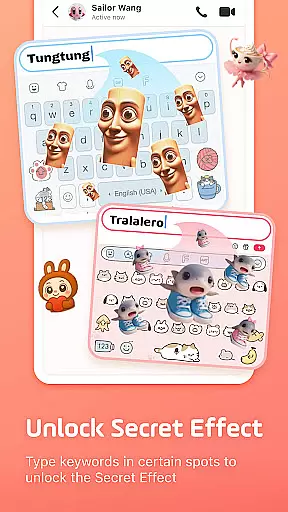
Facemoji AI Emoji Keyboard is a versatile custom keyboard solution that combines advanced AI technology with an extensive emoji library. The app features over 6000 emojis, including trending options, and provides unique tools like the Genmoji AI Generator for creating personalized emoji designs.
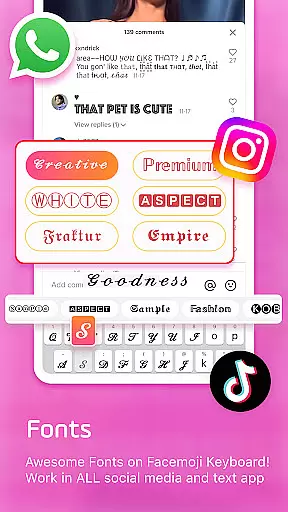
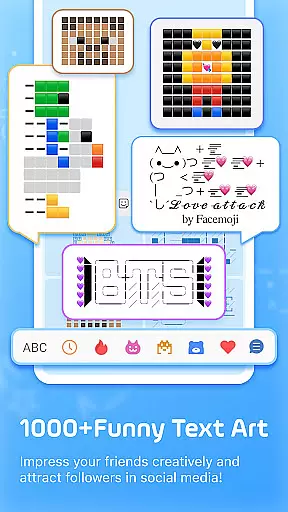
Users can enjoy additional customization through 100+ cool fonts, custom emoji makers, and 1500+ fancy keyboard themes. The keyboard supports fast typing with smart suggestions, autocorrect, and gesture typing, while offering creative utilities such as Kaomoji keyboards, text art, and DIY avatars.
Ideal for social media enthusiasts, this keyboard enhances messaging on platforms like WhatsApp, TikTok, and Instagram. Its specialized game keyboard mode and bilingual support for 100+ languages make it suitable for diverse user groups seeking both fun and functionality in their typing experience.
Facemoji AI Emoji Keyboard stands out with its comprehensive feature set tailored for modern communication needs. The app's AI-powered Genmoji generator allows users to create custom emoji characters and animated GIFs based on their facial features, similar to Memojis, which can be shared across multiple platforms.
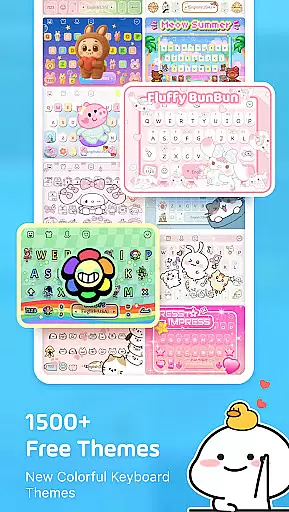
The keyboard offers advanced customization options including DIY wallpapers, button designs, color schemes, and tapping effects. Users can access 1500+ free themes ranging from K-Pop idols to Japanese anime styles. The inclusion of 1000+ Unicode symbols and nickname templates enables creative expression in social media bios and posts.
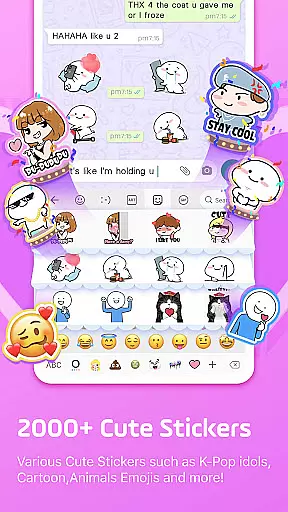
Practical features include smart autocorrect, swipe typing, sticker predictions for messaging apps, and a clipboard manager for efficient message handling. Specialized game keyboard modes for popular titles like Among Us and Roblox, along with built-in translation support for 100+ languages, make this keyboard suitable for various use cases while maintaining strong privacy protection standards.
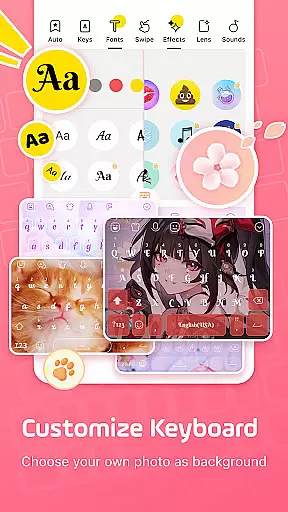
Facemoji AI Emoji Keyboard offers an extensive range of customization options that allow users to personalize their typing experience like never before. With over 1500 stylish themes, including popular designs such as Japanese anime, Neon, LED, RGB, K-Pop idols, and cute animals, users can select a theme that resonates with their personality or current mood.
Beyond just themes, Facemoji provides the ability to create your keyboard wallpaper using your favorite photo or picture. You can further customize buttons, colors, fonts, tapping effects reminiscent of BTS lightsticks, and even tapping sounds such as piano notes, guitar strums, or playful dog barks. This level of personalization ensures that every aspect of the keyboard is tailored to the user's preference.
The inclusion of a DIY Avatar Sticker feature adds another layer of individuality, enabling users to generate stickers based on their input. These personalized stickers can be shared across platforms like WhatsApp, Facebook, TikTok, adding a unique touch to conversations and enhancing self-expression.
By offering these diverse customization features, Facemoji AI Emoji Keyboard not only enhances the aesthetic appeal of digital communication but also empowers users to express themselves in a way that is uniquely their own, making each interaction more engaging and representative of their personal style.
Theme compatibility is a crucial aspect of any personalized keyboard application, and Facemoji AI Emoji Keyboard excels in this area by ensuring that its themes are versatile and visually consistent across different devices and operating systems. The app boasts over 1500 FREE stylish themes that cater to a wide array of interests, from K-Pop idols to cute animals, guaranteeing that there is a theme for everyone.
Facemoji takes pride in regularly updating its theme selection, adding new themes weekly to keep up with trends and user demand. This commitment to freshness ensures that users always have access to the latest designs, whether they're fans of modern aesthetics like Neon and LED or prefer something more whimsical like Boba milk tea and Avocado themes.
Moreover, the visual consistency of these themes across various platforms means that users can enjoy a seamless experience regardless of where they're typing. Whether it's on social media apps like Instagram and TikTok or messaging services such as WhatsApp and Messenger, Facemoji themes maintain their quality and charm, providing a cohesive look that enhances the overall user experience.
Ultimately, the high degree of theme compatibility within Facemoji AI Emoji Keyboard allows users to carry their personalized style with them wherever they go, ensuring that their chosen theme looks great and performs consistently, no matter the context or platform they are using.
Extensive emoji library
AI-powered customization
Versatile theme options
Smart typing features
Privacy-focused design
Feature overload possible
Occasional lag reported
Ads in free version
Learning curve present
Battery consumption noted

Customizable Glass widgets. Over 360+ stunning widgets and more!
 4.70
4.70
Make your phone look simple & luxury, like iDevice
4.60
Unique Fonts, typefaces and stylish text. Fonts for Instagram, Whatsapp & others
4.20
Zip lock screen with magic wallpaper to decorate your phone with fun zipper lock
4.60
300+ widgets inspired by Material You and Material 3 expressive design.
4.60
Transform your device in a game console
4.40
A minimalist productivity launcher. One-hand-friendly. Zero ads.
4.70
Your home screen, just the way you like it.
3.80
Install amazing sticker packs: endless styles, always cool.
4.70
Dark icon pack based on One 8
4.80
Wallpaper HD 4K Live - Thousands of high-quality Anime backgrounds for you.
4.80
Enjoy a variety of amazing live wallpapers and colorful EDGE lighting borders!
4.80
400+ Beautifully crafted widgets inspired by NOTHING.
4.70
Unique Android Launcher
4.60
Ninja Turtles Cowabunga SE watch face for Wear OS
4.50 4.50
4.50
Transfer your live wallpapers from Windows to Android using Wallpaper Engine!
4.00 3.50
3.50
Adorable pets roam and play right on your phone screen!
3.30


User Reviews