
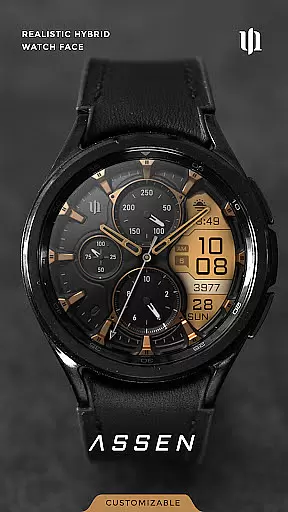
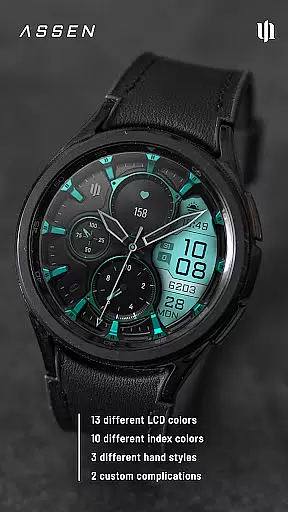
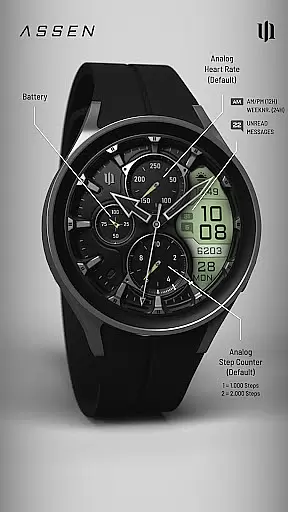
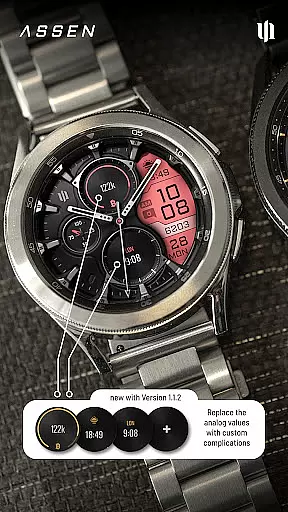
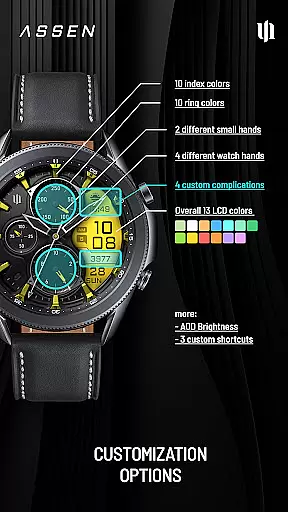
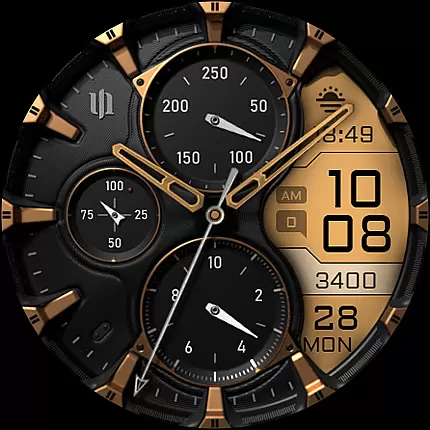
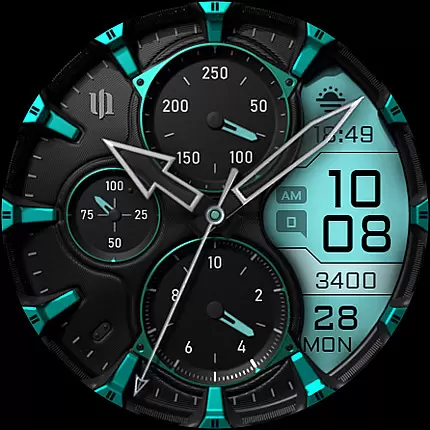
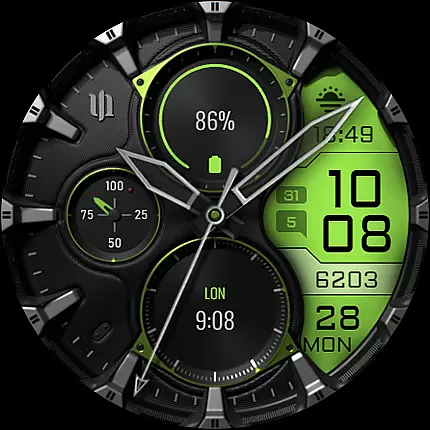
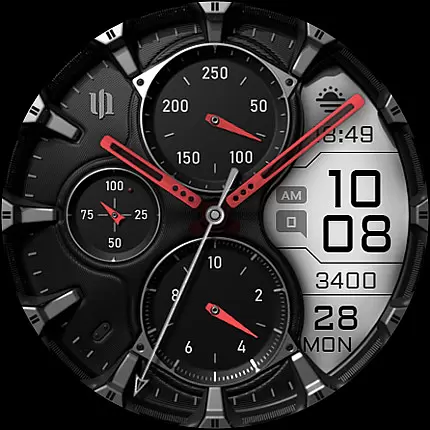
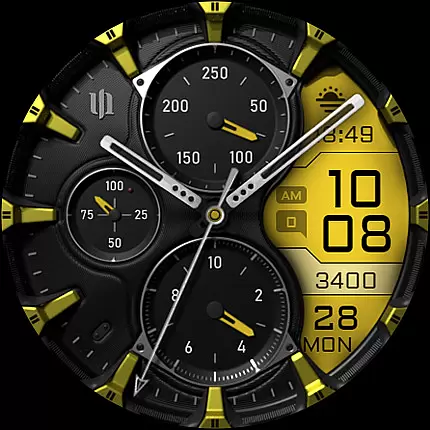
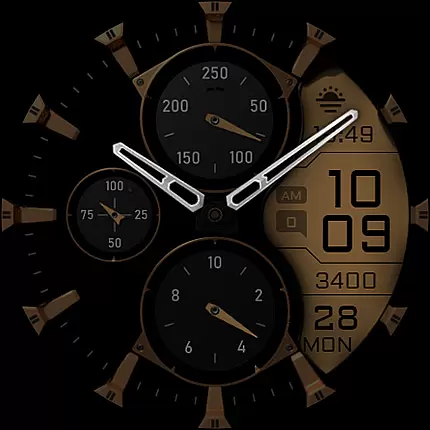
S4U Assen is a premium Wear OS watch face that combines realistic analog design with practical digital elements. Featuring a hybrid dial, it displays time, steps, heart rate, calendar details, unread messages, and customizable complications.
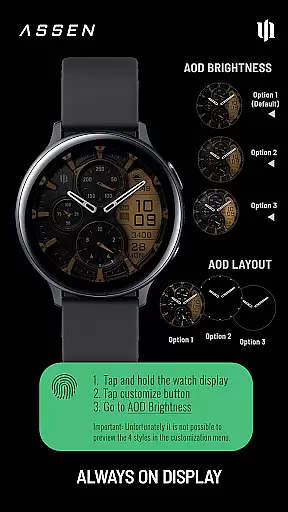
With extensive customization options including 13 LCD colors, 10 index colors, 4 clock hands, and 3 AOD brightness levels, users can personalize their watch face. The always-on display maintains functionality while conserving battery life.
Ideal for users seeking both style and utility on their Samsung Galaxy Watch or Google Pixel Watch devices running Wear OS 4 or higher.
The S4U Assen watch face stands out with its comprehensive feature set. The hybrid design combines traditional analog elements with modern digital functionality, displaying essential information at a glance.
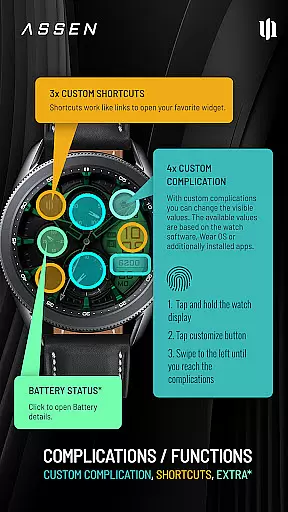
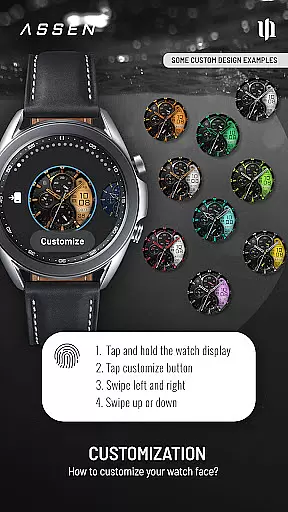
Customization is key - users can adjust 30 color themes, choose from 4 clock hand styles, and configure 4 custom complications. Three app shortcuts provide quick access to favorite widgets while the always-on display offers three brightness levels.
Advanced features include tap-to-open battery details and synchronized AOD colors. The companion app simplifies configuration through an intuitive swipe-based interface, making personalization effortless.
Companion app integration is a crucial feature for Wear OS applications like S4U Assen. This functionality ensures seamless synchronization between the smartwatch and its companion app on your smartphone.
The S4U Assen watch face provides a dedicated companion app that simplifies the installation process and resolves potential issues. Through this companion app, users can access the Install/Issues section which offers step-by-step guidance for proper setup.
This integration allows for advanced customization options that are otherwise unavailable directly on the smartwatch interface. Users can adjust color schemes, complications, and shortcuts through the more user-friendly companion app interface.
When encountering technical difficulties, the companion app serves as a direct support channel. It provides troubleshooting steps and contact information for additional assistance, ensuring a comprehensive support system for the S4U Assen watch face.
Device compatibility is a fundamental aspect of any Wear OS application. The S4U Assen watch face is specifically designed to work with Wear OS 4 and above, ensuring optimal performance on supported devices.
This application maintains compatibility with leading smartwatch models including Samsung Galaxy Watch series and Google Pixel Watch series. Such broad compatibility guarantees that most Wear OS users can enjoy the realistic analog-digital hybrid design of S4U Assen.
By targeting API level 33 and above, the application takes advantage of the latest Wear OS features while maintaining stability across different devices. This deliberate choice ensures access to advanced functionalities like enhanced customization options and improved battery management.
Users benefit from clear compatibility information, avoiding potential installation issues. For those requiring assistance, the application offers multiple support channels including email support and detailed documentation through the companion app.
Highly customizable
User-friendly interface
Feature-rich display
Excellent readability
Regular updates
Wear OS 4+ only
Battery intensive
Premium price
Complex setup
Limited device support

Watch the sharpness of the sky on your wrist..
 3.70
3.70
Snowflake Rose Gold Watch Face - Digital, modern, & sleek with GYRO effect.
4.10
A full-featured Amazon Alexa voice assistant that can show you things.
3.70
Digital watch face with big numbers and many customization for Wear OS devices
4.40
Connect to your Bluelink equipped Hyundai vehicle from your smartphone.
4.50
Stay in touch with your friends and family using LINE!
3.40
Hybrid Vibrant Health Watch Face for Wear OS
4.2
Back up your contacts & access them anywhere
4.30
Spam call blocker and caller ID for automatic call protection!
4.40
Easy Voice Recorder is your everyday companion to record important moments.
4.70
A modern premium sporty hybrid watch face for Wear OS by Ballozi
4.70
Monitor health with the stress test and pulse checker in the heart rate app.
4.60
Ideal for surviving in the wasteland left after nuclear fallout
4.50
Bold weather Digital watchface with forecast & optional animated background
4.40
Wear Os Watch Face - Animated Snow Effect & Magic Spark - 6 Scenes
4.10
sleep, alarm, snoring, stress, healing, focus, sound therapy, circadian rhythm
4.10
A Wintery Snow Globe on Your Wrist; now celebrating Christmas!
4.4
Funny animated watch face for Thanksgiving
4.1
Minimalistic design modern digital watch face.
4.1


User Reviews