
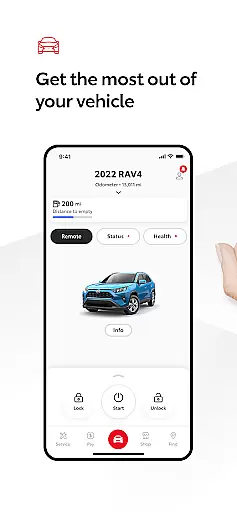
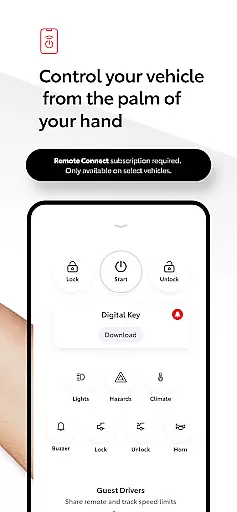
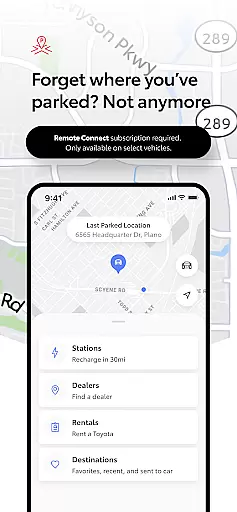
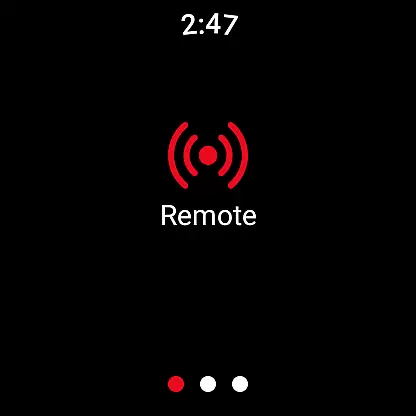
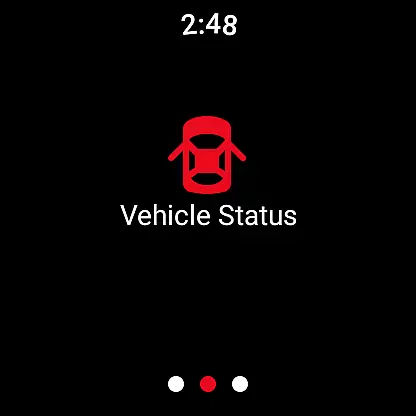
The Toyota app is a comprehensive vehicle management tool designed for Toyota owners, offering seamless control and connectivity. With key features like Remote Connect, users can start or stop their engine, lock or unlock doors, and even locate their vehicle's last parked position through Digital Key functionality.
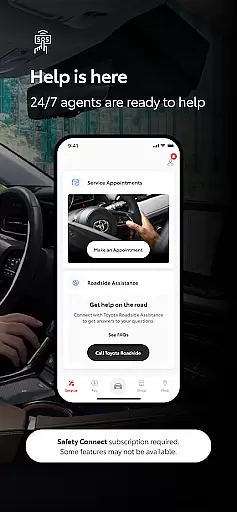
Additionally, the app provides essential services such as cloud navigation via Drive Connect, roadside assistance with Safety Connect, and maintenance tracking through Service Connect. These tools ensure that drivers have access to real-time support, route planning, and vehicle health monitoring from their mobile devices.
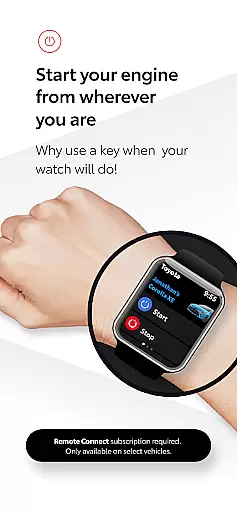
Designed for convenience and safety, Toyota's Android Wear companion app extends these capabilities to smartwatches, allowing users to operate remote services directly from their wrist. This integration enhances accessibility and ensures peace of mind for Toyota owners who want to stay connected anytime, anywhere.
Toyota app offers an array of advanced features tailored to enhance the driving experience. One standout capability is Remote Connect, which allows users to interact with their vehicle remotely—starting the engine, locking doors, and accessing the Digital Key feature. The Last Parked Location function ensures you never lose track of where your car is parked.
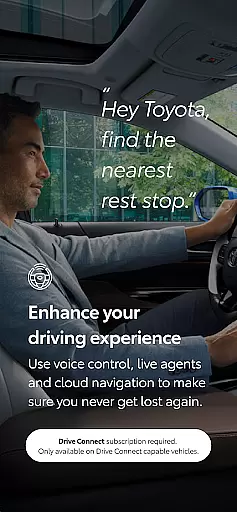
Drive Connect introduces intelligent navigation powered by cloud technology, enabling voice commands such as “Hey Toyota. Take me home” for hands-free route guidance. Meanwhile, Safety Connect provides critical emergency support, including SOS alerts and 24/7 roadside assistance at the touch of a button.
For routine upkeep, Service Connect simplifies maintenance scheduling with authorized Toyota dealers while providing detailed insights into your vehicle’s health. Owner Resources grant instant access to digital manuals and warranty information, ensuring all documentation is readily available when needed.
Companion app integration is a crucial feature for modern vehicle owners who desire seamless connectivity between their smartphones and cars. The Toyota app excels in this area by offering a robust Wear OS application that complements its main mobile platform. This integration allows users to access essential remote services directly from their smartwatches, providing unparalleled convenience.
The Wear OS app mirrors key functionalities of the primary Toyota app, including Remote Connect features such as engine start/stop, door lock/unlock, and Digital Key capabilities. This ensures that drivers can maintain control over their vehicles even when they are not carrying their phones. The synchronization between devices is automatic and real-time, guaranteeing that all information remains current across platforms.
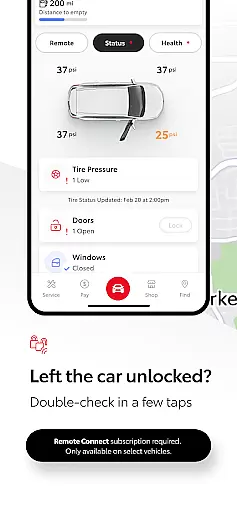
Users benefit significantly from this integration as it enhances accessibility and peace of mind. Whether you're jogging in the park or attending a business meeting, you can monitor your vehicle's status and perform critical functions without needing your phone nearby. The companion app maintains the same level of security and reliability as the main application, ensuring that your vehicle remains protected at all times.
Wear OS and device compatibility represents a vital aspect of the Toyota app's functionality, ensuring that users can enjoy a consistent experience across various Android wearable devices. The app supports a wide range of Wear OS smartwatches, making it accessible to a broad audience of Toyota vehicle owners who prefer different brands or models of wearable technology.
This compatibility extends beyond mere operational capability; it encompasses optimized performance tailored specifically for wearable devices. The interface has been thoughtfully designed to accommodate smaller screens while maintaining full functionality. Essential features like Remote Connect, Last Parked Location, and Digital Key are readily accessible through intuitive touch controls and voice commands.
The benefits of this comprehensive compatibility are numerous. Users can choose their preferred Wear OS device without worrying about losing access to crucial vehicle management tools. Furthermore, the app's adaptive design ensures smooth operation regardless of the specific hardware configuration. This flexibility demonstrates Toyota's commitment to providing versatile solutions that cater to diverse customer preferences and technological ecosystems.
User-friendly interface
Comprehensive vehicle control
Real-time navigation support
Emergency response system
Convenient wearable integration
Limited to select models
Dependent on network availability
Paid subscription required
Trials have expiration dates
Data charges may apply

Rose gold watch face with festive lights & customizable features.
 4.60
4.60
A full-featured Amazon Alexa voice assistant that can show you things.
3.70
Analog watch face with 8 complications and expedition styling
4.0
Authentic military-tactical design with ZULU time! Realistic and functional!
3.80
Locate your family members by GPS phone location tracker everywhere and anytime
4.30
Reliable phone calls with spam protection, caller ID and more helpful features
4.40
A digital watch face that celebrates Christmas.
4.00
Viewer for Wyze/Yi/Eufy/Arlo/ONVIF/RTSP/P2P IP cams w/ adv. features & DIY DVR
4.00
Want to take charge of your health? Let Google Fit help you reach your goals.
3.50
Christmas - Festive - Christmas Village - Winter - Christmas lights
5.00
Beautiful, colorful and practical watch face. For Wear OS devices.
5.00
Digital, flexibly customizable watch face. For Wear OS 5.0, API 34+ and later.
5.00
Retro digital watch face with customizable colors and a unique lighting effect
4.60
Embrace the holiday spirit with this magical animated watch face!
4.40
Digital watch face with big numbers and many customization for Wear OS devices
4.40
Bold weather Digital watchface with forecast & optional animated background
4.40
Hyper-Realistic Airplane Dashboard Watch Face With 10 Skins and Custom AOD
4.00
Contemporary digital watch face with five complications
4.2
Stylish digital watch face for Wear OS devices with customizable features
4.4


User Reviews