
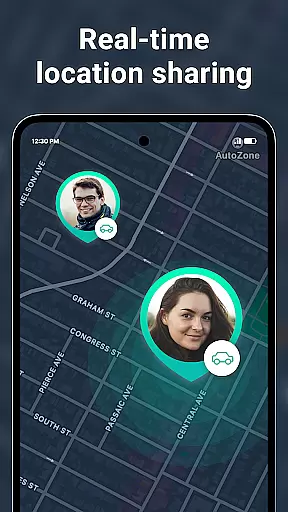
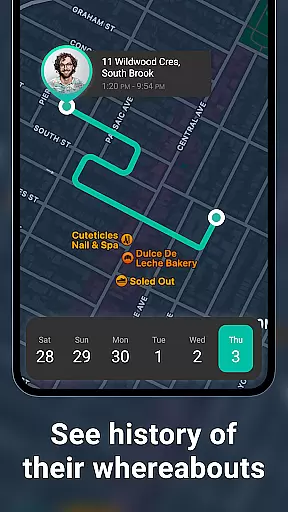
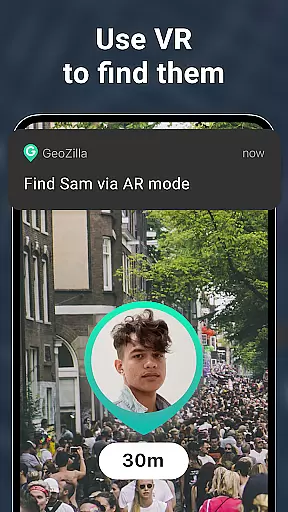
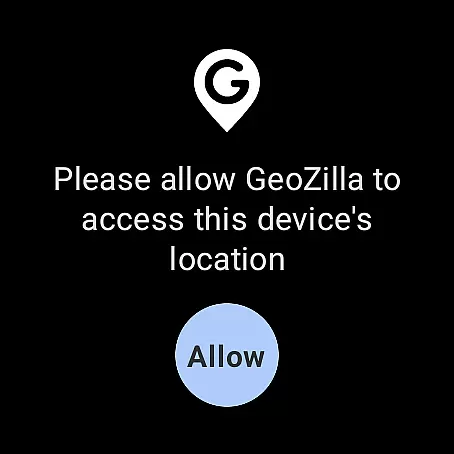
Geozilla is a comprehensive family safety app designed specifically for Android Wear devices, enabling real-time location sharing and emergency monitoring among trusted family members. The app's core functionality revolves around creating private family circles where members can securely share their live GPS locations, receive arrival/departure notifications, and access driving behavior reports.
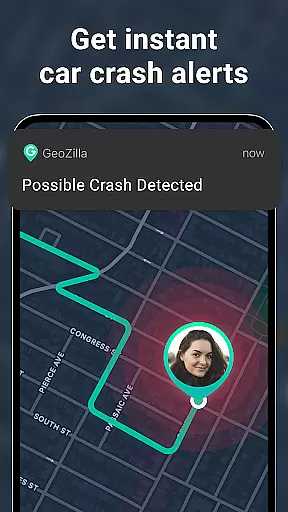
Beyond basic location tracking, Geozilla incorporates advanced safety features including crash detection with automatic SOS alerts, battery level monitoring, and geofencing capabilities. The application maintains strict privacy standards by requiring explicit user consent at every stage of location sharing and circle membership. All activities are transparently communicated to users, ensuring complete awareness of who is tracking them and why.
This wearable-compatible solution brings peace of mind to families who need to maintain connection across distances while prioritizing both safety and privacy. The app's integration with Wear OS allows users to manage location sharing directly from their smartwatches, making it particularly valuable for parents monitoring children or caregivers assisting dependents.
Geozilla distinguishes itself through its robust combination of safety features tailored for family use. The real-time location tracking system provides precise GPS coordinates of family members, while maintaining detailed movement history logs that help track daily patterns. Its geofencing capability allows users to set up multiple virtual boundaries around important locations like home or school, triggering instant notifications when these areas are entered or exited.
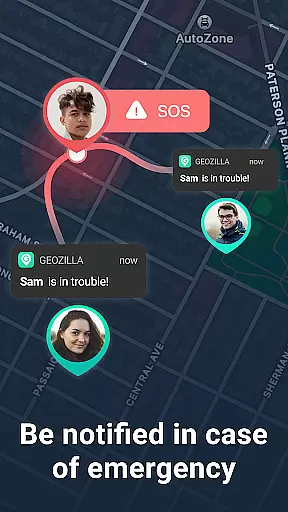
The application's safety features extend to driving monitoring, where it generates comprehensive reports on driving behavior and detects potential accidents through sophisticated motion analysis. In emergency situations, the app automatically sends SOS alerts to designated contacts. Through its Wear OS compatibility, Geozilla enables smartwatch-based location sharing and monitoring, providing additional convenience and accessibility for users on the go.
What sets Geozilla apart is its unwavering commitment to privacy and transparency. Unlike other tracking applications, it implements multiple layers of consent verification and maintains clear communication about data usage. The app's permission structure is designed to give users complete control over their location data, while its focus on family safety ensures appropriate usage within trusted circles.
Companion app integration is essential for wearable technology, ensuring seamless synchronization between devices. Geozilla excels in this area by providing a robust connection between its mobile and Wear OS applications. This allows users to access critical features directly from their smartwatches.
The app ensures that all important information, such as real-time location sharing and emergency alerts, is readily available on your wrist. Whether you're tracking the location of a family member or receiving an SOS alert, the integration guarantees that you stay informed without needing to reach for your phone.
By maintaining active communication between devices, Geozilla enhances user convenience. With just a glance at your smartwatch, you can view geofenced location notifications, battery status alerts, and even driving insights. This interconnected ecosystem supports both safety and peace of mind.
Ultimately, Geozilla's companion app integration empowers users with immediate access to vital data. This feature not only streamlines daily interactions but also reinforces the app's commitment to family safety and transparency across all devices.
Wear OS and device compatibility are crucial for apps aiming to provide comprehensive solutions across multiple platforms. Geozilla stands out by ensuring full functionality on Wear OS devices, allowing families to stay connected regardless of which device they use. This compatibility extends the app's safety features beyond smartphones.
Geozilla's support for Wear OS enables users to share and view locations directly from their smartwatches. This means parents can keep track of their children's whereabouts and receive important notifications without needing to carry their phones everywhere. The ability to interact with the app via a smartwatch significantly enhances accessibility and convenience.
In addition to basic location sharing, the app offers advanced features tailored for smartwatches. These include receiving arrival and departure alerts, monitoring battery levels, and accessing driving reports. Such functionalities ensure that users remain fully informed and can respond promptly to any situation.
By prioritizing Wear OS and device compatibility, Geozilla demonstrates its dedication to creating a versatile and reliable safety solution. Families can enjoy uninterrupted connectivity and peace of mind, knowing that their loved ones are protected across various devices.
User-friendly interface
Real-time tracking
Emergency alerts
Driving insights
Privacy-focused
Premium features cost
Battery consumption
Limited free version
Requires constant internet
Complex setup

"PER27 Galaxy Digital" is a digital Wear OS watch face designed by PERSONA
 4.10
4.10
Christmas watch face. For Wear OS devices.
4.30
Deck out your Wear OS Watch face with a beautifully decorated pine wreath!
4.50
Easy Voice Recorder is your everyday companion to record important moments.
4.70
Watch face designed for Thanksgiving Day. 7 Background Styles included.
3.20
The #1 source of faces for your smartwatch!
4.00
Stylish, Energizing and Modern Watch Face crafted by Dominus Mathias.
4.50
The most customizable hybrid watch face. For Wear OS 5.0, API 34+ and later
4.70
Toyota app currently supports 2010 or newer vehicles (2018 or newer for Hawaii).
4.50
To-Do List: daily schedule planner, task organizer, to do reminder app, calendar
4.60
Retro digital watch face with customizable colors and a unique lighting effect
4.60
A realistic hybrid watch face with many customization options.
4.60
Simple, helpful messaging by Google
4.60
Animated video-game inspired “secret agent” simulation, right on your wrist!
4.20
Your music, your playlists, and more—offline and unlimited.
4.20
sleep, alarm, snoring, stress, healing, focus, sound therapy, circadian rhythm
4.10
Connect, create, and collaborate with Gmail, part of Google Workspace.
4.10
Christmas is near, let's count together the days left until Santa comes
4.4
Stunning modern digital watch face with 7 complications and strong contrast
4.0


User Reviews