
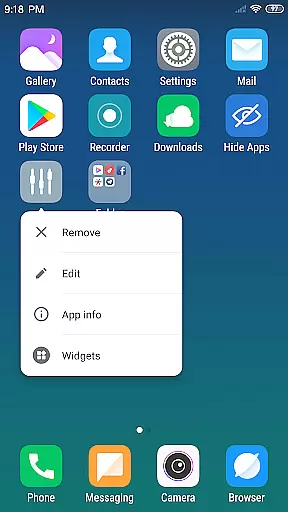
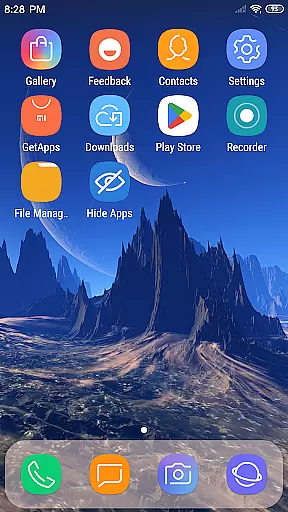
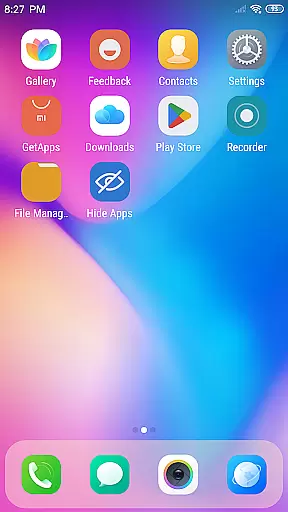
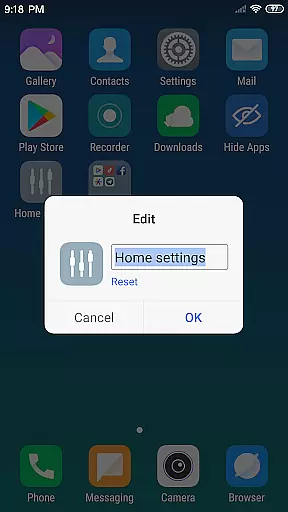
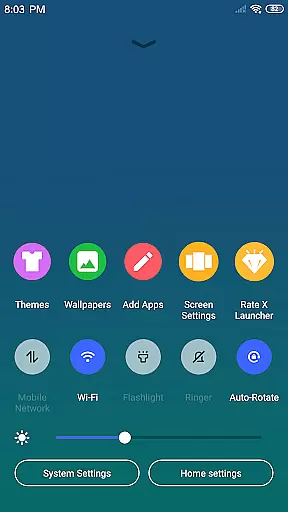
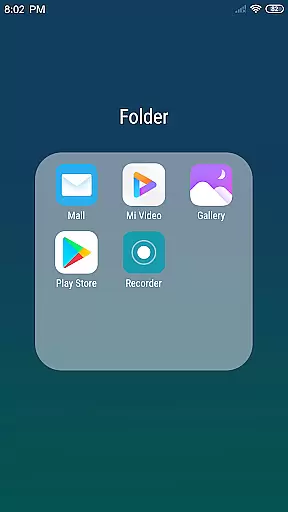
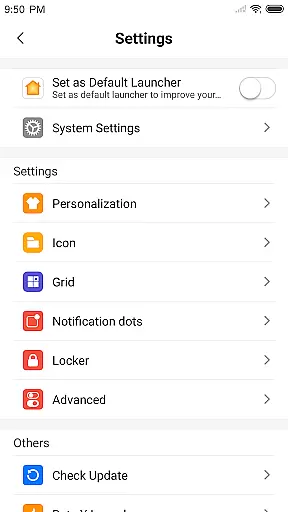
X Launcher Pro is a premium launcher app designed for Android users who appreciate minimalist flat design and customization freedom. This application transforms the entire look and feel of your smartphone, offering an immersive experience without any ads to interrupt your workflow.
The launcher provides advanced features like App Manager for organizing local apps, Control Center for quick settings access, and a comprehensive Theme Store with various themes and wallpapers. Its customizable nature allows users to modify app icons and names, adjust layout grids, and even hide specific apps from the main interface.
Perfect for those seeking a clutter-free and personalized home screen, X Launcher Pro delivers both aesthetic appeal and functional enhancements that improve daily device usage.
X Launcher Pro stands out with its robust feature set tailored for customization enthusiasts. The App Manager function enables quick access to installed applications through a simple swipe-up gesture, allowing users to organize their desktop efficiently.
The Control Center offers convenient shortcuts to essential phone settings such as WiFi, brightness, and volume controls. With support for rich icon libraries and latest wallpapers, users can create a visually cohesive home screen. The app also supports flat style folders, adaptive themes, and flexible grid options.
One of the key highlights is the ability to deeply personalize the launcher - from changing app icons using local images to hiding unwanted apps. These features collectively provide a smooth, distraction-free experience that enhances productivity while maintaining a sleek appearance.
In the realm of Art & Design, having a comprehensive suite of creative tools is essential for unleashing one's artistic potential. X Launcher Pro rises to the occasion by offering an extensive array of features that cater to customization and personalization. The App Manager allows users to swiftly organize and access their local apps, while the inclusion of a Theme Store with various themes ensures that your device's aesthetics can be tailored to individual tastes.
Moreover, the launcher provides users with the ability to modify app icons and names, using local images for personalized touches. This level of detail extends to the layout, where users have control over the number of rows and columns, granting them the freedom to adjust their workspace as they see fit. With these robust tools at your disposal, X Launcher Pro empowers you to transform your phone into a true extension of your creative self.
The availability of rich icon libraries and the latest wallpapers further enhance the experience, ensuring that your device remains fresh and reflective of your personal style. These creative tools not only serve functional purposes but also inspire users to explore new design possibilities. By integrating practicality with creativity, X Launcher Pro stands out as a complete package for those looking to infuse their digital space with originality and flair.
Flexibility in canvas and format options is a cornerstone of any art and design application, allowing creators to bring their visions to life without constraints. X Launcher Pro embraces this principle by providing users with unprecedented control over their deviceu2019s appearance and operation. The ability to change the number of rows and columns on the launcher exemplifies this flexibility, enabling artists and designers to craft a layout that perfectly aligns with their workflow and aesthetic preferences.
Beyond layout customization, X Launcher Pro offers a Flat Style Folder feature that streamlines app organization and visual harmony. Users can effortlessly create folders by dragging one app onto another, decluttering their workspace while maintaining a cohesive look. This functionality is complemented by the option to hide apps, ensuring that only the most relevant tools are visible and accessible, thus enhancing focus and efficiency.
Furthermore, the adaptive nature of the themes available in the Theme Store means that regardless of the chosen design, the user interface remains intuitive and visually pleasing. This adaptability extends to the storage permission feature, which facilitates the saving of downloaded themes and wallpapers, allowing seamless integration of new artistic elements. With X Launcher Pro, canvas and format flexibility become more than just featuresu2014they become the foundation of a personalized and dynamic digital environment.
Completely Ad-Free
Highly Customizable Interface
Efficient App Management
Variety of Themes and Wallpapers
Intuitive Gesture Controls
Storage Permission Required
May Lack Advanced Widgets
Limited Default Icon Styles
No Built-in Security Features
Potential Compatibility Issues
Learn how to draw with step-by-step tutorials, fun lessons & multiplayer drawing
 4.70
4.70
Art of Combination Wear OS Watch faces (for Wear OS 5+ devices)
3.00
Image/ Text to Video Generator
4.40
Custom Character Creator & PFP Maker!
4.20
Draw anime & manga drawing, art with templates to create stunning picture!
4.50
Trace, draw, and create art with AR - from memes to masterpieces!
4.30
Create stunning video, photo & magic from text with FlixAI GPT video generator.
3.10
Painting, drawing, & sketching
4.50
AI Tattoo Generator: Create Tattoo Designs & Get Ideas! Ink & Stencil Maker
4.50
Create stunning art with AI.
4.80
Castle is social media for creating and playing games!
4.60
Draw glowing spinners, relax, and spin your creative art
4.60
Turn your drawings into flipbook-style animations with simple creative tools
4.60
Draw, fidget, and spin glow art! Relax and express your creativity with a finger
4.60
Draw, make movies & animate cartoons easily with our 2D animation maker app
4.40
Design unique, funny and adorable cat stickers that reflect your own style!
3.80
Create trending AI photos & videos with powerful effects and 3D styles.
3.20
Inky runs Inkscape on Android devices and Chromebooks
2.90
Your Essential Color Theory Guide: Red, Yellow, Blue (RYB)
4.0


User Reviews