
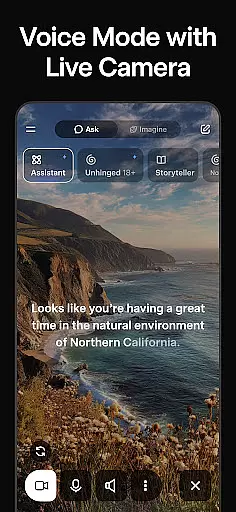
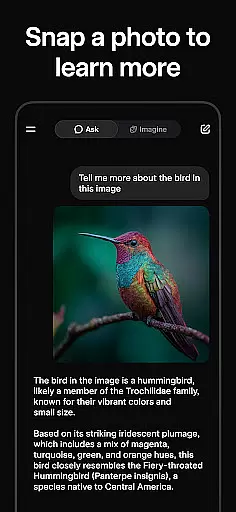
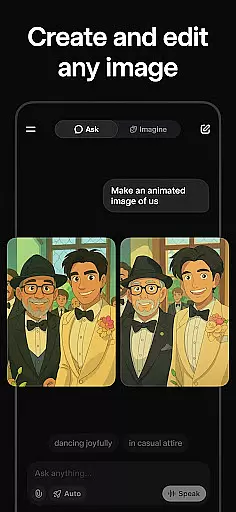
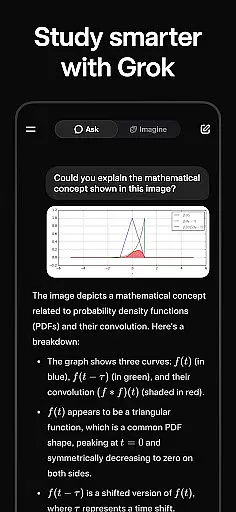
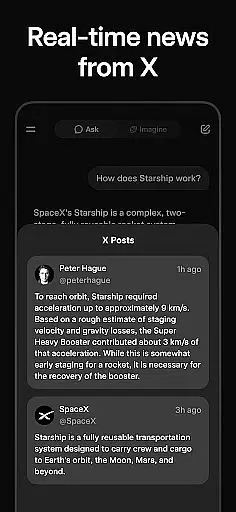
Grok is an advanced AI-powered assistant developed by xAI, designed to enhance productivity through its powerful features. The app provides users with truthful and useful answers to any question while maintaining a curious approach to problem-solving. It supports natural voice conversations, generates images and videos, and allows picture uploads for deeper insights.
With Grok, users can engage in seamless interactions across multiple platforms, making it ideal for both personal and professional use. Whether you need quick answers or creative inspiration, Grok's capabilities ensure that you have the tools necessary to stay productive and informed.
Grok stands out with its ability to generate striking visual content such as images and videos, which can be used for presentations or creative projects. Its voice mode enables natural and fluid conversations, providing a hands-free experience that is both intuitive and efficient.
The app also allows users to upload pictures to gain deeper understanding and context about their surroundings. This feature is particularly useful for professionals who require detailed analysis of visual data. Additionally, Grok's integration with various platforms ensures that users can access its features wherever they are, enhancing overall productivity.
Task management is a cornerstone of productivity applications, and Grok excels in this area by offering users an AI-powered assistant that can handle a variety of tasks. This includes answering questions, generating images and videos, and even engaging in voice conversations. The ability to manage these diverse tasks efficiently enhances the user's capacity to stay organized and productive.
Grok's approach to task management is not just about executing commands but also about understanding context and providing meaningful responses. By leveraging advanced algorithms, it ensures that every interaction is maximally truthful and useful. This means users can rely on Grok to provide accurate information and insights, which is crucial for effective task completion.
The integration of various media types into task management sets Grok apart. Users can upload pictures and receive deeper insights into their content, making it a versatile tool for both personal and professional use. Whether you need to generate striking visuals for a project or understand complex data through conversational AI, Grok provides the necessary tools to get the job done efficiently.
Cross-device synchronization is vital for users who operate across multiple platforms and devices. Grok ensures that all interactions and data are reliably synced, allowing seamless transitions between devices. This feature is particularly beneficial for users who require constant access to their AI assistant, regardless of the device they are using.
The reliability of Grok's synchronization is rooted in its robust backend infrastructure, which supports real-time updates and data consistency. This means that whether you're at your desk or on the go, your tasks, preferences, and history are always up-to-date and accessible. Such reliability fosters trust and confidence in the application, encouraging regular use.
Moreover, Grok's cross-device capabilities extend beyond simple data syncing. It maintains the context of interactions, ensuring that users can pick up where they left off, no matter the device. This continuity enhances productivity by minimizing disruptions and allowing users to focus on their tasks without worrying about data loss or inconsistencies.
User-friendly interface
Powerful AI capabilities
Versatile content generation
Natural voice interaction
Comprehensive image analysis
Limited offline functionality
Requires stable internet
Premium features may cost extra
Occasional response delays
Privacy concerns with uploads

Auto-shutoff Alarm with Sunrise, Sunset & Fixed Options.
 3.50
3.50
Make apps & sites with natural language prompts
4.10
ID.me Authenticator is a simple and free Two Factor Authentication solution
3.50
Secure, open-source, SPICE and SSH Remote Desktop for QEMU KVM virtual machines
4.00
Access, manage and transfer files on Android, PC, Mac, NAS and cloud storages.
4.30
Docker, Kubernetes management over Portainer Mobile
4.40
* block pre-roll ads, pop-up and forced redirect ads * Samsung certification app
4.00
To do list widget with a notebook organizer, checklist, simple shopping list
4.60
AI Chatbot and AI writing assistant powered by ChatGPT.
4.60
Native client for Forgejo and Gitea
5.00
Great calculator for Android named one of USA TODAY's "25 Essential Apps".
4.90
Understand anything with a personalized AI research assistant
4.80
The long-awaited modern gallery app for your Nextcloud server
4.70
The AI assistant that thinks with you - write, code, and solve complex tasks
4.60
A Pixel Art watchface inspired by other iconic 90s designs for Wear OS devices!
4.40
When you Focus, so will your Bean in this cozy focus timer
4.30
Todo reminder
4.10
Wake up & get tasks done! Add alarms & reminders on the Clock Launcher.
4.00
A simple, portable logger for POTA, SOTA, Field Day, and more
4.1


User Reviews