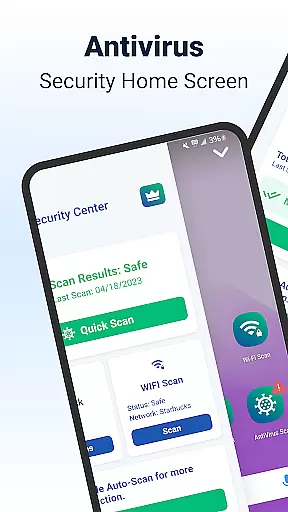
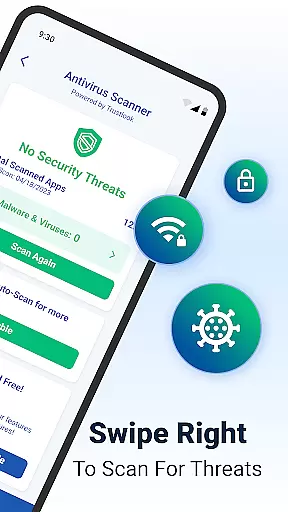
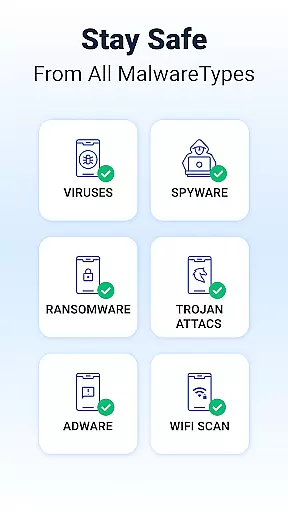
Shield Antivirus Home Screen is a comprehensive security solution for Android devices, offering robust protection against viruses, malware, and cyber threats. The app features an advanced AI-driven antivirus scanner with a 99% detection rate, ensuring accurate identification of potential risks while maintaining minimal false positives.
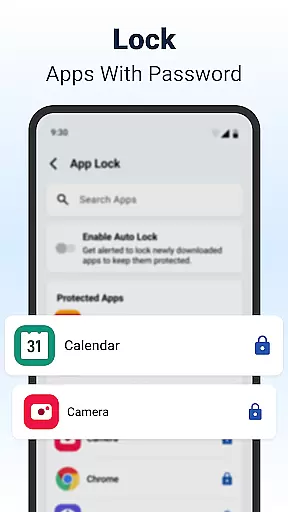
In addition to its core security features, Shield provides privacy tools such as AppLock, which allows users to secure sensitive apps with passwords or fingerprints. The WiFi scanning functionality adds another layer of protection by detecting network-based attacks and monitoring connected devices. With customizable settings and an intuitive home screen interface, Shield combines security with personalization for a seamless user experience.
One of the standout features of Shield is its high-accuracy AI-driven antivirus scanner, capable of identifying and blocking malware, spyware, and other threats with exceptional precision. This ensures that users can scan their apps quickly and maintain peace of mind without worrying about potential risks.
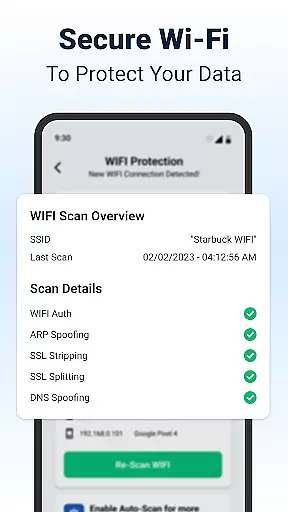
Another key feature is the AppLock functionality, which enhances privacy by allowing users to lock sensitive apps using either a password or fingerprint authentication. Additionally, the WiFi Scanner provides advanced network security, protecting against ARP spoofing, DNS spoofing, and SSL stripping. These features collectively ensure that both device-level and network-level vulnerabilities are addressed effectively.
Shield also offers extensive customization options, enabling users to personalize their lock screens and app settings. This flexibility ensures that users can tailor the app's appearance and functionality to suit their preferences while maintaining top-tier security standards.
Shield Antivirus Home Screen offers a rich array of customization options that allow users to tailor their Android experience. The app provides personalized lock screen settings and app configurations, ensuring that security does not come at the expense of individual style.
With features like AppLock, users can secure sensitive applications using a password or fingerprint. Additionally, the ability to hide apps and customize privacy settings adds another layer of personalization, making sure that your device truly reflects your preferences while maintaining top-notch security.
The home screen transformation feature enhances user experience by integrating intuitive privacy controls and custom settings. This allows for a visually appealing interface that is both secure and tailored to individual needs, offering an optimal balance between aesthetics and functionality.
Theme compatibility in Shield ensures that users can enjoy a consistent visual experience across their devices. By supporting various themes, the app allows for seamless integration with different design preferences, enhancing the overall look and feel of the user's device.
Users can choose from a variety of themes to match their personal style, ensuring that their device remains both secure and visually cohesive. This flexibility in theme selection means that aesthetic customization does not interfere with the app's protective capabilities.
Furthermore, Shield's extensive theme compatibility extends to its privacy tools, such as secure WiFi scanning and network device scanning. This ensures that all security features are presented in a manner that aligns with the chosen theme, providing a unified and engaging user experience without compromising on protection.
Powerful AI-driven antivirus
Advanced WiFi security
Customizable privacy tools
User-friendly interface
Comprehensive threat detection
Limited iOS compatibility
Premium features require subscription
Occasional performance slowdowns
Ad-supported free version
Complex setup for beginners

Vertically oriented rectangular icons
 4.70
4.70
A light in the dark, a unique style and an andless cutomization!
4.30
Glass style colourful icons with a One UI look and feel
4.60
Customizable flower power digital watch face for Wear OS watches.
4.00
Add cute Shimeji pets to screen, interact with them and relax with cute motions
4.60 4.50
4.50
Custom edge gestures for volume control, brightness, apps, and shortcuts.
4.3
Embrace the Night. Unleash the power of darkness with Raven Dark Icon Pack
4.60
HappyLighting is a Bluetooth lamp control software.
3.40
Only for Wear OS devices!
4.90
Personalize your phone with stunning HD and 4K wallpapers!
4.70
Stunningly Different look with Line Icons and Neon Colors
4.60
Ultra realistic high quality analog watch face for Wear OS.
4.60
Zip lock screen with magic wallpaper to decorate your phone with fun zipper lock
4.60
Transform your phone with Launcher iOS 26 - Smooth & elegant iOS experience
4.50
Vibrant Adaptive Icons with Material You and Enhanced Monet Colors.
4.50
Transform your device in a game console
4.40
Romantic Kiss Stickers App. Start romantic messaging now!
4.30
Ultimate widget creator. Design custom widgets for a truly unique home screen!
3.90


User Reviews