
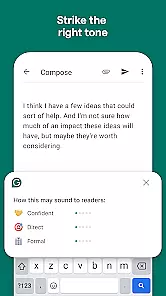
Grammarly is a productivity app designed to enhance your writing by providing real-time grammar, punctuation, and style suggestions. It functions as a virtual writing assistant that helps users communicate more effectively across various platforms such as emails, social media, and document editors.
The app's core feature is its AI-powered text analysis engine that checks for over 250 types of grammatical errors, contextual spelling mistakes, and vocabulary usage. Grammarly also offers a plagiarism checker, tone detection, and advanced writing analytics, making it an essential tool for students, professionals, and content creators.
Whether you're drafting an important email or creating content for your blog, Grammarly ensures your writing is clear, concise, and error-free. Its cross-platform compatibility allows seamless integration with desktop applications and mobile devices, ensuring consistent assistance wherever you write.
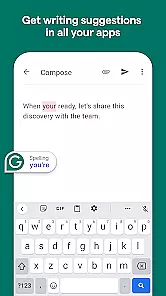
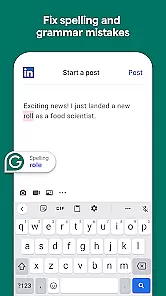
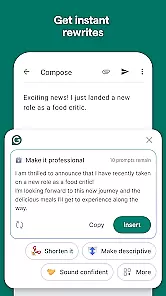
Grammarly stands out with its comprehensive set of features tailored to improve writing quality. The app provides real-time suggestions not only for grammar and spelling but also for sentence structure, readability, and tone adjustments. This ensures that your writing is both technically correct and stylistically engaging.
One of the key features is its contextual spelling and grammar correction, which goes beyond basic proofreading tools. Grammarly's AI understands the context of your writing and suggests improvements accordingly. Additionally, the app includes a built-in thesaurus, synonym suggestions, and vocabulary enhancement tools to help diversify your word choice.
For professional writers and businesses, Grammarly offers advanced features like plagiarism detection, document analytics, and team collaboration tools. These capabilities ensure originality, provide detailed writing performance reports, and enable multiple users to work together seamlessly on writing projects.
Task management is a cornerstone of productivity applications, and Grammarly excels in this area by offering users the ability to handle writing tasks efficiently. The app provides real-time suggestions for grammar, punctuation, and style improvements, which helps users focus on their core writing responsibilities without getting bogged down by technical details.
Grammarly's implementation includes an intuitive interface that highlights errors and offers one-click solutions, streamlining the editing process. This ensures that users can manage their writing tasks effectively, whether they are crafting emails, reports, or creative content.
The benefits to the user are significant; with Grammarly's assistance, writers can produce polished, error-free documents in less time. This efficiency not only enhances productivity but also boosts confidence in written communications, making Grammarly an invaluable tool for anyone looking to improve their writing workflow.
Cross-device synchronization is vital for users who work across multiple platforms and need consistent access to their data and settings. Grammarly addresses this need by providing reliable synchronization that ensures all user preferences, custom dictionaries, and saved corrections are available regardless of the device being used.
This feature is implemented through a secure cloud-based system that updates in real-time. Whenever a user makes changes or adds new information on one device, those updates are immediately reflected on all other devices linked to their Grammarly account. This seamless integration allows for a fluid and uninterrupted workflow.
For the user, this means unparalleled convenience and peace of mind. Knowing that your personalized settings and essential data are always up-to-date and accessible from any location enhances both flexibility and productivity. Grammarlyu2019s robust cross-device sync capability ensures that you have everything you need, whenever and wherever you need it.
Accurate grammar checks
User-friendly interface
Real-time suggestions
Cross-platform support
Advanced writing tools
Premium version costly
Limited free features
Occasional incorrect suggestions
Requires internet connection
Privacy concerns with data

A customizable calendar for your Wear OS watch
 4.20
4.20
Absolutely the best CNC machinist speed and feed calculator around. fswizard.com
4.60
Font maker keyboard with your own handwriting
4.10
Simple and reliable communication between inmates, friends and family
3.20
Docker, Kubernetes management over Portainer Mobile
4.40
Secure your apps with lock screens, use custom themes and different features.
4.40
Scan paperwork into PDF/JPG, generate your own e-signature and send fax or email
4.70
Set up, print, and get support—in one place
4.20
Put a lock on your cloud: Take the security of your data into your own hands
3.70
Multilingual translator for text, voice, and image translation!
4.90
aCalendar+ makes your day, week and month
4.70
Lightweight PDF, Word, Excel reader.
4.60
Fill, sign & send docs, forms, agreements & contracts via electronic signature.
4.50
Subscribe to Webcal & .ics calendars and keep them up-to-date!
4.50
Enjoy classic gameplay with customizable features and retro-style graphics.
4.30
Ultimate Virtual AI Character for immersive Roleplay Chat. Perfect Companion
3.90
Code on-the-go with VScode for Android. Edit,debug and collaborate from mobile!!
3.10
Ads Free App! Editor, Hide File, Copy, Move, Delete and Rename.. all facility av
1.70
A simple, portable logger for POTA, SOTA, Field Day, and more
4.3


User Reviews