



Microsoft Copilot is an advanced AI-powered productivity application designed to be your daily AI companion. This app combines the best of reasoning and chat models into a cohesive experience, offering users access to GPT-5 in 'Smart' mode. It serves as a versatile tool for learning, growing, and gaining confidence through AI assistance.
The app's core functionalities include AI chat assistance, photo generation from text prompts, content creation, and business support. Whether you need help with writing, editing, researching, or generating images, Microsoft Copilot provides intuitive solutions that streamline tasks and boost productivity. Its capabilities extend to voice interactions, making it accessible and convenient for various user needs.
Microsoft Copilot is particularly useful for professionals seeking efficient ways to manage work-related tasks such as drafting emails, proofreading documents, and creating presentations. With its ability to translate across multiple languages and generate high-quality visuals, this app proves invaluable in today's fast-paced work environment.
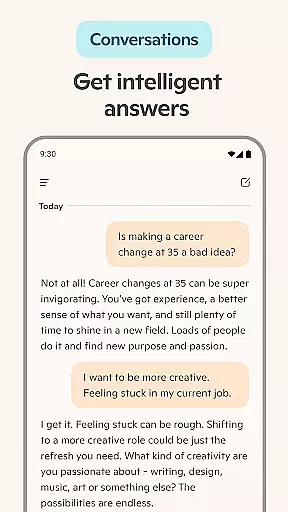
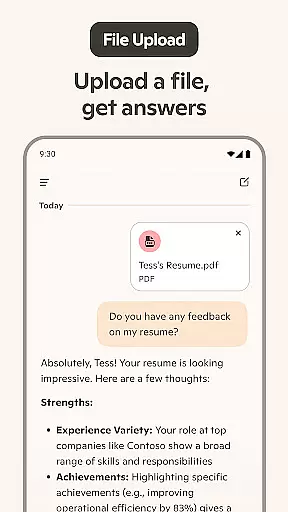
Microsoft Copilot stands out with its comprehensive set of features tailored to enhance productivity. One notable feature is the AI chat assistant, which delivers summarized answers to complex questions through simple conversations. This functionality not only simplifies information retrieval but also aids in composing emails, cover letters, and resumes.
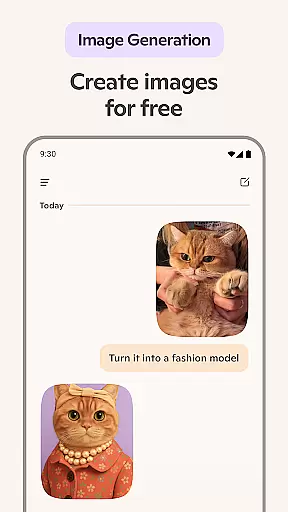
Another remarkable aspect is the AI photo generator, allowing users to create images from textual descriptions. This feature supports creative projects like logo design, children's book illustrations, and social media content curation. Additionally, the app's voice chat capability enables users to compose stories or scripts verbally, further expanding its usability.
Moreover, Microsoft Copilot integrates seamlessly with other tools, enhancing workflows by providing instant summaries, helpful rewrites, and translations in hundreds of languages. These features collectively empower users to accomplish more efficiently, making it an indispensable asset for both personal and professional growth.
Microsoft Copilot excels in core task management by integrating advanced AI capabilities to streamline daily activities. The application leverages the latest OpenAI and Microsoft AI models to offer users an unparalleled experience in organizing and prioritizing tasks.
With Copilot, users can efficiently manage their schedules through smart summaries and helpful rewrites, ensuring that every task is clear and concise. Its ability to generate instant sharp summaries allows users to quickly grasp the essence of complex information, making decision-making faster and more informed.
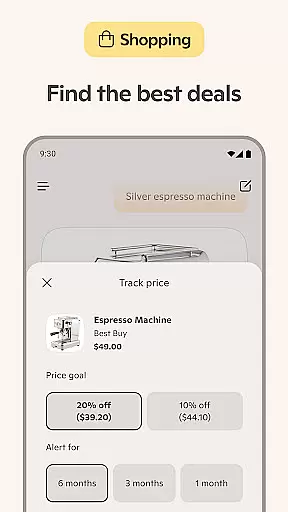
The app's AI chat assistant further enhances productivity by simplifying the creation of grocery lists or weekly meal prep lists with AI-generated shopping lists. This feature not only saves time but also ensures that users never overlook essential items, thus improving overall efficiency.
Ultimately, Microsoft Copilot's core task management features empower users to accomplish more with less effort. By providing straightforward answers to complex questions and optimizing text across multiple languages, it acts as a personal AI writing assistant that drives business and boosts individual productivity.
Cross-device synchronization is a critical feature for modern productivity tools, and Microsoft Copilot delivers exceptional reliability in this area. By seamlessly integrating with various devices, Copilot ensures that users have consistent access to their data and AI functionalities regardless of the platform they are using.
The synchronization process is powered by robust cloud technology, which guarantees that all user interactions with Copilot are updated in real-time across devices. Whether you're switching from a desktop to a mobile device, your conversations, generated images, and task lists remain up-to-date and accessible.
This reliable cross-device experience is further enhanced by Copilot's ability to maintain context and continuity in AI-driven tasks. For instance, if you start composing an email on one device, you can effortlessly continue editing it on another without losing any progress or formatting.
In summary, Microsoft Copilot's cross-device synchronization reliability ensures that users can depend on their AI companion at any time and place. This seamless integration fosters a cohesive and uninterrupted workflow, allowing users to focus on achieving their goals without worrying about technical inconsistencies.
User-friendly interface
Advanced AI capabilities
Versatile content creation
Multilingual support
Efficient task management
Requires internet connection
Premium features may cost extra
Occasional technical glitches
Limited offline functionality
Privacy concerns with data sharing

A customizable calendar for your Wear OS watch
 4.20
4.20
Auto-shutoff Alarm with Sunrise, Sunset & Fixed Options.
3.50
Unlock AutoNotification
4.00
Android Wallet Password Manager
4.80
Stay on top of your to-dos with Google Tasks, part of Google Workspace.
4.60
The AI assistant that thinks with you - write, code, and solve complex tasks
4.60
AT&T Internet customers can use this app to personalize their Wi-Fi network.
4.40
Daily processing of PDF documents.
4.40
Set up, print, and get support—in one place
4.20
Scientific calculator for Android - looks and operates like the real thing!
4.90
Best Tool for the professionals Electrician, Electrical contractors, etc.
4.90
Quickly and easily keep track of your work shifts
4.70
Secure, fast, open-source, Remote Desktop Client for Windows and Linux with SSH
4.60
App Lock with fingerprint, password: Lock apps & hide photos with lock screens
4.60
Cloud storage, automatic phone backup, and more.
4.10
Customizable calendar widget for seamless event sync, planning & scheduling.
4.00
Ultimate Virtual AI Character for immersive Roleplay Chat. Perfect Companion
3.90
AI Video AI Image Private LLM AI Browser Llama Gemma Ollama Connect LLM Studio
4.3
A comprehensive suite of tools designed specifically for Lactation Consultants
4.5


User Reviews