
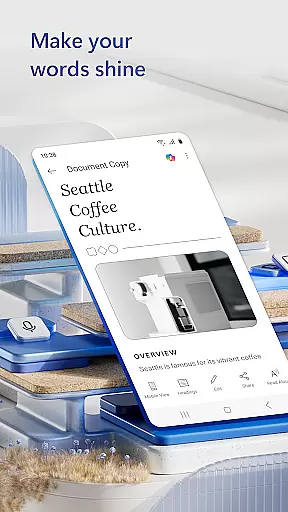
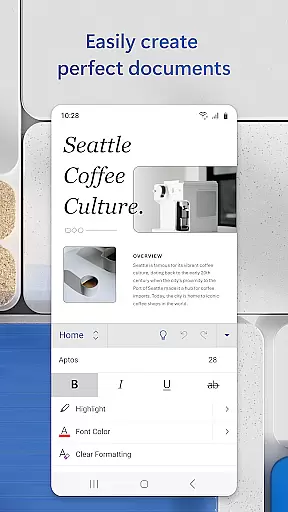
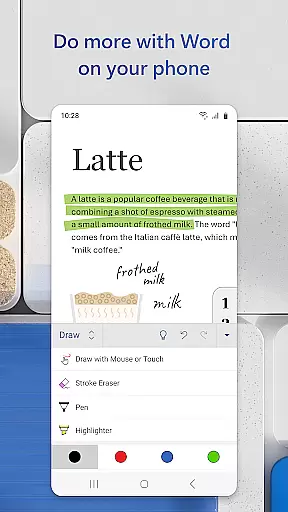
Microsoft Word is the quintessential mobile document editor, empowering users to create, edit, and collaborate on documents directly from their mobile devices. With capabilities mirroring the desktop version, this app allows for seamless document creation and editing, whether you're crafting a cover letter, converting files to PDF, or working collaboratively on projects. Its intuitive interface and powerful features make it an indispensable tool for professionals on the go.
The app stands out with its rich template gallery offering resumes, newsletters, and brochures, alongside advanced editing tools that preserve formatting and layout. Microsoft Word's mobile app bridges productivity and convenience, ensuring that bloggers, writers, and project managers can work efficiently from anywhere, turning any setting into a productive workspace.
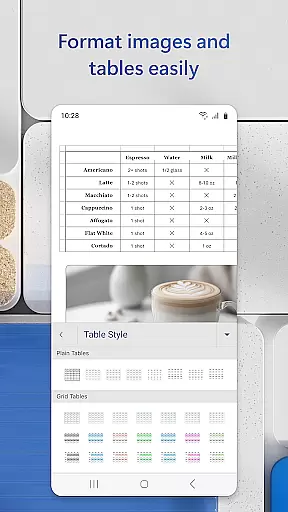
Microsoft Word's mobile app boasts a comprehensive suite of features designed to enhance productivity. Users can leverage beautiful templates as a cover letter creator and benefit from an intelligent document editor that maintains the integrity of formats and layouts. The reading view offers a comfortable experience for reviewing docs, letters, and PDFs, while the built-in PDF converter facilitates effortless transitions between Word and PDF formats.
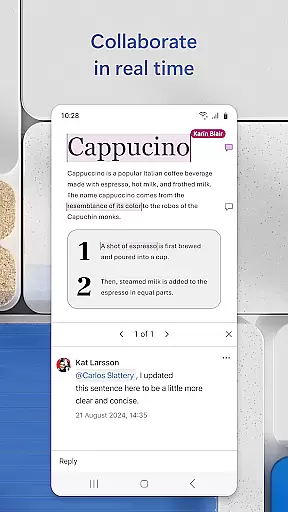
Collaboration is at the heart of Microsoft Word, allowing multiple users to edit documents simultaneously, leave comments next to text, and track changes through editor history. Sharing documents is simplified with options to send them as links, emails, or attachments. Additionally, file sharing and permission management are streamlined, enabling users to see who is working on what, thus enhancing team productivity and document security.
Microsoft Word excels in core task management by offering a comprehensive suite of tools designed to streamline document creation and editing. The app provides users with the ability to create, edit, and format documents with ease, ensuring that tasks such as writing letters, crafting resumes, or developing presentations are executed efficiently.
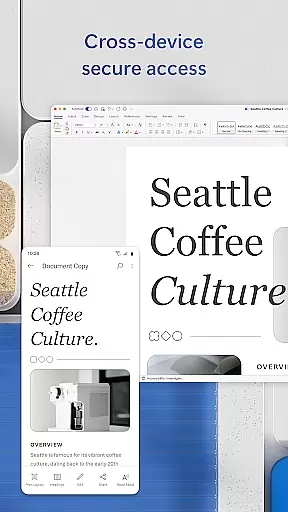
The application supports seamless transitions between devices, allowing users to pick up where they left off, whether on a mobile device or a PC. This cross-device functionality ensures that productivity is not hindered by location or device limitations, making it an ideal solution for professionals who are always on the move.
Moreover, Microsoft Word incorporates intelligent features like real-time collaboration, which empowers teams to work together on documents simultaneously. Users can leave comments next to specific texts, track changes, and view revision history, all within the app. These capabilities enhance team productivity and ensure that everyone stays aligned with the project goals.
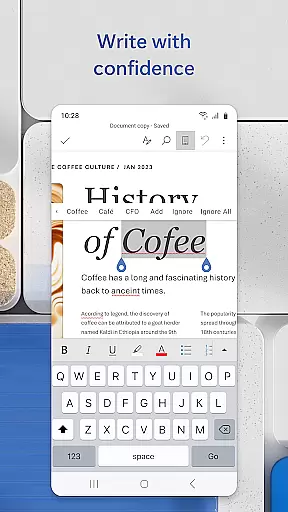
By integrating advanced proofreading tools, Microsoft Word also aids in maintaining high-quality content. Users can check spelling, grammar, and even get writing suggestions, which helps in producing polished and professional documents every time.
Cross-device synchronization is a cornerstone of Microsoft Word's reliability, enabling users to access their documents from any device with consistent performance. Whether you're switching from a desktop to a tablet or a smartphone, the app ensures that your files are updated in real-time across all platforms.
This synchronization feature is powered by cloud technology, which securely stores your documents and makes them accessible wherever you have an internet connection. This means that users no longer need to worry about losing important work due to device malfunctions or forgetfulness, as everything is safely backed up online.
In addition to file storage, Microsoft Word offers robust permission management, allowing users to control who can view or edit their shared documents. This adds an extra layer of security and organization, especially when collaborating with large teams or external partners.
Furthermore, the app's ability to convert documents into various formats, including PDFs, without compromising quality, enhances its versatility. Users can share their work in the most suitable format for their audience, knowing that the integrity of the original document will be preserved. This reliable synchronization and conversion capability make Microsoft Word a dependable tool for both personal and professional use.
User-friendly interface
Extensive template library
Real-time collaboration
Seamless PDF conversion
Cross-device compatibility
Limited free features
Requires Microsoft account
Heavier on system resources
Occasional sync issues
Premium subscription needed

Planet Free VPN - The best Fast Unlimited and Secure VPN Without Logs
 4.50
4.50
A lightweight JSON & XML files creator, editor and viewer (Premium Version)
4.40
We're working to become the best machining app on the market! www.cncdirt.com
4.80
IP Camera Viewer - Android TV : RTSP Surveillance camera viewer for Android TV
4.0
Pwnagotchi companion app
4.20
Todo reminder
4.10
Subscribe to Webcal & .ics calendars and keep them up-to-date!
4.50
Share files & memories safely. Keep your photos and videos secure.
4.40
Ultimate Virtual AI Character for immersive Roleplay Chat. Perfect Companion
3.90
Absolutely the best CNC machinist speed and feed calculator around. fswizard.com
4.60
Calendar 2023 widget for Android. Appointment scheduler, planner, and reminder
4.60
Lightweight PDF, Word, Excel reader.
4.60
Docker, Kubernetes management over Portainer Mobile
4.40
All in One PDF Reader: Manage, Read and Edit your Documents
4.20
Activate Two Factor Authentication (2FA or Multi OTP), Password manager and more
4.10
Intelligent AI Assistant
4.10
Wake up & get tasks done! Add alarms & reminders on the Clock Launcher.
4.00
Customizable calendar widget for seamless event sync, planning & scheduling.
4.00
Experience and share your SolidWorks designs on your Android® phone and tablet.
2.50


User Reviews