

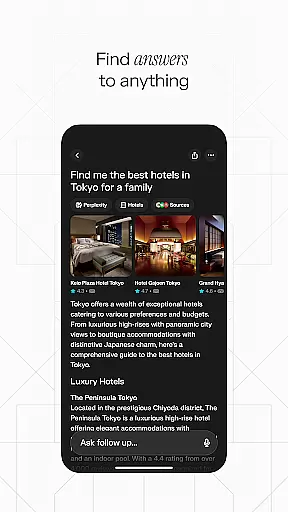
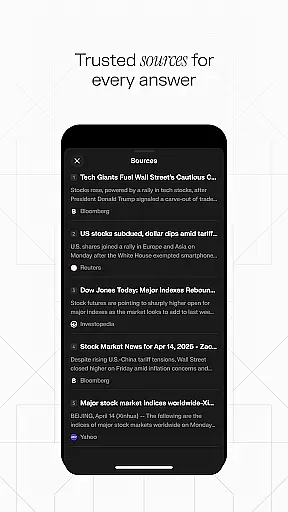
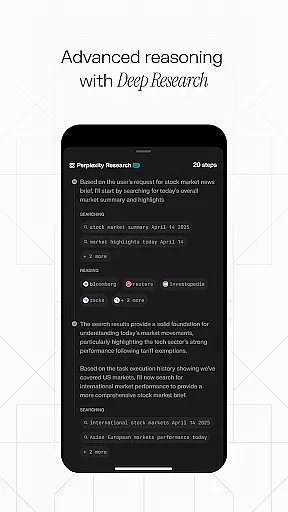
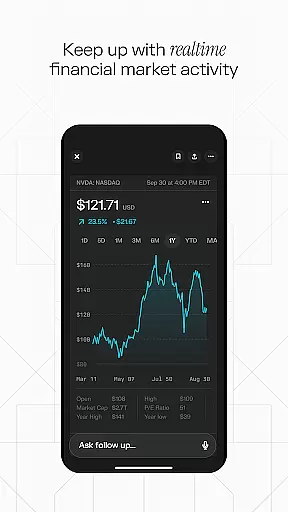
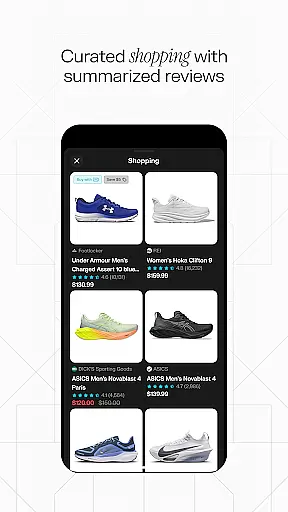
Perplexity is a productivity-focused AI search app that provides users with instant, credible, and up-to-date answers. By leveraging top AI models from OpenAI, Anthropic, Meta, and others, it ensures reliable information at your fingertips.
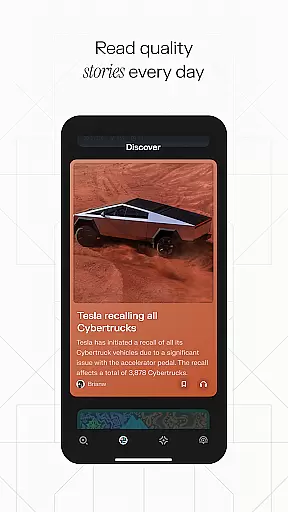
The app features Perplexity Pro Search for deeper exploration, Thread Follow-Up for extended conversations, Voice support for spoken queries, cited sources for trustworthiness, a Discover section to learn from the community, and Your Library to curate personal discoveries.
Useful for students, professionals, or anyone seeking quick knowledge, Perplexity syncs across devices, making it an essential tool for staying informed in today's fast-paced world.
Perplexity stands out with its advanced AI-driven search capabilities. The Perplexity Pro Search allows users to dive deeper into topics, while Thread Follow-Up enables continuous learning through conversational queries.
Voice functionality supports both typed and spoken questions, offering flexibility in how users interact. Every answer is backed by cited sources, ensuring transparency and reliability. The Discover feature connects users with community-shared insights, and Your Library helps organize search history and curated content.
These features collectively enhance productivity by streamlining access to accurate information, empowering users to focus on their tasks without distraction.
Task management is a cornerstone of productivity applications, and Perplexity excels in this area by offering users an intuitive way to organize their information and continue learning.
The app's 'Your Library' feature allows users to curate their discoveries, effectively managing their search history and important findings in one place. This creates a personalized knowledge base that enhances the useru2019s ability to recall information when needed.
Perplexity also offers Thread Follow-Up, which lets users keep conversations going for deeper understanding. This function acts as a task manager for inquiries, ensuring that users can systematically follow up on topics until they have the clarity they seek.
By integrating these features, Perplexity not only helps manage tasks but also aids in the continuous expansion of the user's knowledge base, making it an indispensable tool for those looking to enhance their intellectual productivity.
Cross-device synchronization is vital for users who operate on multiple platforms throughout their day. Perplexity addresses this need by providing reliable sync capabilities across devices, ensuring seamless access to information regardless of where it was last accessed or saved.
This free app leverages top AI models from industry leaders like OpenAI, Anthropic, and Meta, to maintain consistency and update data in real-time. As users transition between their phone, tablet, or computer, they find their curated libraries and ongoing threads just as they left them.
With Perplexityu2019s synchronized ecosystem, there is no break in workflow or loss of information. The assurance that every piece of data is current and mirrored across all devices means users can focus on their work without worrying about version control or manual updates.
Ultimately, Perplexityu2019s robust cross-device synchronization empowers users with a dependable and efficient way to manage their digital content, enhancing both accessibility and peace of mind.
Instant answers
Cited sources
Voice support
Cross-device sync
Community insights
Limited offline use
Premium costs
Complex interface
Dependent on AI
Privacy concerns

QuickBooks Workforce lets teams view pay info and track time in one place.
 4.70
4.70
The long-awaited modern gallery app for your Nextcloud server
4.70
All in one sketching tool. Technical and General drawing. Online Maps support.
3.70
Remotely view listen control and record cameras.
3.70
Find and delete junk files & block unwanted notifications & manage files
3.70
* block pre-roll ads, pop-up and forced redirect ads * Samsung certification app
4.00
This small app MUST BE INSTALLED after purchase, else license won't work
4.40
Secure your apps with lock screens, use custom themes and different features.
4.40
AI Chatbot and AI writing assistant powered by ChatGPT.
4.60
We're working to become the best machining app on the market! www.cncdirt.com
4.80
Absolutely the best CNC machinist speed and feed calculator around. fswizard.com
4.60
Stay on top of your to-dos with Google Tasks, part of Google Workspace.
4.60
To do list widget with a notebook organizer, checklist, simple shopping list
4.60
Lightweight PDF, Word, Excel reader.
4.60
CalenGoo is a very flexible and feature-rich calendar app
4.40
When you Focus, so will your Bean in this cozy focus timer
4.30
A customizable calendar for your Wear OS watch
4.20
Total remote control for your Android device, PC and cloud services (IFTTT)!
4.20
Intelligent AI Assistant
4.10


User Reviews