
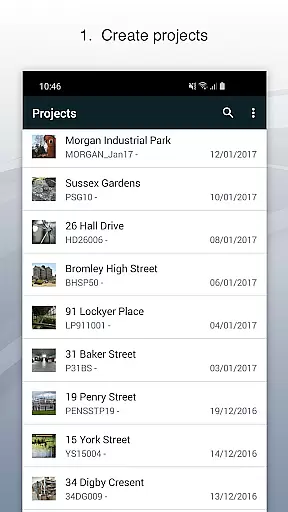
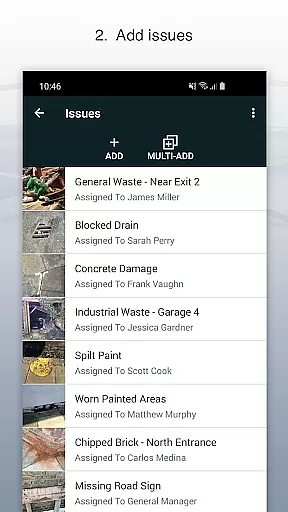
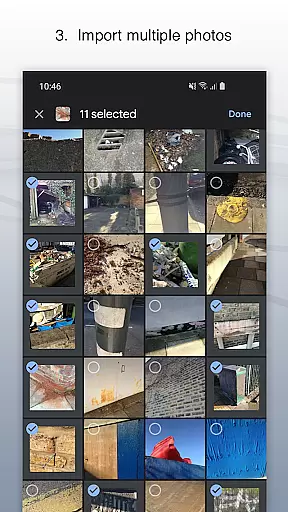
Site Audit Pro is a comprehensive productivity tool designed to simplify the auditing process for businesses across various industries. This mobile application allows users to efficiently record issues by capturing photos, annotating them to highlight critical details, and assigning tasks with comments. The app's intuitive interface enables professionals to organize findings into well-structured projects, incorporating specific site and client information.
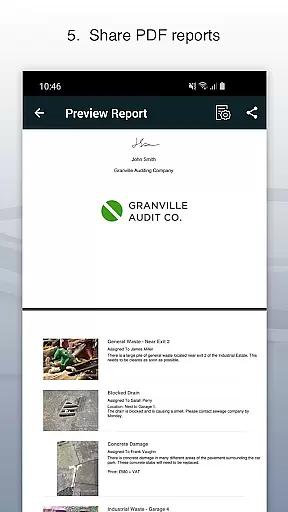
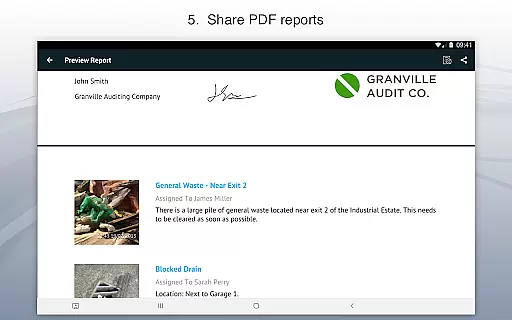
One of Site Audit Pro's standout features is its ability to generate and share professional audit reports instantly. Users can distribute these reports as PDFs via email or cloud services like Dropbox without needing to return to the office. With customizable report templates and personalized branding options, including company logos and signatures, this app ensures that every report reflects the professionalism of your business.
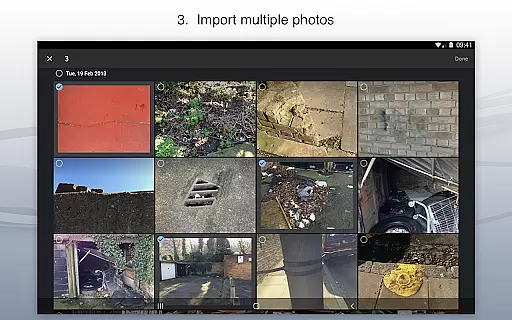
Site Audit Pro offers an impressive array of features that cater to the diverse needs of auditors and inspectors. The app provides tools for capturing high-quality photos of issues, allowing users to annotate images with relevant notes and assign tasks to team members directly within the platform. These capabilities ensure that all project-related information is centralized and easily accessible.
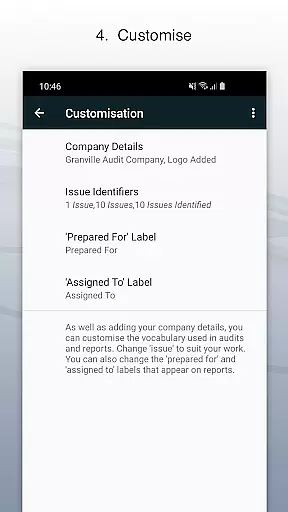
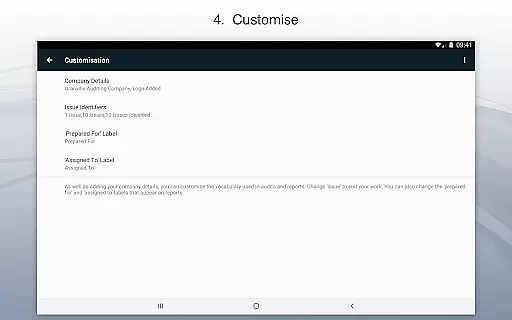
In addition to its robust issue-tracking functionalities, Site Audit Pro excels in report customization. Users can tailor their audit reports to match industry-specific terminology and choose from eight professionally designed templates. This flexibility extends to incorporating personalized elements such as company branding and auditor signatures, making each report uniquely representative of the user's organization while maintaining a professional appearance.
Effective task management is essential for productivity-focused applications like Site Audit Pro. This feature allows users to organize and track issues systematically, ensuring no critical tasks fall through the cracks.
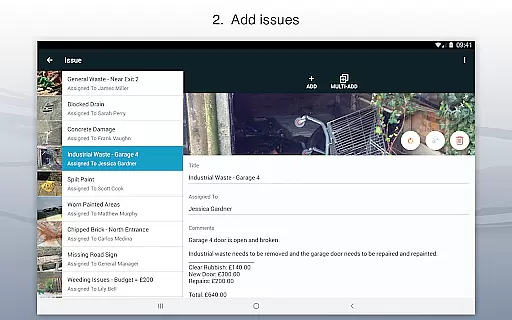
The app enables users to record issues with accompanying photos, assign titles, designate assignees, and add relevant comments. This structured approach ensures that every identified issue is properly documented and assigned for resolution.
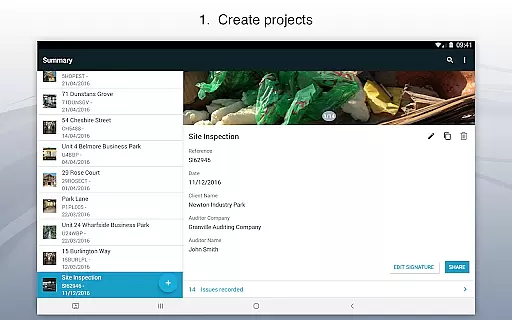
Site Audit Pro takes task management a step further by allowing users to organize issues into specific projects. Each project can include detailed site and client information, making it easier to manage multiple audits or inspections simultaneously.
By streamlining task management, Site Audit Pro helps over 40,000 businesses worldwide improve their operational efficiency. Users can focus on executing tasks rather than managing them, leading to faster completion of audits and inspections.
In today's interconnected world, reliable cross-device synchronization is crucial for maintaining workflow continuity. Site Audit Pro excels in this area by ensuring that all recorded data is consistently updated across devices.
The app supports real-time synchronization, allowing teams to collaborate seamlessly. Whether you're updating an issue on your mobile device or reviewing a report on your desktop, all changes are instantly reflected across all platforms.
This synchronization reliability extends to report sharing as well. Users can generate professional audit reports and share them as PDFs via email or cloud services like Dropbox, ensuring stakeholders always have access to the latest information.
With Site Audit Pro's robust synchronization capabilities, businesses can ensure data consistency and accessibility, regardless of the device being used. This feature significantly enhances team collaboration and decision-making processes.
User-friendly interface
Customizable report templates
Instant report sharing
Photo annotation tools
Task assignment features
Limited free version
Occasional syncing issues
Advanced features require subscription
Steep learning curve for beginners
Some features only available offline

Take control of your clipboard with Clipper!
 3.90
3.90
Auto-shutoff Alarm with Sunrise, Sunset & Fixed Options.
3.50
Native client for Forgejo and Gitea
5.00
Total remote control for your Android device, PC and cloud services (IFTTT)!
4.20
Device's storage information in a simple and clear graphical form (infographics)
4.10
⏰ Finally a timer app which can run multiple timers simultaneously on your watch
3.90
Enjoy classic gameplay with customizable features and retro-style graphics.
4.30
Create and edit presentations with Google Slides, part of Google Workspace.
4.00
Set up, print, and get support—in one place
4.20
App Lock with fingerprint, password: Lock apps & hide photos with lock screens
4.60
Stay on top of your to-dos with Google Tasks, part of Google Workspace.
4.60
PDF scanner & converter for files, photos, lottery, QR codes. One swipe away!
4.50
Tally and goal counter for Wear OS & mobile
4.50
Send files, sync SMS, notifications & clipboard across devices via local network
4.40
Automates browsing any website and notifies you of important changes or events
4.30
Font maker keyboard with your own handwriting
4.10
Activate Two Factor Authentication (2FA or Multi OTP), Password manager and more
4.10
ID.me Authenticator is a simple and free Two Factor Authentication solution
3.50
The upgraded version of Name Wheel with AI and the power to add your own wheels.
4.4


User Reviews