
Goblin Tools is a productivity app designed to simplify everyday tasks through a collection of small, intuitive tools. Tailored especially for neurodivergent individuals, it offers solutions for challenges faced by those with ADHD, autism, and executive dysfunction. The app provides clever utilities like task breakdowns, tone adjustment for texts, mood sensing, and more, making life's complications feel manageable.
With features such as Magic ToDo, Formalizer, Judge, Professor, Consultant, Estimator, Compiler, and Chef, Goblin Tools equips users with practical aids that assist in organizing thoughts, understanding messages, making decisions, estimating time, compiling ideas, and even cooking meals. This app is handy for everyone but shines for those navigating neurodivergent experiences.
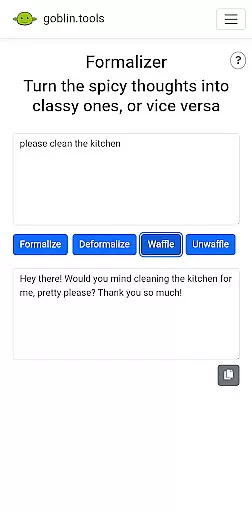
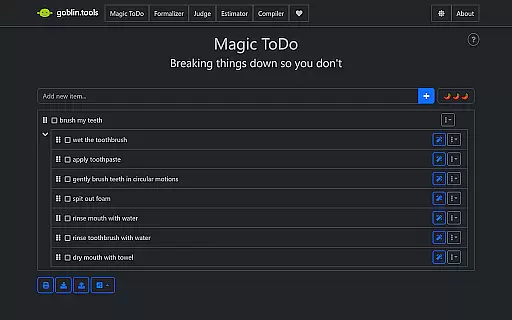
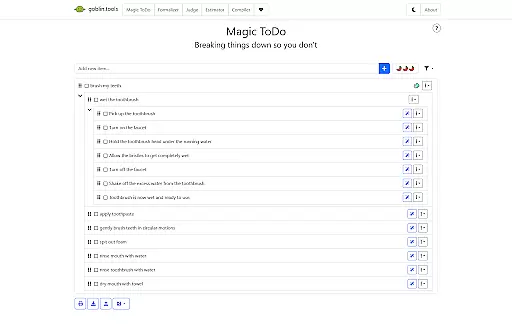
Goblin Tools stands out with its diverse range of features crafted to untangle complex daily activities. Magic ToDo breaks down any task into smaller steps, aiding users in managing their workload efficiently. The Formalizer tool helps adjust the tone of text instantly, ensuring communication is always appropriate.
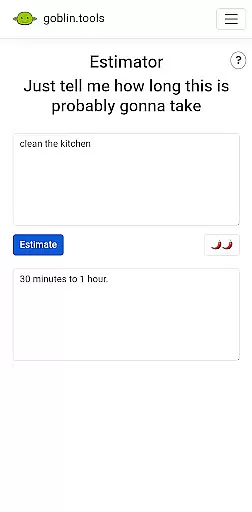
Judge allows users to sense the emotion behind messages, while Professor simplifies complex information for easy comprehension. Consultant assists in decision-making between options, and Estimator provides rough time estimates for tasks. Compiler organizes scattered thoughts into actionable plans, and Chef creates recipes from available ingredients. Each feature is designed to support neurodivergent folks in their unique ways.
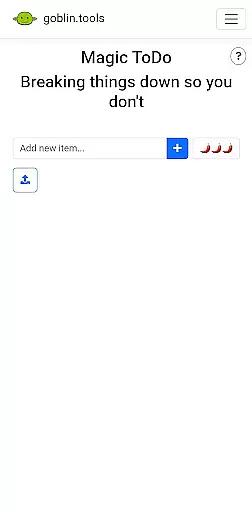
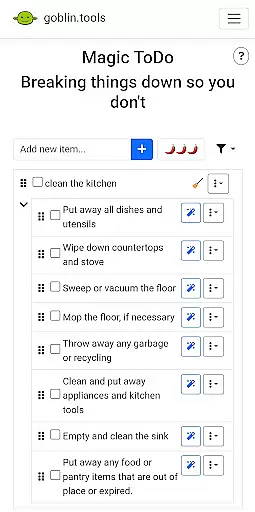
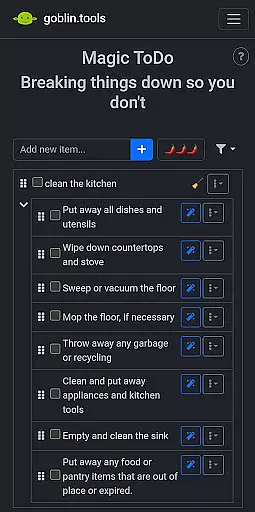
At the heart of Goblin Tools lies its ability to simplify core task management, making it accessible for everyone, especially those who face executive challenges. The Magic ToDo feature breaks down any overwhelming task into manageable steps, ensuring that users can approach their work with clarity and confidence.
This innovative toolset is designed not just to organize tasks but to untangle the complex web of daily responsibilities. By providing bite-sized, actionable steps, it empowers users to tackle projects without feeling overwhelmed, catering specifically to neurodivergent individuals who may struggle with traditional task management systems.
The true value of Goblin Tools' task management system is in its clever design tailored for ADHD, autism, and other neurospicy needs. It transforms daunting to-do lists into achievable goals, fostering independence and productivity while maintaining a supportive, ad-free environment for all users.
Goblin Tools ensures reliable cross-device synchronization, allowing users to seamlessly transition between devices without losing progress or data. This feature is crucial for maintaining continuity in task management, particularly for users who rely on multiple devices throughout their day.
The synchronization process is both intuitive and robust, automatically updating tasks and preferences across all linked devices. Whether you're switching from your phone to your tablet or desktop, you can trust that your information will be current and consistent, enhancing your productivity no matter where you are.
This reliability is vital for neurodivergent users who depend on stable systems to manage their daily lives. By offering dependable synchronization, Goblin Tools provides peace of mind, knowing that your carefully planned tasks and personalized settings are always up-to-date and accessible from any device.
User-friendly interface
Versatile toolset
Supports neurodivergence
Practical everyday utilities
Free and ad-free
Limited advanced features
Not ideal for complex projects
Few customization options
Occasional bugs reported
Small user base

The long-awaited modern gallery app for your Nextcloud server
 4.70
4.70
Planet Free VPN - The best Fast Unlimited and Secure VPN Without Logs
4.50
Android Wallet Password Manager
4.80
Secure, fast, open-source, Remote Desktop Client for Windows and Linux with SSH
4.60
Customizable calendar widget for seamless event sync, planning & scheduling.
4.00
All in One PDF Reader: Manage, Read and Edit your Documents
4.20
The ultimate file manager for rooted devices. The original and still the best.
4.00
Scientific calculator for Android - looks and operates like the real thing!
4.90
Share files & memories safely. Keep your photos and videos secure.
4.40
Use powerful, industry-leading AI tools to generate visual charts from any data
4.80
Direct Chat without saving contacts & Dual WA Account on Single Device
4.70
All document reader, all in one file viewer read PDF, DOCX, XLS, PPT, TXT files.
4.60
A lightweight JSON & XML files creator, editor and viewer (Premium Version)
4.40
This small app MUST BE INSTALLED after purchase, else license won't work
4.40
A customizable calendar for your Wear OS watch
4.20
Wake up & get tasks done! Add alarms & reminders on the Clock Launcher.
4.00
* block pre-roll ads, pop-up and forced redirect ads * Samsung certification app
4.00
Make your handwriting beautiful, even more than pen on paper.
3.60
ID.me Authenticator is a simple and free Two Factor Authentication solution
3.50


User Reviews