
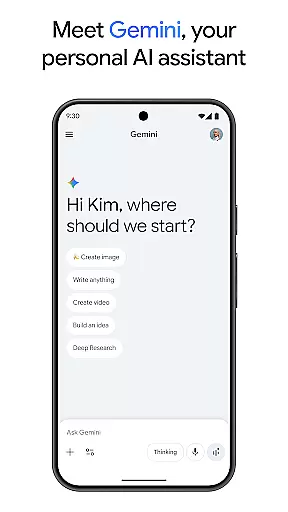
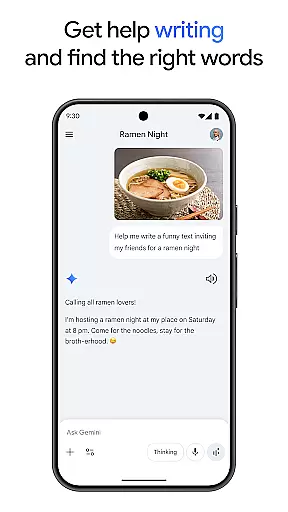
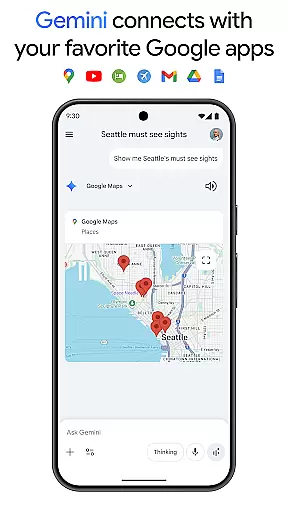
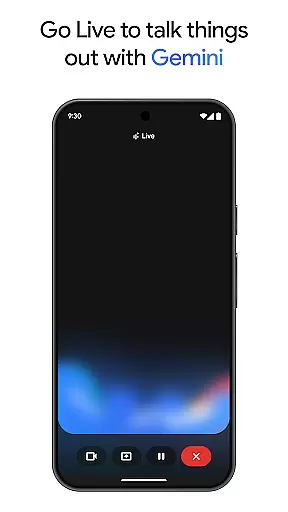
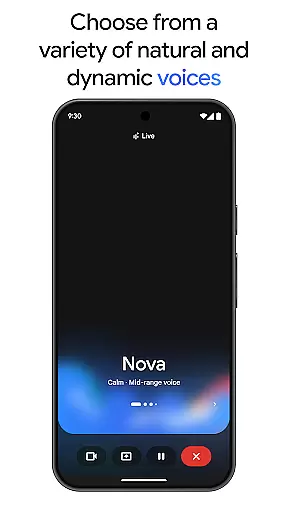
Gemini is a powerful AI assistant developed by Google, designed to enhance both creativity and productivity. This application provides direct access to Google's advanced family of AI models right on your mobile device. With Gemini, users can brainstorm ideas, simplify complex topics, and even rehearse for important events using the Gemini Live feature. The app also integrates seamlessly with popular Google services like Search, YouTube, Maps, and Gmail, making it an essential tool for both personal and professional use.
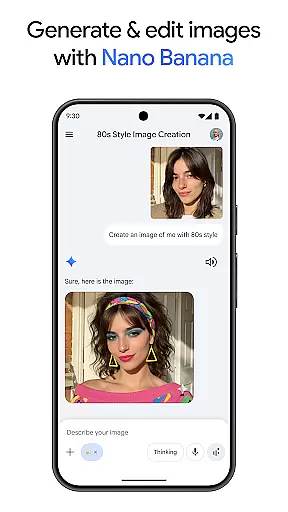
One of Gemini's standout features is Canvas, which allows users to bring their ideas to life by creating apps, games, web pages, infographics, and more. Additionally, the app supports educational activities such as quiz and flashcard creation, interactive visuals, and real-world examples, aiding in more effective learning. Whether you're looking to turn files into podcasts, edit images, or plan trips, Gemini offers a versatile set of tools that cater to various needs.
The app is available in different subscription plans, including Pro and Ultra, each unlocking more advanced capabilities and higher access levels to Google’s most capable AI models. These plans offer benefits like a 1M token context window, video generation, and early access to new AI innovations. Overall, Gemini stands out as a comprehensive productivity tool that leverages Google's cutting-edge AI technology to assist users in numerous tasks.
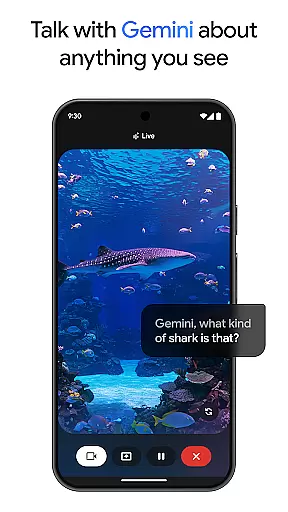
Gemini boasts a wide array of features designed to supercharge your productivity and creativity. One of its key functionalities is Gemini Live, which enables users to engage in live conversations with the AI, simplifying complex topics and rehearsing for significant moments. By sharing your camera or screen, you can discuss virtually anything you see, making it a versatile tool for brainstorming and problem-solving. Another notable feature is Canvas, which empowers users to create prototypes of apps, games, web pages, infographics, and more, all from a simple prompt.
In addition to these creative tools, Gemini integrates smoothly with essential Google apps such as Search, YouTube, Maps, and Gmail. This integration enhances productivity by allowing users to connect their workflows across different platforms effortlessly. Educational features are also prominent, with capabilities like quiz and flashcard creation, interactive visuals, and real-world examples that facilitate deeper understanding and retention of information. Furthermore, the app supports multimedia functionalities, enabling users to turn any file into a podcast, edit images with ease, and generate videos.
Gemini offers various subscription tiers, including Pro and Ultra plans, which provide enhanced access to Google's most powerful AI models. These plans come with benefits such as a 1M token context window, video generation capabilities, and early access to new AI innovations. Such features ensure that users have the tools they need to tackle complex projects efficiently and effectively.
Gemini by Google redefines core task management by integrating advanced AI capabilities to streamline productivity and creativity. The app allows users to brainstorm ideas, simplify complex topics, and rehearse for important moments through its Gemini Live feature. This functionality is crucial as it enables real-time interaction with the AI, making task management dynamic and interactive.
With direct access to Google's family of AI models, Gemini facilitates seamless connectivity with essential Google apps such as Search, YouTube, Maps, and Gmail. This integration ensures that all tasks, from simple reminders to complex project management, are efficiently handled within a unified platform. Users can easily manage their schedules, create actionable plans, and track progress without switching between multiple applications.
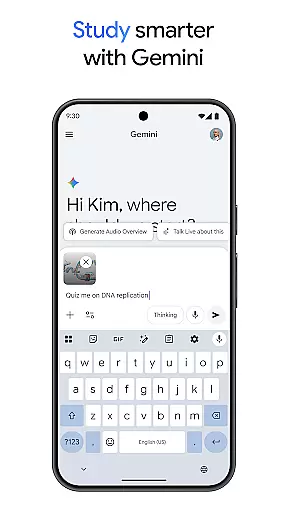
The app further enhances productivity by offering features like quiz and flashcard creation, interactive visuals, and real-world examples, which are particularly beneficial for studying and exploring new topics. These tools help in breaking down tasks into manageable parts, ensuring that users remain focused and organized. By upgrading to the Pro or Ultra plans, users gain access to even more powerful features, including a 1M token context window and video generation capabilities, thus elevating their task management experience to an industry-leading level.
Cross-device synchronization is a cornerstone of productivity, and Gemini excels in providing reliable and consistent synchronization across multiple devices. Whether you're working on your phone, tablet, or computer, Gemini ensures that all your data, preferences, and ongoing tasks are seamlessly synced, allowing for uninterrupted workflow regardless of the device in use.
The app leverages Googleu2019s robust infrastructure to maintain high standards of data integrity and synchronization speed. This means that any changes made on one device are instantly reflected on all others, providing a cohesive user experience. For professionals and students alike, this reliability is indispensable, as it eliminates the risk of data loss and ensures that critical information is always up-to-date and accessible.
Gemini also supports extensive file compatibility, turning any document into a podcast or editable format that can be accessed anywhere. This flexibility is enhanced by the app's ability to process large volumes of text and code, thanks to its 1M token context window available in the Pro plan. Such features ensure that whether you're planning trips, summarizing research, or creating visual content, your work remains consistent and synchronized across all platforms, empowering you to achieve more with less effort.
User-friendly interface
Seamless Google integration
Advanced AI capabilities
Versatile productivity tools
Comprehensive educational support
Premium features require subscription
Higher cost for Ultra plan
Limited free-tier functionality
Resource-intensive on devices
Privacy concerns with data usage

Client for Nextcloud Deck
 4.60
4.60
The long-awaited modern gallery app for your Nextcloud server
4.70
Mega cloud explorer plugin for Solid Explorer
3.80
Send files, sync SMS, notifications & clipboard across devices via local network
4.40
Font maker keyboard with your own handwriting
4.10
PDF scanner & converter for files, photos, lottery, QR codes. One swipe away!
4.50
Subscribe to Webcal & .ics calendars and keep them up-to-date!
4.50
Share files & memories safely. Keep your photos and videos secure.
4.40
Seamlessly read, manage, and organize all your PDF files solution in one place
4.40
Use powerful, industry-leading AI tools to generate visual charts from any data
4.80
Seamlessly integrate data and reports to build your presentation to impress
4.80
Simple notepad & memo. Take notes, to-do list, shopping list with reminders.
4.80
Direct Chat without saving contacts & Dual WA Account on Single Device
4.70
Docker, Kubernetes management over Portainer Mobile
4.40
Automates browsing any website and notifies you of important changes or events
4.30
Enjoy classic gameplay with customizable features and retro-style graphics.
4.30
Unlock AutoNotification
4.00
Remotely view listen control and record cameras.
3.70
ID.me Authenticator is a simple and free Two Factor Authentication solution
3.50


User Reviews