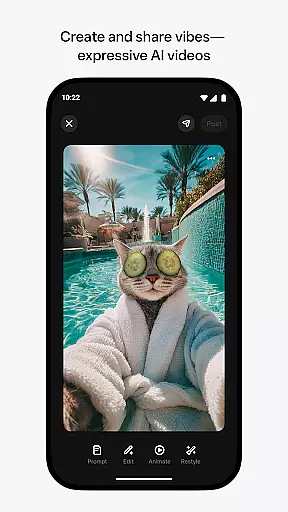
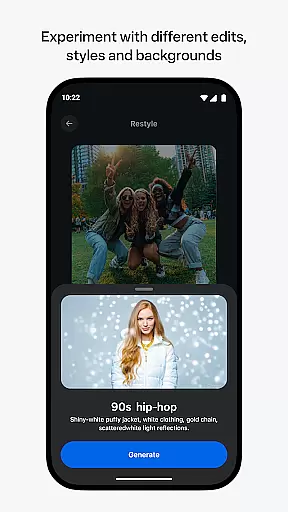
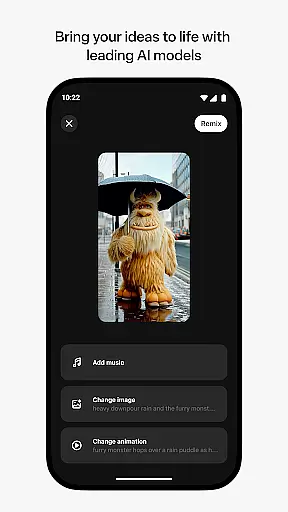
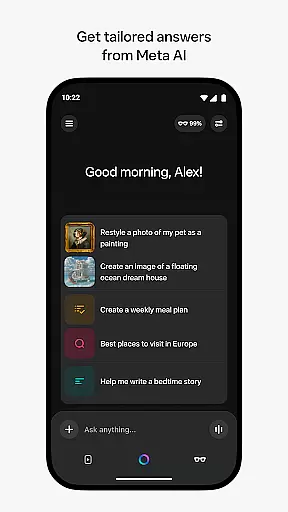
Meta AI is a productivity app that allows users to create and share AI-generated videos with custom animations and music. The app provides tailored answers and inspiration through voice or text, making it a versatile tool for creative professionals and casual users alike. With features like remixing existing videos and pairing with AI glasses, Meta AI offers a comprehensive platform for expressing ideas visually and managing wearable tech.
The app's industry-leading AI models enable users to generate unique content by simply describing their vision. Whether you're looking to produce professional-quality videos or just have fun experimenting with different styles, Meta AI adapts to your needs. Its compatibility with AI glasses adds another layer of functionality, allowing hands-free operation and seamless media management.
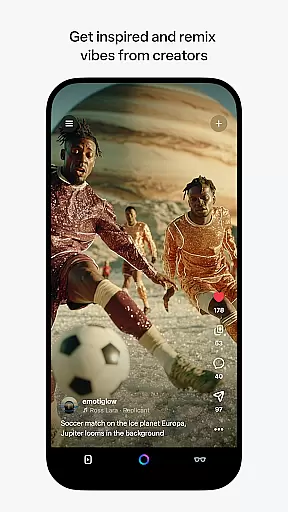
Meta AI stands out with its advanced AI models that generate creative videos based on user input. Users can customize animations, music, and other elements to craft personalized content. The app's remix feature lets you take existing creations from the feed and modify them into something entirely new, fostering a collaborative community of creators.
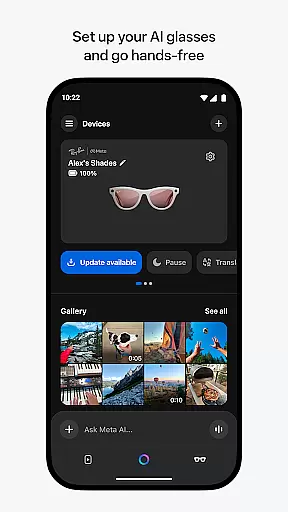
Beyond video creation, Meta AI serves as a personal assistant, providing quick answers and recommendations via voice or text. This dual functionality makes it an invaluable tool for staying productive throughout the day. Additionally, the app acts as the central hub for managing Meta AI glasses, enabling users to import, share, and control media directly from their wearables.
Meta AI offers a robust platform for creating and managing AI-generated content, ensuring users can efficiently handle their creative tasks. The app provides tailored answers and inspiration on-the-go, making it an essential tool for productivity.
With the ability to generate videos with custom animations and music, users can describe their vision and experiment with various edits and styles. This feature streamlines the process of video creation, allowing users to focus on refining their ideas rather than getting bogged down by complex editing software.
The app's industry-leading AI models ensure that even those new to video production can create professional-quality content. By simplifying the steps involved in video production, Meta AI empowers users to produce high-quality work quickly and easily.
Cross-device synchronization is a key feature of Meta AI, enabling seamless management of AI glasses and media sharing. Users can pair their AI glasses to go hands-free, relying on the app as the central hub for all their devices.
This synchronization ensures that whether you're at home or on the move, your projects and preferences are always up-to-date across all your devices. It allows for uninterrupted workflow, which is crucial for maintaining productivity in todayu2019s fast-paced environment.
Moreover, the Meta AI app supports importing and sharing media effortlessly, enhancing collaboration and creativity. With reliable cross-device support, users can trust that their work will be accessible wherever they need it, whenever they need it.
User-friendly interface
Advanced AI capabilities
Versatile content creation
Integrated device management
Collaborative community features
Limited language support
Feature rollout delays
Requires specific hardware
Premium subscription costs
Learning curve for beginners

When you Focus, so will your Bean in this cozy focus timer
 4.30
4.30
Easily read and manage all your PDF files
4.10
8 custom complications. Custom Time Fonts. Beautiful color schemes. A++ Design.
5.00
Automates browsing any website and notifies you of important changes or events
4.30
The upgraded version of Name Wheel with AI and the power to add your own wheels.
4.5
Secure, open-source, SPICE and SSH Remote Desktop for QEMU KVM virtual machines
4.00
A comprehensive suite of tools designed specifically for Lactation Consultants
4.4
Experience and share your SolidWorks designs on your Android® phone and tablet.
2.50
Share files & memories safely. Keep your photos and videos secure.
4.40
Android Wallet Password Manager
4.80
Quickly and easily keep track of your work shifts
4.70
The Pro Version of Android's tiniest Notepad app. Just 0.3MB but feature-packed!
4.60
All document reader, all in one file viewer read PDF, DOCX, XLS, PPT, TXT files.
4.60
To do list widget with a notebook organizer, checklist, simple shopping list
4.60
Subscribe to Webcal & .ics calendars and keep them up-to-date!
4.50
Tally and goal counter for Wear OS & mobile
4.50
Take control of your clipboard with Clipper!
3.90
Smart PDF reader & editor to view, organize and manage PDF documents easily.
3.70
ID.me Authenticator is a simple and free Two Factor Authentication solution
3.50


User Reviews