

Google Sheets is a powerful productivity app that allows users to create, edit, and collaborate on spreadsheets directly from their Android devices. The app provides a comprehensive set of features including real-time collaboration, offline access, and automatic saving. Whether you need to manage business data or organize personal information, Google Sheets offers the flexibility to work anytime, anywhere.
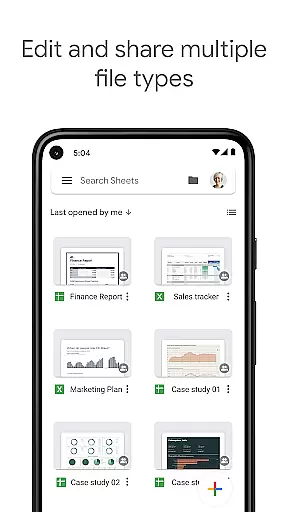
The app supports advanced functionalities such as formatting cells, entering formulas, and inserting charts. It also integrates seamlessly with Excel files, making it an ideal choice for both personal and professional use. With smart suggestions powered by Google AI, users can quickly gain insights and apply formatting to their data. As part of Google Workspace, it ensures enterprise-grade security and seamless integration with other tools.
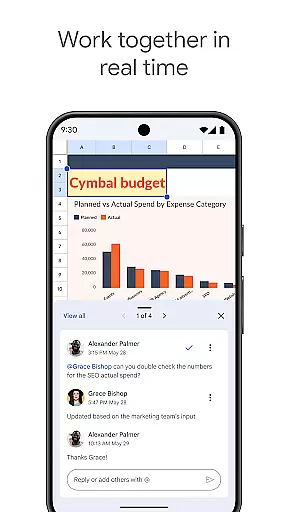
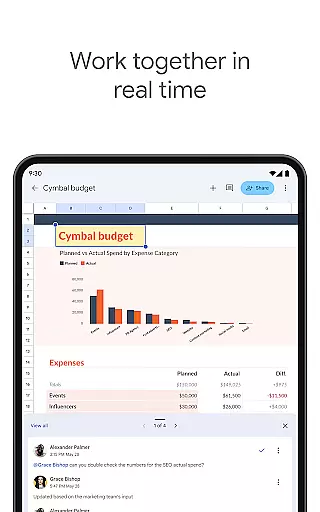
Google Sheets stands out with its robust feature set tailored for productivity. One of its key strengths is real-time collaboration, allowing multiple users to work on the same spreadsheet simultaneously. This feature is particularly beneficial for teams who need to share information and make decisions quickly.
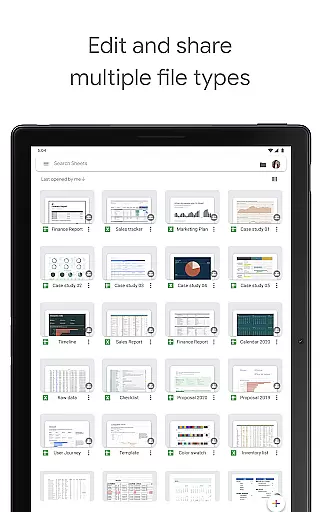
In addition to collaboration, Google Sheets offers extensive functionality such as adding and responding to comments, formatting cells, sorting data, and using find/replace tools. Smart suggestions help users insert charts and apply formatting efficiently. The app also supports offline access, ensuring productivity is not hindered by lack of internet connectivity. Furthermore, its compatibility with Excel files makes it versatile for various user needs.
Task management is a cornerstone of productivity applications, and Google Sheets excels in this area by offering a comprehensive suite of tools designed to streamline workflow. With the ability to create new spreadsheets or edit existing files, users can organize tasks efficiently, set deadlines, and track progress seamlessly.
The app allows multiple users to share spreadsheets and collaborate in real-time, ensuring that teams can work together without missing a beat. This feature is particularly beneficial for projects requiring input from various stakeholders, as it facilitates communication and ensures everyone is on the same page.
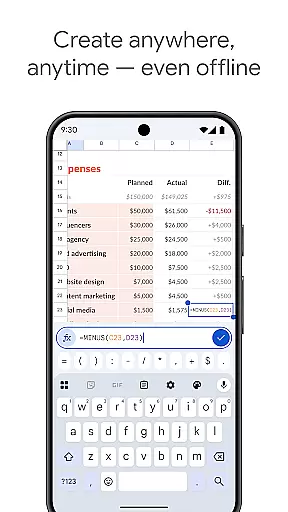
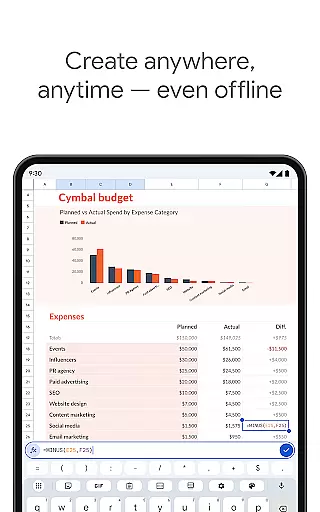
Google Sheets also supports offline functionality, enabling users to work anywhere, anytimeu2014even without an internet connection. This flexibility ensures that productivity is not hampered by connectivity issues, allowing users to focus on their tasks without interruptions.
Moreover, smart suggestions powered by Google AI provide quick insights and help automate repetitive tasks such as formatting, inserting charts, and applying conditional formatting. These features save time and enhance accuracy, making task management more efficient and effective.
Cross-device synchronization is crucial for maintaining productivity in today's fast-paced world, and Google Sheets offers reliable and seamless synchronization across multiple devices. Whether you're switching from your Android phone to a tablet or a desktop computer, your work is automatically saved and updated in real-time, ensuring consistency and accessibility.
This synchronization is powered by Google Workspace, which provides enterprise-grade security and ensures that all changes are securely stored and easily retrievable. Users can create, view, and edit files wherever and whenever, with the confidence that their data is protected and up-to-date.
Google Sheets also integrates smoothly with other business-critical tools, allowing users to analyze data and build custom solutions that cater to their specific needs. This interoperability enhances the overall user experience and ensures that workflows remain uninterrupted regardless of the device being used.
Additionally, Google Workspace subscribers benefit from enhanced features such as real-time notifications for edits made while they are away and the ability to chat with colleagues within the same spreadsheet. These features foster collaboration and ensure that teams can maintain momentum and achieve their goals efficiently.
User-friendly interface
Real-time collaboration
Automatic saving
Offline access
Excel compatibility
Limited advanced features
Requires Google account
Occasional sync issues
Dependent on internet
Basic mobile functionality

Absolutely the best CNC machinist speed and feed calculator around. fswizard.com
 4.60
4.60
CalenGoo is a very flexible and feature-rich calendar app
4.40
Calendar 2023 widget for Android. Appointment scheduler, planner, and reminder
4.60
Tally and goal counter for Wear OS & mobile
4.50
Docker, Kubernetes management over Portainer Mobile
4.40
Great calculator for Android named one of USA TODAY's "25 Essential Apps".
4.90
A comprehensive suite of tools designed specifically for Lactation Consultants
4.1
Seamlessly read, manage, and organize all your PDF files solution in one place
4.40
Note taking, handwriting, record audio, PDF annotation, planner & journal
4.20
Native client for Forgejo and Gitea
5.00
8 custom complications. Custom Time Fonts. Beautiful color schemes. A++ Design.
5.00
We're working to become the best machining app on the market! www.cncdirt.com
4.80
A beautiful digital clock with autostart and many other functions
4.70
Functional QR scanner and barcode reader that requires little storage space.
4.60
PDF scanner & converter for files, photos, lottery, QR codes. One swipe away!
4.50
Total remote control for your Android device, PC and cloud services (IFTTT)!
4.20
Experience real multitasking on your Android!
4.00
Create and edit presentations with Google Slides, part of Google Workspace.
4.00
Access your phone's notifications, calls, apps, photos & texts on your PC
3.90


User Reviews