
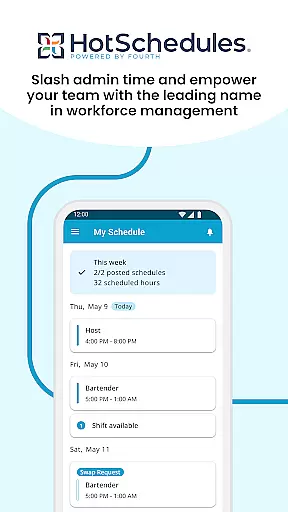
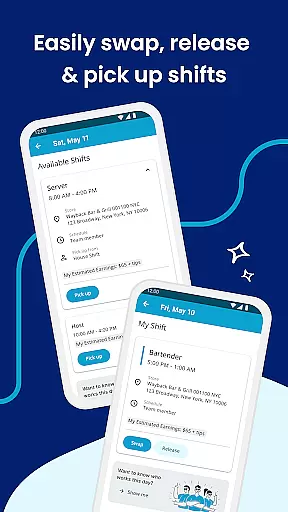
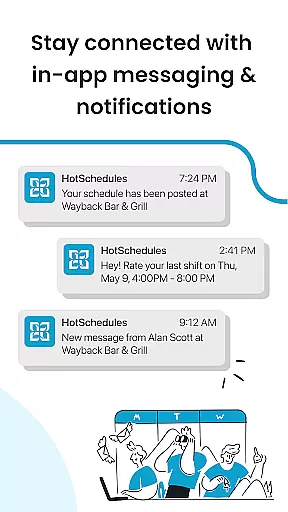
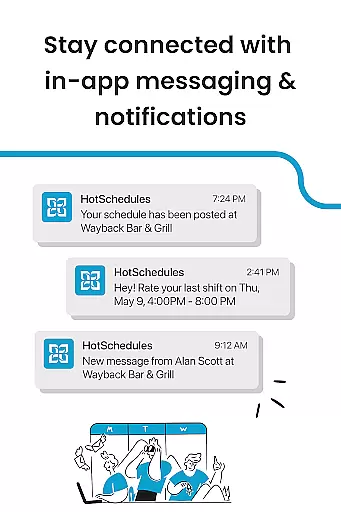
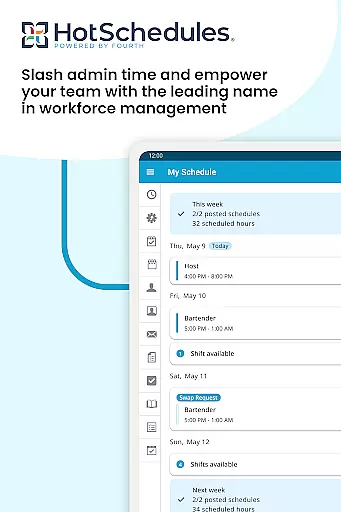
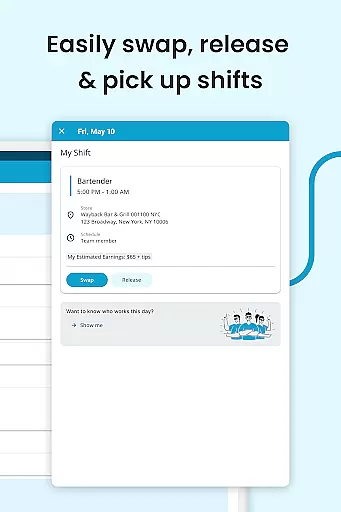
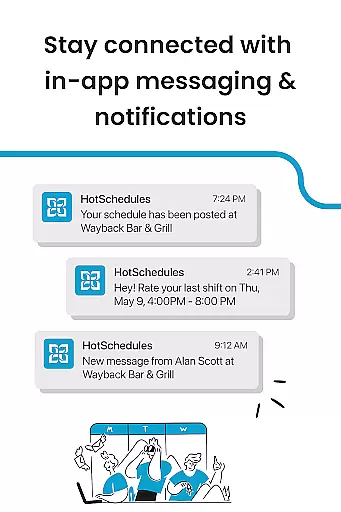
HotSchedules is a leading productivity app designed specifically for workforce management in industries like hospitality and retail. The app's core functionality revolves around employee scheduling, enabling both team members and managers to efficiently manage work shifts. Team members can easily swap, pick up, or release shifts with just one click, while managers save up to 75% of their time when creating schedules and approving shift changes. Additionally, the app supports automatic calendar sync and notifications, ensuring that users are always updated about schedule changes.
Beyond scheduling, HotSchedules offers tools for monitoring business performance through sales and labor snapshots, accessible from anywhere. This feature helps managers stay connected to operations without being tied to the back office. Communication is another key aspect, with broadcast and one-to-one messaging capabilities fostering a productive team culture. Whether you're looking to improve work-life balance or streamline workforce management, HotSchedules provides an all-in-one solution tailored to modern workplace needs.
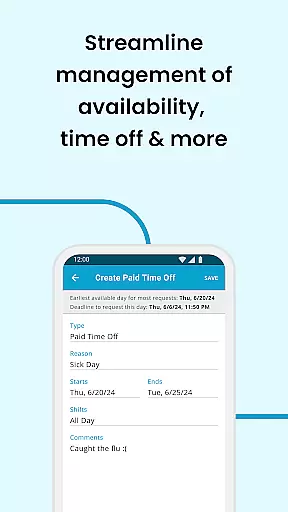
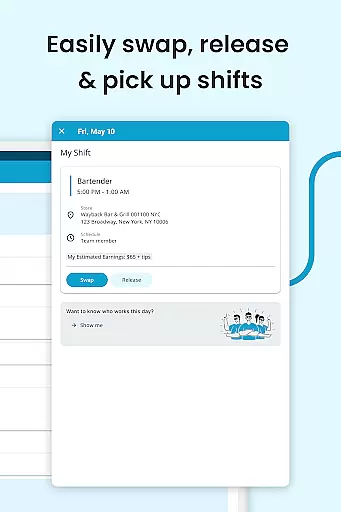
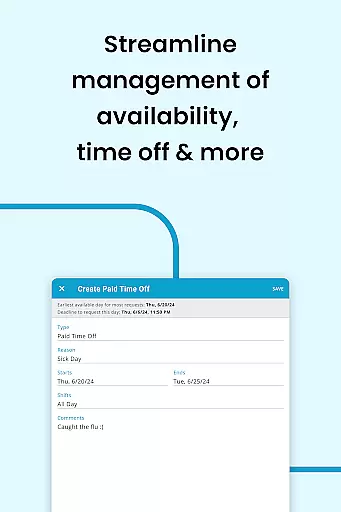
HotSchedules stands out due to its robust set of features that cater to both employees and managers. For team members, the app allows seamless shift management with one-click actions for swapping, picking up, or releasing shifts. Automatic shift pickups help employees gain more hours when needed, while time-off requests allow them to maintain work-life balance. Calendar integration ensures that any manager-approved changes are immediately reflected on users' devices.
For managers, the app offers significant time savings—up to 75%—when building schedules and approving shift changes. Real-time business performance monitoring is possible through sales and labor snapshots, which can be accessed remotely. The app also includes communication tools such as broadcast messaging and one-to-one chats, keeping teams aligned and informed. With its comprehensive feature set, HotSchedules not only simplifies scheduling but also enhances overall team productivity and satisfaction.
HotSchedules excels in core task management by providing tools that streamline scheduling and team communication. The app allows users to swap, pick-up, or release shifts with a single click, making shift management effortless.
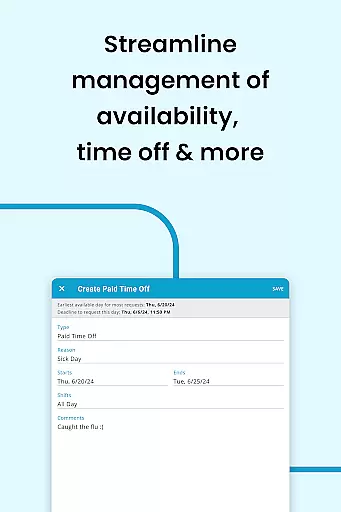
For those seeking work-life balance, the app offers automatic shift pick-ups when more hours are desired and facilitates time-off requests for periods of rest. This ensures employees can manage their availability efficiently while meeting employer needs.
Managers benefit from significant time savingsu2014up to 75%u2014when creating schedules and approving shift changes with just one click. This efficiency not only reduces administrative workload but also enhances overall productivity within teams.
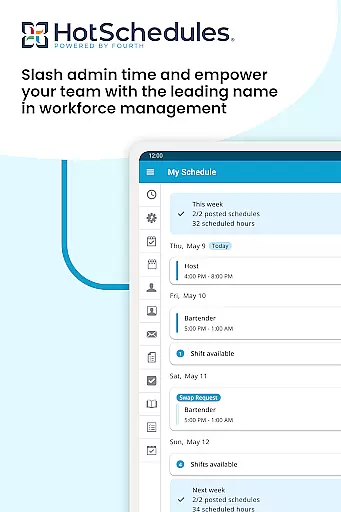
Cross-device synchronization is a standout feature of HotSchedules, ensuring that all schedule updates are reliably synced across devices. Calendar integration and notifications keep users informed about any manager-approved changes, automatically updating their schedules on their phones.
This real-time synchronization ensures that both team members and managers are always on the same page, reducing miscommunication and scheduling conflicts. Whether accessing the app via smartphone or desktop, users experience seamless updates and consistent information delivery.
Moreover, staying connected through broadcast and one-to-one messaging fosters a cohesive team culture. By maintaining reliable cross-device functionality, HotSchedules supports an organized and harmonious workplace environment where everyone remains aligned and engaged.
User-friendly interface
Efficient shift management
Real-time updates
Remote performance monitoring
Enhanced team communication
Requires employer account
Limited to specific industries
Dependent on manager approval
No standalone version
Premium features may cost extra

Easily read and manage all your PDF files
 4.10
4.10
Mind Map and brainstorm, note taking and idea collection
4.80
Make your handwriting beautiful, even more than pen on paper.
3.60
Absolutely the best CNC machinist speed and feed calculator around. fswizard.com
4.60
Pwnagotchi companion app
4.20
Create and edit presentations with Google Slides, part of Google Workspace.
4.00
Ultimate Virtual AI Character for immersive Roleplay Chat. Perfect Companion
3.90
Use powerful, industry-leading AI tools to generate visual charts from any data
4.80
Understand anything with a personalized AI research assistant
4.80
Multilingual translator for text, voice, and image translation!
4.90
Scan paperwork into PDF/JPG, generate your own e-signature and send fax or email
4.70
Stay on top of your to-dos with Google Tasks, part of Google Workspace.
4.60
Planet Free VPN - The best Fast Unlimited and Secure VPN Without Logs
4.50
A lightweight JSON & XML files creator, editor and viewer (Premium Version)
4.40
Secure your apps with lock screens, use custom themes and different features.
4.40
Share files & memories safely. Keep your photos and videos secure.
4.40
Access, manage and transfer files on Android, PC, Mac, NAS and cloud storages.
4.30
Device's storage information in a simple and clear graphical form (infographics)
4.10
Take control of your clipboard with Clipper!
3.90


User Reviews