
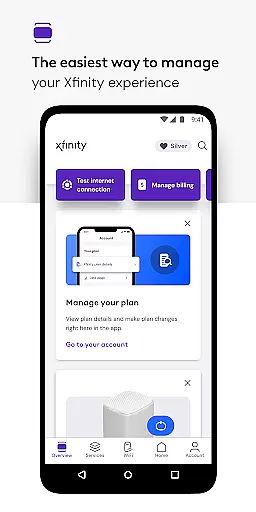
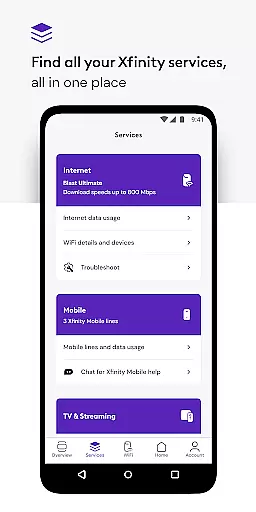
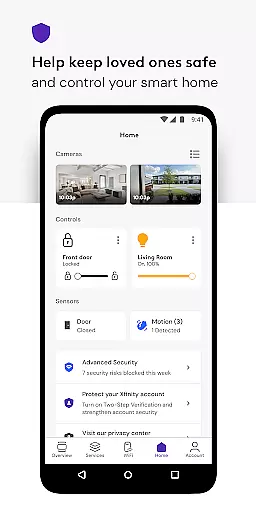
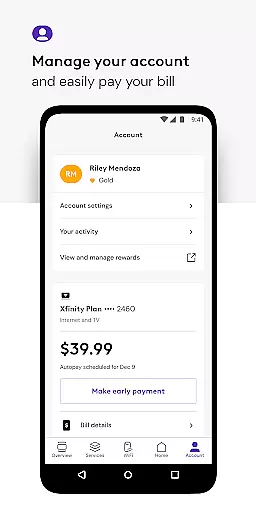
Xfinity is a productivity app that allows users to manage all their Xfinity services in one place. The app provides 24/7 real-time support, tools for activating equipment and testing internet speed, and access to Xfinity Rewards. It also offers personalized tools and tips for improving WiFi performance, advanced security features, parental controls, and ultimate control over WiFi settings.
With the Xfinity app, customers can pay bills, view plan details, change or upgrade services, and more. The app's advanced security features protect devices and keep loved ones safe online, while parental controls allow for family-safe browsing and the ability to pause WiFi to any connected device. Overall, the Xfinity app enhances the user's Xfinity experience by providing everything they need to manage their account and optimize their services.
The Xfinity app offers a range of features designed to enhance the user's experience with Xfinity services. One key feature is the ability to manage all services in one place, including paying bills, viewing plan details, and changing or upgrading services. The app also provides 24/7 real-time support, tools for activating equipment and testing internet speed, and access to Xfinity Rewards.
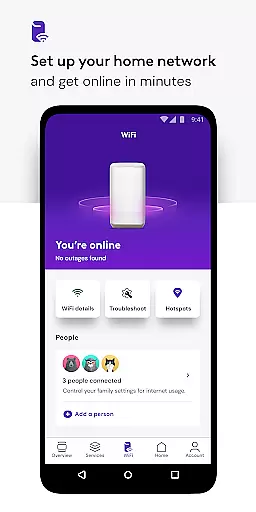
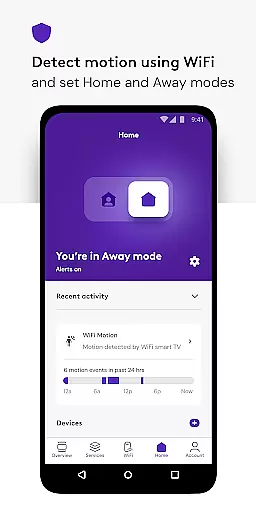
In addition, the Xfinity app offers personalized tools and tips for improving WiFi performance, advanced security features to protect devices and keep loved ones safe online, and parental controls for family-safe browsing. Users can also set up WiFi, assign user profiles, and get help improving the performance of every connected device. With its comprehensive suite of features, the Xfinity app provides users with ultimate control over their Xfinity services.
Task management is a crucial aspect of productivity applications, and the Xfinity app excels in providing users with comprehensive tools to manage their account effectively. This functionality allows users to handle various services within a unified platform, ensuring that they can maintain control over their digital home effortlessly.
The app offers features such as bill payment, service plan details viewing, and the ability to change or upgrade services seamlessly. These capabilities empower users to take charge of their account settings without needing to navigate away to a web browser or contact customer support for assistance.
By integrating personalized tools and tips to enhance WiFi performance, the Xfinity app not only manages tasks but also improves the overall user experience. This proactive approach helps in troubleshooting potential issues before they become significant problems, thus saving time and enhancing satisfaction.
Furthermore, the inclusion of parental controls and the ability to set up WiFi and assign user profiles means that families can tailor their internet usage according to their specific needs. This level of customization and control ensures that the Xfinity app stands out in task management within the realm of productivity applications.
Cross-device synchronization is essential for users who interact with their services on multiple platforms. The Xfinity app addresses this need by ensuring reliable and consistent updates across all devices, which is critical for maintaining an uninterrupted service experience.
With the Xfinity app, customers can expect real-time updates whether they are using a smartphone, tablet, or desktop computer. This reliability means that any changes made, such as service upgrades or parental control adjustments, are immediately reflected across all devices, providing a seamless user experience.
The app's ability to offer advanced security features both at home and on the go further demonstrates its commitment to synchronization reliability. Users can activate a VPN service for safe browsing when connected to unsecured networks, knowing that their settings will be upheld wherever they are.
Ultimately, the robust synchronization provided by the Xfinity app ensures that users have access to the most current information and settings, regardless of where or how they choose to engage with their services. This reliability fosters trust and confidence in managing one's digital life efficiently and securely.
User-friendly interface
Comprehensive service management
Advanced security features
Personalized tools and tips
Parental controls for family-safe browsing
Occasional connectivity issues
Limited availability in some regions
Some features require renting equipment
Advanced security features may require additional permissions
Parental controls may be too restrictive for some users

Easily read and manage all your PDF files
 4.10
4.10
Make your handwriting beautiful, even more than pen on paper.
3.60
Secure, fast, open-source, Remote Desktop Client for Windows and Linux with SSH
4.60
The AI assistant that thinks with you - write, code, and solve complex tasks
4.60
Create and edit presentations with Google Slides, part of Google Workspace.
4.00
Tally and goal counter for Wear OS & mobile
4.50
Experience and share your SolidWorks designs on your Android® phone and tablet.
2.50
This small app MUST BE INSTALLED after purchase, else license won't work
4.40
AT&T Internet customers can use this app to personalize their Wi-Fi network.
4.40
Secure, fast, open-source, VNC and SSH Remote Desktop for Windows, Linux and Mac
4.70
Quickly and easily keep track of your work shifts
4.70
The Pro Version of Android's tiniest Notepad app. Just 0.3MB but feature-packed!
4.60
A simple Whisper AI keyboard for reliable speech transcription and rewording
4.60
When you Focus, so will your Bean in this cozy focus timer
4.30
Unlock AutoNotification
4.00
* block pre-roll ads, pop-up and forced redirect ads * Samsung certification app
4.00
Remotely view listen control and record cameras.
3.70
Code on-the-go with VScode for Android. Edit,debug and collaborate from mobile!!
3.10
A simple, portable logger for POTA, SOTA, Field Day, and more
4.5


User Reviews