
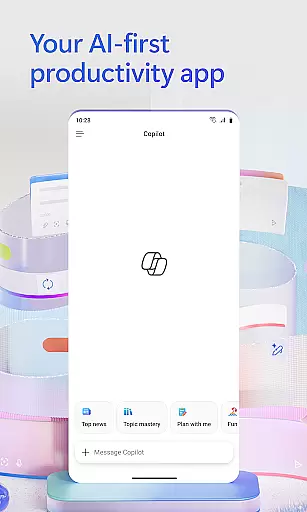
Microsoft 365 Copilot is an AI-powered productivity application designed to streamline tasks both at work and home. The app serves as a centralized platform for interacting with an AI assistant, creating and editing content, scanning documents, managing projects, and swiftly locating files on the go. With seamless integration across Word, Excel, PowerPoint, and PDFs, it enables users to efficiently handle various document types in one place.
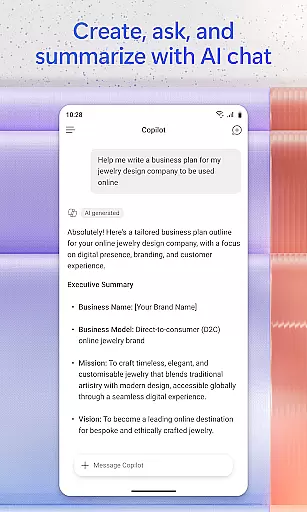
The app's AI assistant allows users to summarize documents stored in the cloud or locally, draft emails, analyze spreadsheets through natural language queries, and even interact via voice commands. Additional features include accelerated learning tools, expert insights from built-in AI agents like Researcher and Analyst, polished content creation using intuitive templates, and easy project management through Copilot Notebooks. These capabilities collectively help users accomplish more without increasing their workload.
Whether preparing for meetings, brainstorming ideas hands-free, or organizing family photos, Microsoft 365 Copilot proves invaluable. By signing in with a work, school, or personal Microsoft account, users can access these powerful tools to enhance productivity wherever they are.
Microsoft 365 Copilot offers a comprehensive suite of features that cater to diverse productivity needs. One standout capability is its AI assistant, which supports natural language interactions. Users can ask the assistant to summarize documents saved in OneDrive or SharePoint, draft emails, or analyze spreadsheets simply by conversing with it. This functionality extends to voice commands, enabling hands-free operation ideal for multitasking or accessibility purposes.
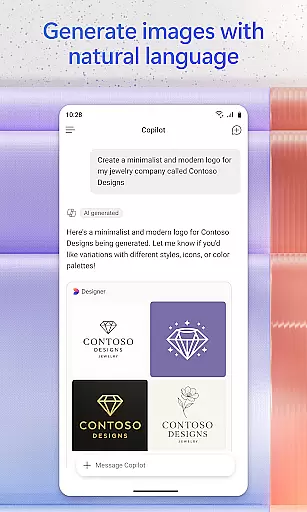
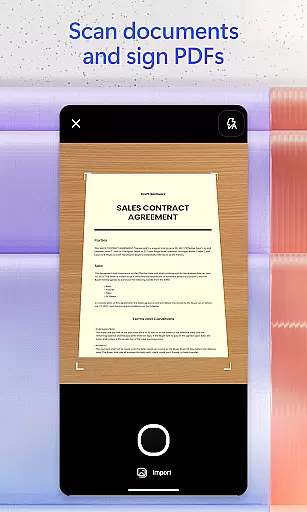
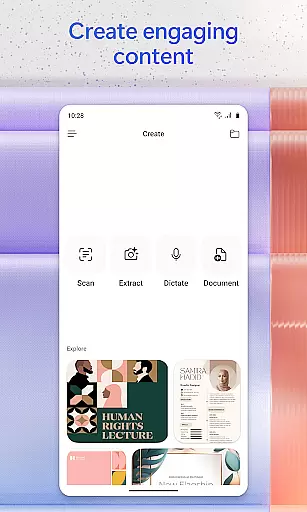
Beyond communication, the app excels in content creation and management. It provides easy-to-use templates for designing images, posters, banners, videos, and surveys. Additionally, the document scanning feature allows users to digitize notes, photos, and other physical materials directly through their mobile devices. Project management becomes effortless with Copilot Notebooks, where users can consolidate ideas, documents, and links while leveraging AI to connect the dots and provide summaries.
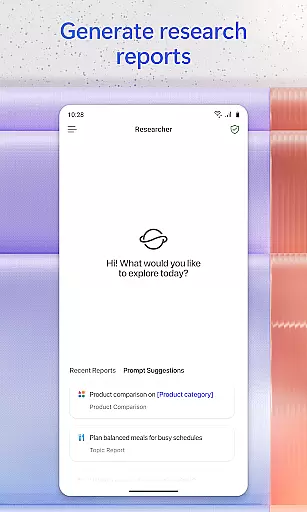
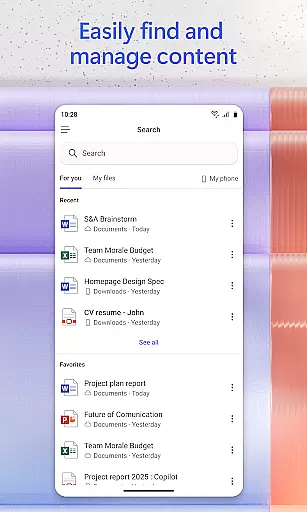
Another key advantage is the ability to quickly locate important files. Whether searching for a strategy deck from last month, family reunion pictures, or email attachments, the app ensures relevant content is easily accessible. Furthermore, users benefit from accelerated learning tools and expert insights provided by specialized AI agents such as Researcher and Analyst. These features collectively empower users to generate research reports, analyze datasets, and prepare presentations with greater efficiency.
Task management is a cornerstone of productivity applications, and Microsoft 365 Copilot excels in this area by offering comprehensive tools to manage your work and personal projects efficiently. The app consolidates various elements such as documents, spreadsheets, and presentations into one streamlined interface.
With Microsoft 365 Copilot, users can easily upload Word, Excel, or PDF files from their mobile device's storage and receive intelligent insights and answers from the AI assistant. This functionality not only saves time but also enhances the user's ability to handle complex tasks on the go.
The application further supports project management through its Copilot Notebooks feature, which allows users to compile ideas, documents, and links. By leveraging AI, it can summarize content and draw connections between different pieces of information, thus enabling more organized and insightful project handling.
Overall, these capabilities ensure that users can maintain productivity without being tied to a desktop, making Microsoft 365 Copilot an invaluable tool for modern task management needs.
Cross-device synchronization is vital for users who operate across multiple platforms and devices. Microsoft 365 Copilot addresses this need by providing reliable and seamless synchronization, ensuring that all your files and data are up-to-date regardless of the device you use.
Whether you're working on a document at the office, editing a spreadsheet at home, or reviewing a presentation on your mobile device, Microsoft 365 Copilot ensures that every change is automatically saved and synced across all your devices. This means you'll always have access to the most current version of your work.
In addition to document synchronization, the app offers robust features like scanning documents, photos, and notes using your mobile device and then accessing them from any other linked device. This level of integration simplifies workflows and enhances productivity by allowing uninterrupted access to essential resources.
By prioritizing synchronization reliability, Microsoft 365 Copilot provides peace of mind and fosters a cohesive digital ecosystem where users can focus on their tasks without worrying about data consistency or accessibility issues.
AI-powered assistance
Voice command support
Multi-format compatibility
Efficient file search
Comprehensive templates
Limited free features
Requires Microsoft account
License restrictions
Dependent on cloud storage
Occasional slowdowns

AI Video AI Image Private LLM AI Browser Llama Gemma Ollama Connect LLM Studio
 4.2
4.2
Client for Nextcloud Deck
4.60
Auto-shutoff Alarm with Sunrise, Sunset & Fixed Options.
3.50
Native client for Forgejo and Gitea
5.00
CalenGoo is a very flexible and feature-rich calendar app
4.40
App lock - lock apps with fingerprint, password, pin or pattern, protect privacy
4.70
PDF scanner & converter for files, photos, lottery, QR codes. One swipe away!
4.50
A simple Whisper AI keyboard for reliable speech transcription and rewording
4.60
AT&T Internet customers can use this app to personalize their Wi-Fi network.
4.40
Scientific calculator for Android - looks and operates like the real thing!
4.90
aCalendar+ makes your day, week and month
4.70
Secure, fast, open-source, Remote Desktop Client for Windows and Linux with SSH
4.60
To do list widget with a notebook organizer, checklist, simple shopping list
4.60
Tally and goal counter for Wear OS & mobile
4.50
A lightweight JSON & XML files creator, editor and viewer (Premium Version)
4.40
Share files & memories safely. Keep your photos and videos secure.
4.40
Wake up & get tasks done! Add alarms & reminders on the Clock Launcher.
4.00
The ultimate file manager for rooted devices. The original and still the best.
4.00
A Revolutionary All-in-One Artificial Intelligence Tools
3.80


User Reviews