
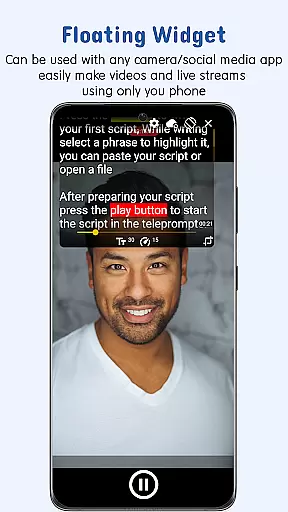
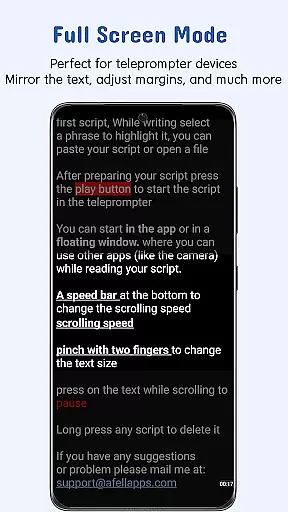
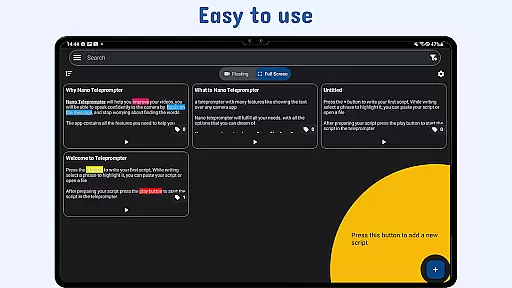
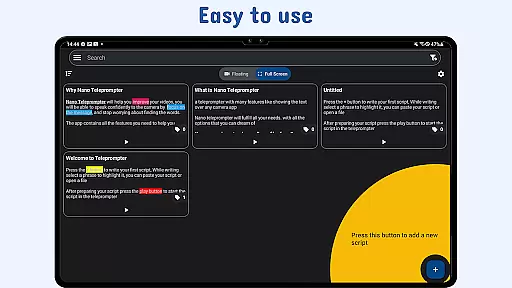
Nano Teleprompter is a productivity-focused teleprompter app designed to streamline script management and delivery for content creators, public speakers, and live streamers. With its intuitive interface, the app allows users to seamlessly integrate scripts from Google Drive, ensuring real-time updates across devices. The floating widget feature provides unmatched flexibility by enabling users to overlay the teleprompter on any camera app while recording in both landscape and portrait modes.
Key functionalities include customizable text settings, gesture controls, and adjustable scroll delays, all of which enhance user experience during recordings or presentations. Whether you're filming videos, hosting live streams, or practicing speeches, Nano Teleprompter ensures smooth, hands-free operation with remote control support and instant access to scripts. Its cloud-based syncing and cross-device compatibility make it an ideal tool for professionals seeking efficiency and precision in their workflow.
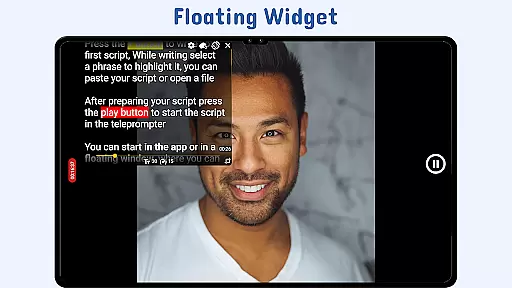
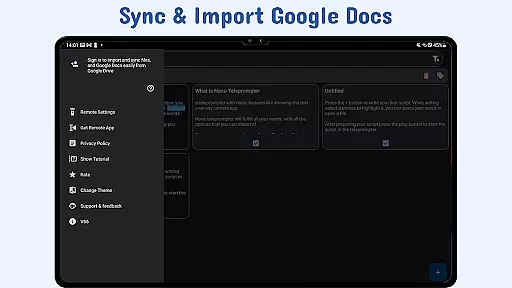
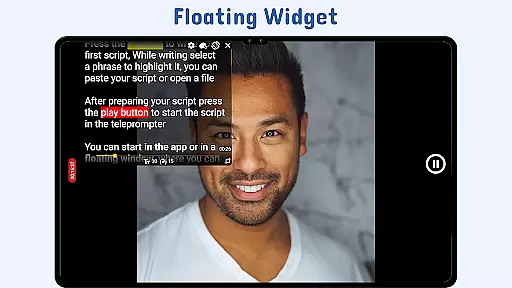
Nano Teleprompter stands out with its robust set of features tailored to meet diverse teleprompting needs. One of its standout capabilities is the Floating Teleprompter Widget, which can be resized and repositioned freely over any camera app, offering unparalleled convenience for content creators. This feature supports both landscape and portrait orientations, catering to various recording styles. Additionally, the app's Real-Time Google Drive Sync allows users to create, edit, and manage scripts directly within Google Drive, ensuring that changes are automatically reflected in the app without manual intervention.
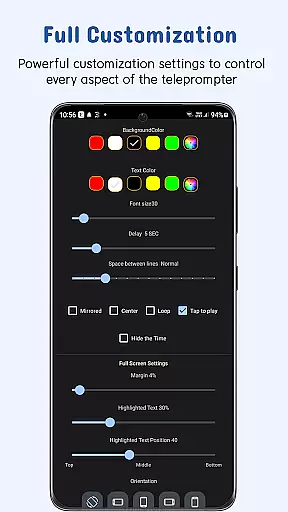
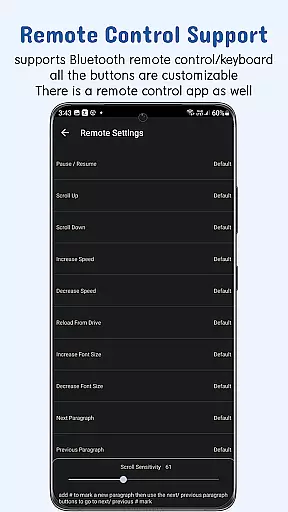
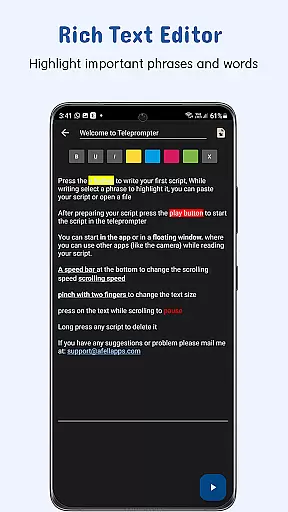
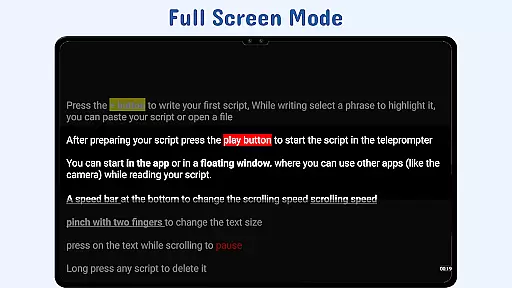
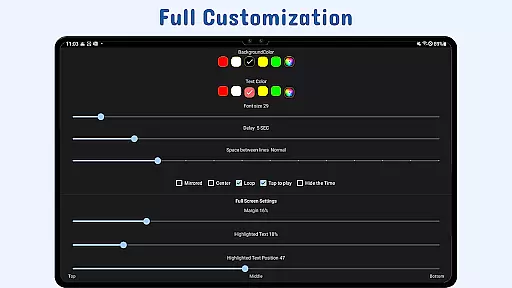
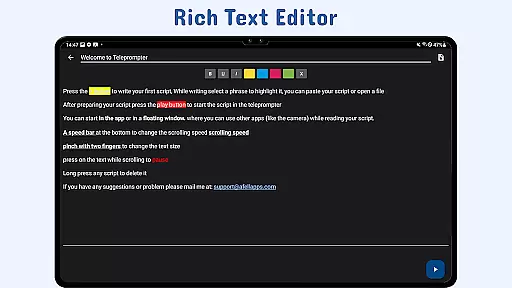
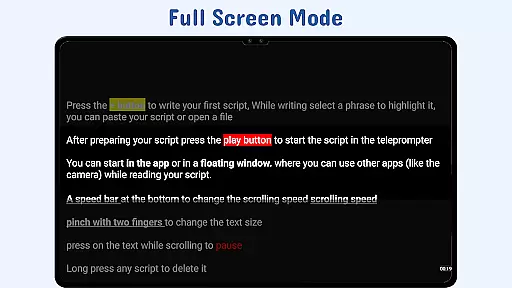
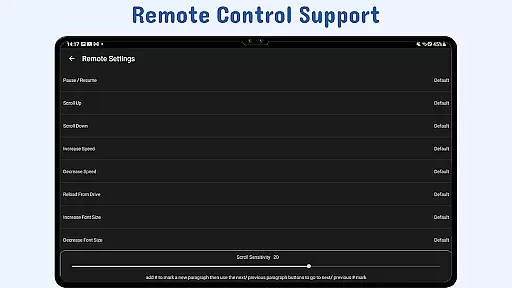
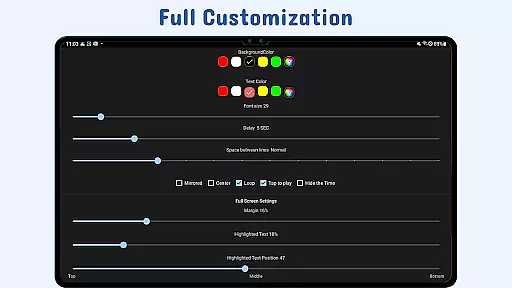
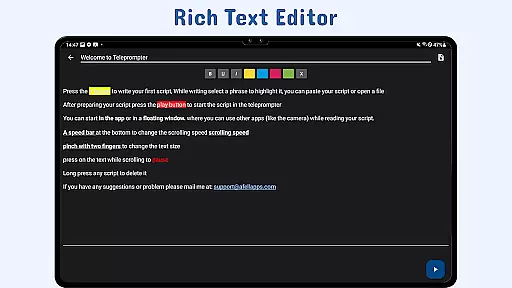
The app also excels in customization options, allowing users to adjust text size, color, background opacity, margins, and line spacing for optimal readability. Highlighting key phrases further enhances script emphasis, while gesture controls like pinch-to-zoom and drag-to-resize provide quick adjustments during use. Other notable features include adjustable scroll delays, remote control support for hands-free navigation, and the ability to open text files directly from file explorers or share text from other apps. These comprehensive tools ensure a seamless and professional teleprompting experience.
At the heart of Nano Teleprompter lies its robust core task management system, designed to streamline your workflow. This feature allows users to create, edit, and manage scripts directly through Google Drive, ensuring that all content is up-to-date and readily accessible.
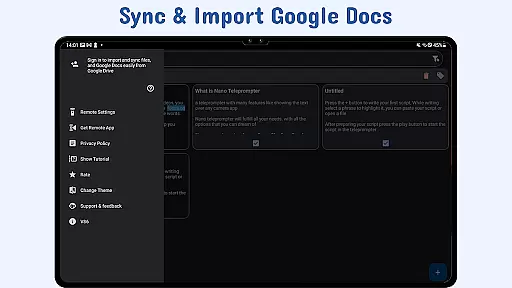
The app's real-time sync functionality means any changes made in Google Drive are instantly reflected within Nano Teleprompter. Whether you're working on a script from your desktop or collaborating with others, this seamless integration ensures everyone has access to the latest version without manual updates.
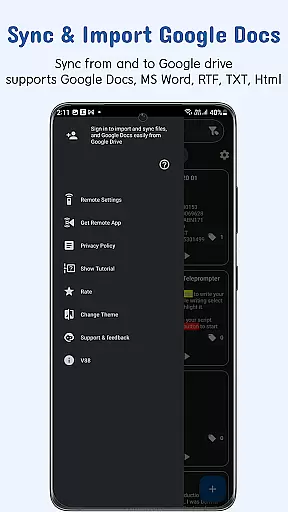
Moreover, Nano Teleprompter supports various file formats such as Google Docs, MS Word, RTF, TXT, and HTML. This versatility enables users to import existing documents effortlessly, making it easy to transition into using the teleprompter for video recordings, live streams, or speeches.
By centralizing script management and offering flexible editing options, Nano Teleprompter empowers users to focus more on their performance rather than worrying about document handling.
Nano Teleprompter excels in providing reliable cross-device synchronization, which is crucial for professionals who use multiple devices throughout their day. By leveraging Google Drive, the app ensures that scripts are consistently backed up and available across all your gadgets.
This synchronization process happens automatically, eliminating the need for manual backups or transfers. As long as thereu2019s an internet connection, users can start editing a script on one device and continue right where they left off on anotheru2014be it a smartphone, tablet, or computer.
In addition to convenience, this feature also enhances collaboration possibilities. Teams can work together on scripts in real time, knowing that every member will always have access to the most current version of the document regardless of their location or preferred device.
With Nano Teleprompteru2019s dependable syncing capabilities, users gain peace of mind knowing their important scripts are safely stored and easily retrievable whenever needed.
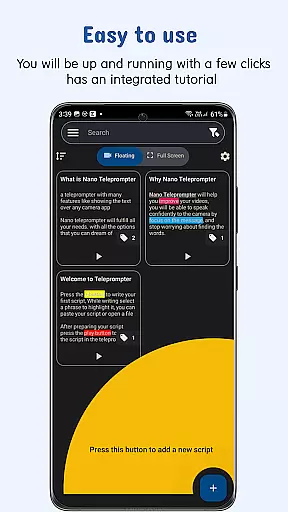
User-friendly interface
Real-time sync
Customizable settings
Cross-device access
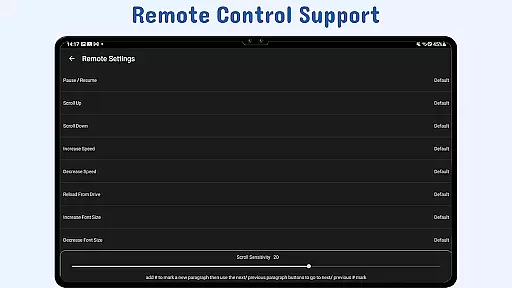
Remote control support
Limited offline functionality
Premium feature costs
Occasional sync delays
Device compatibility issues
Learning curve for beginners

Android Wallet Password Manager
 4.80
4.80
Mind Map and brainstorm, note taking and idea collection
4.80
Easiest event planning, volunteer signups & parent teacher conference scheduling
2.20
Activate Two Factor Authentication (2FA or Multi OTP), Password manager and more
4.10
Access, manage and transfer files on Android, PC, Mac, NAS and cloud storages.
4.30
Experience and share your SolidWorks designs on your Android® phone and tablet.
2.50
Secure your apps with lock screens, use custom themes and different features.
4.40
Share files & memories safely. Keep your photos and videos secure.
4.40
Browse and view your photos and videos from the phone with photo & video hide.
4.10
Native client for Forgejo and Gitea
5.00
Protect and view your important info on your phone and tablet with eWallet®
4.80
aCalendar+ makes your day, week and month
4.70
The Pro Version of Android's tiniest Notepad app. Just 0.3MB but feature-packed!
4.60
Translate text/voice/photos in 150+ languages. Offline & fast translator app.
4.50
Send files, sync SMS, notifications & clipboard across devices via local network
4.40
Create and edit presentations with Google Slides, part of Google Workspace.
4.00
Secure, open-source, SPICE and SSH Remote Desktop for QEMU KVM virtual machines
4.00
Take control of your clipboard with Clipper!
3.90
Mega cloud explorer plugin for Solid Explorer
3.80


User Reviews